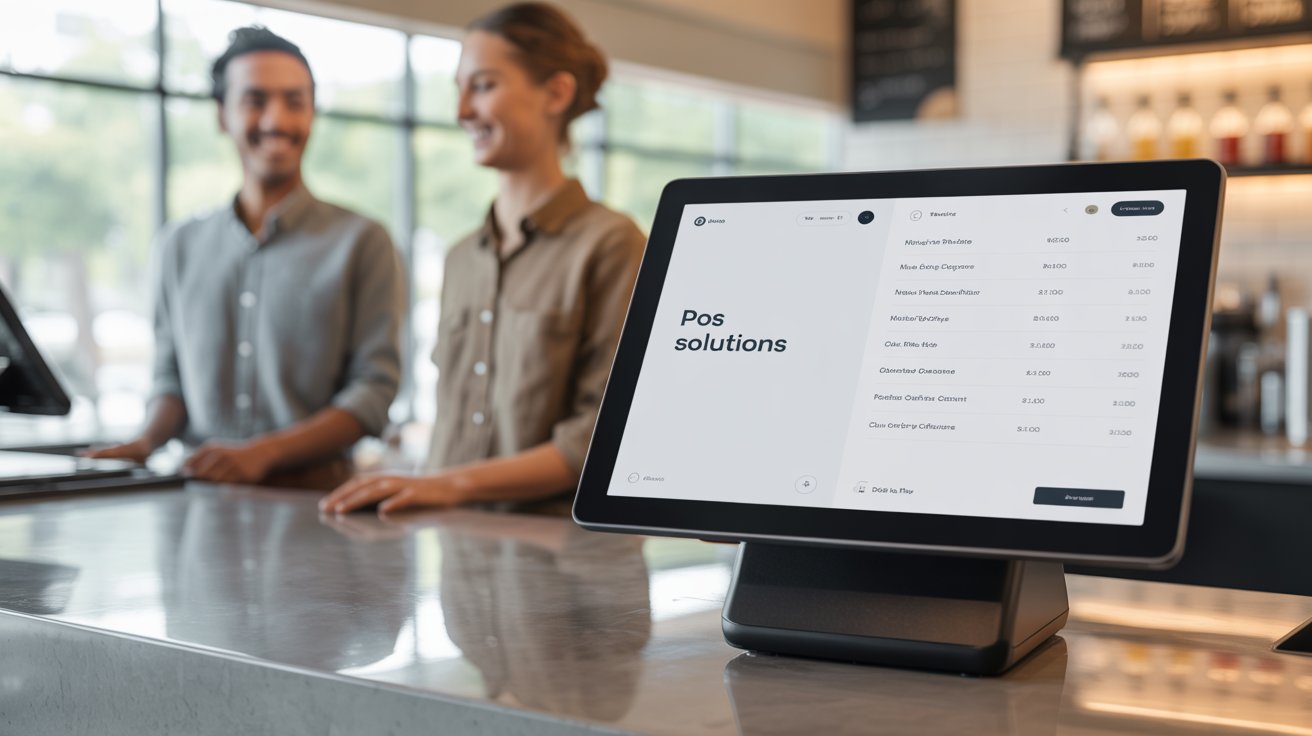
Running a restaurant in the US isn't just about serving great food; it's about keeping up with fast-moving orders, staff shifts, online deliveries, and tight margins. And if your POS system isn't built to handle all that pressure, things can fall apart.
Whether you're opening your first location or upgrading an outdated setup, choosing the best restaurant POS system can be the difference between chaos and control.
In this guide, we'll walk you through what to look for, common mistakes to avoid, and how to pick a POS system that actually works for your kind of restaurant, not just any restaurant.
Let's get started.

Free Restaurant Business Plan Guide (2025)
Download our free step-by-step PDF guide and learn how to create a winning plan for your restaurant.

Key Features to Look For in a Restaurant POS System
Not every POS system is made with US restaurants in mind, and that's exactly where most people go wrong. Before signing up for any software, make sure it checks the right boxes for your restaurant.
Here's what matters most:
1. Easy Order Management
The best POS for restaurants should keep up with your pace, whether it's a quick-service lunch rush, a packed dining room, or a surge of online orders. Look for systems that support tableside ordering, counter service, takeout, and third-party delivery integrations (like DoorDash or Uber Eats).
2. Fast Payments & Tip Handling
American diners often split checks and tip generously. The top restaurant POS should handle multiple payment types, allow tip adjustments, and offer contactless payment options. If it slows down at checkout, it's already a problem.
3. Employee Roles & Permissions
In a high-turnover industry like food service, managing staff access is key. Choose a restaurant POS software that lets you set custom roles, so your line cook isn't digging through your sales reports.
4. Real-Time Reporting
You can't improve what you can't track. Your POS should provide you with clear, real-time data on sales, best-selling items, peak hours, and staff performance, without requiring you to wait for an end-of-day report.
5. Multi-location Support
Running more than one location? Or planning to expand? Opt for a POS that enables you to manage menus, pricing, and performance across multiple stores from a single dashboard.
6. Offline Mode
Internet issues happen, especially in certain parts of the US. That's why it's smart to choose a cloud-based POS with offline mode, so your system keeps running and accepting payments even when the Wi-Fi drops.
7. Customer Data & Loyalty Tools
The best restaurant POS systems don't just process orders; they help you bring customers back. Look for built-in loyalty programs, saved customer profiles, and promo options.
8. US Tax & Licenses
From local tax rates to credit card compliance, your POS should follow US tax and licensing rules right out of the box. No add-ons. No hacks. Just plug-and-play compliance.
Challenges US Restaurant Owners Commonly Face with POS Systems
Investing in a restaurant point-of-sale system should make your life easier, not more stressful. But for many restaurant owners across the US, the reality is the opposite. Instead of streamlining operations, the wrong POS can slow you down, frustrate your team, and cost you money you didn't plan on spending.
So, here are the most common (and costly) challenges US-based restaurateurs face when it comes to restaurant POS systems:
1. Hidden Fees and Long-Term Contracts
At first glance, many POS systems seem affordable, and some even advertise "free" plans. But once you're in, the fine print hits hard. You may be locked into:
- Lengthy contracts you can't exit without a hefty cancellation fee.
- Add-on charges for basic features like reporting or support.
- Mandatory hardware rentals that keep billing even when you stop using them.
- Per-transaction fees that eat into your profits every month.
In an industry where margins are razor-thin, these surprise costs can be brutal.
2. Clunky & Complicated Interfaces
Your POS is supposed to save time, not make things harder. Yet many systems are built with outdated design or tech jargon that your team struggles to understand.
This leads to:
- Slower order entry during rush hours
- More mistakes at checkout or in the kitchen
- Time wasted training new hires (which happens a lot in the US industry due to high turnover)
If it takes more than a few taps to split a bill or edit a menu item, that's a red flag.
3. Support That's Too Slow or Too Far Away
Problems don't wait for business hours. A printer stops working. An order vanishes. Your card reader freezes up. Now imagine all that happening during Friday dinner service… and your POS support is only available via email or based in a different timezone.
In the US, you need:
- Fast, responsive support
- Phone, chat, or SMS help, not just tickets
- Teams that understand the American market, not just global software
4. Inflexibility That Hurts Your Workflow
Every restaurant has its own rhythm. Some offer counter service, some do full dining, and others juggle catering, pickup, and third-party delivery. But many POS systems force you into a one-size-fits-all structure.
That can mean:
- Struggling to modify your menu quickly
- Awkward workarounds for happy hour pricing or custom orders
- Slowdowns because your POS doesn't "get" your flow
You shouldn't have to change your process to fit your POS. It should be the other way around.
5. Hardware Headaches
POS providers often push their own branded hardware. But what happens when:
- You already own printers or tablets?
- You want to upgrade something independently?
- A device breaks, and the replacement isn't compatible?
Suddenly, you're stuck buying expensive gear you don't need, or worse, your entire system stops working mid-shift. Hardware flexibility is a must, not a bonus.
6. Limited Integration with US-Based Tools
The best POS system for restaurants doesn't work alone. It connects your restaurant to the rest of your tools like accounting, payroll, online ordering, loyalty programs, and delivery platforms.
Here's the catch: many systems built for international markets don't integrate well with popular US platforms like:
- Uber Eats, Grubhub, DoorDash
- QuickBooks, Gusto
- Stripe and local delivery tools
That means more manual work, more confusion, and more risk of errors. In a fast-paced industry, errors are the last thing you need.
How to Compare Restaurant POS Systems?
Choosing the best restaurant POS software shouldn't feel like gambling. But with so many options (and so much fine print), it's easy to get overwhelmed.
Here's what to look for, and why it matters:
|
Factor |
What to Check |
Why It Matters |
|
Pricing Model |
Flat monthly rate? % of sales? Hidden fees? |
Some POS systems take a cut from every sale or surprise you with add-on charges. Transparency matters. |
|
Contract Terms |
Month-to-month or locked-in contract? |
Long-term contracts limit flexibility. Look for systems that let you cancel or scale without penalties. |
|
Setup & Onboarding |
Do they help you set it up or leave it to you? |
You're busy—an easy onboarding process saves time and reduces stress. |
|
Ease of Use |
Can staff learn it quickly? Simple layout? |
High staff turnover means your POS should be intuitive and easy to train on. |
|
Support Availability |
24/7? Live chat or phone? |
Problems don't wait for business hours. You need fast, local support—especially during peak service times. |
|
Hardware Compatibility |
Works with your current tablets, printers, and card readers? |
Replacing everything gets expensive fast. Look for flexible hardware options. |
|
Delivery & Ordering Integrations |
Built-in support for DoorDash, Uber Eats, etc.? |
Online orders are a huge revenue source—your POS should sync with your delivery platforms. |
|
Payment Processing |
Built-in or third-party? Transparent rates? |
Some systems force you into their processor with high fees. Know what you're paying. |
|
Customization Options |
Can you modify menus, table layouts, user roles? |
Every restaurant is different. Your POS should adjust to your workflow, not the other way around. |
|
Reporting & Insights |
Real-time sales data? Custom reports? |
Data helps you make smarter decisions—fast. Don't settle for limited or delayed reports. |
Pro Tip: Don't just compare features; instead, compare how well the system fits your restaurant's size, service style, and pace. The best POS system for restaurants is the one that disappears into the background and just works.
What Makes a POS Truly "Right" for Your Restaurant
Here's the truth: there's no single "best" POS system. What works perfectly for a busy pizza kitchen might fall apart in a coffee shop. A food truck doesn't need the same setup as a multi-location café chain.
That's why the real question isn't "Which POS has the most features?", it's: "Which POS solves the actual problems I deal with every day?"
Here's how to figure that out:
- Match the POS to Your Service Style
- Think About Your Team
- Consider Your Growth Plans
- Don't Chase Bells and Whistles
Why is Butter POS Worth Considering?
By now, you probably know exactly what you need in a POS system, and maybe a few things you definitely don't want. If you're looking for something that checks all the important boxes without the fluff, it's worth taking a look at Butter POS.
We're not here to say it's the best system for every restaurant in the country. But here's why more and more US restaurant owners, especially first-timers and independents, are making the switch:
Built for US-Based Restaurants
From tipping to tax compliance to third-party integrations, Butter POS is designed around the way American restaurants actually work. No awkward workarounds. No international platforms pretending to be local.
Transparent Pricing
No hidden charges. No locked-in contracts. No mandatory hardware bundles. You pay for what you use, and nothing you don't. Moreover, for new restaurants, Butter POS is completely free.
Fast, Friendly Support
Things go wrong, we get that. Butter POS gives you access to a real human who knows the system and understands how restaurants operate in the US. No waiting for three days. No generic replies. Just real help, when you need it most.
Simple Enough for New Staff, Smart Enough for Owners
Whether it's your hostess on day one or you checking in on your phone at midnight, Butter POS is built to be fast, clear, and easy to navigate, without sacrificing smart features like real-time sales tracking, role-based access, or delivery syncs.
Designed to Grow With You
Start small. Scale when you're ready. Butter POS works whether you're running one food truck or planning your second sit-down location. Everything is built to scale without making you start over.
Final Thoughts - The Right POS System Brings Peace of Mind
Choosing the best restaurant POS system in the US isn't just about features; it's about finding a tool that actually supports how your restaurant runs, day in and day out. In an industry where every second counts and every dollar matters, your POS should feel like a partner, not a problem.
Take your time, ask the tough questions, and don't get distracted by flashy tools that won't serve your real needs. Whether you're a first-time restaurant owner or a seasoned pro, the best restaurant POS software is the one that lets you focus on what you do best: running your restaurant.
If anything feels unclear, feel free to drop a comment or contact us directly. And if you'd like to see how Butter POS can help your restaurant, go ahead and book your free demo now!
Frequently Asked Questions (FAQs)
What is a restaurant POS system, and why is it essential in the US?
A restaurant POS system is more than just a billing tool. In the US, it acts as the central hub for order management, payments, staff access, reporting, and compliance. A good POS helps restaurants handle fast-paced service, tipping culture, tax calculations, online orders, and tight margins, all without slowing operations.
How do I know if a POS system is right for my restaurant type?
The right POS depends on your service style, team size, and order volume. A quick-service restaurant needs speed and simplicity, while a full-service restaurant may need table management and split billing. The best POS fits how you already work, rather than forcing you to change your workflow.
What features should every US restaurant POS system include?
A solid POS should support fast order entry, flexible payments, tipping, role-based staff access, real-time sales reporting, and offline mode. It should also comply with US tax rules and integrate smoothly with delivery platforms and accounting tools commonly used in the US.
Why is offline mode important for restaurant POS systems?
Internet outages happen, even in major US cities. Without offline mode, your restaurant could stop taking orders entirely. A POS with offline functionality allows you to continue accepting orders and payments, then sync data automatically once the connection is restored.
Are hidden fees common in restaurant POS systems?
Yes, hidden fees are one of the most common complaints among US restaurant owners. These can include add-on charges for basic features, long-term contract penalties, hardware rental fees, and per-transaction costs. Transparent pricing is critical to avoid surprises that eat into profits.
Should I avoid POS systems with long-term contracts?
For most restaurants, especially new or independent ones, flexibility matters. Long-term contracts can lock you into software that no longer fits your needs. Month-to-month or low-commitment options give you the freedom to scale, switch, or adapt without financial penalties.
How important is ease of use for restaurant staff?
Ease of use is crucial, especially in the US restaurant industry where staff turnover is high. A POS should be intuitive enough that new hires can learn it quickly, reducing training time, mistakes during rush hours, and frustration for both staff and customers.
What role does customer support play in choosing a POS?
Customer support can make or break your experience. POS issues often happen during peak hours, not during business-friendly times. Reliable US-based or US-aware support with fast response times ensures problems are resolved before they impact service and revenue.
Can a POS system really improve restaurant profitability?
Yes, the right POS improves profitability by reducing order errors, speeding up service, tracking best-selling items, identifying peak hours, and highlighting cost leaks. Real-time data allows owners to make smarter decisions instead of relying on guesswork.
Why is hardware compatibility important when choosing a POS?
Many POS providers require proprietary hardware, which increases upfront costs and limits flexibility. A system that works with standard tablets, printers, and card readers allows you to control costs, replace devices easily, and avoid unnecessary equipment purchases.
How do POS systems support online ordering and delivery apps?
Modern restaurant POS systems should integrate directly with platforms like DoorDash, Uber Eats, and Grubhub. This prevents manual order entry, reduces mistakes, and keeps all sales data in one place, saving time and improving accuracy.
What reporting features should I expect from a good POS?
A strong POS provides real-time insights into sales, top-performing items, busiest hours, and staff activity. These reports help owners optimize menus, staffing schedules, and promotions without waiting for end-of-day summaries.
Is a POS system necessary for small or single-location restaurants?
Absolutely. Even small restaurants benefit from faster billing, better tracking, and fewer errors. A lightweight POS designed for small teams can bring structure and clarity without adding complexity or unnecessary costs.
How does staff role management help restaurant operations?
Role-based access prevents employees from accessing sensitive data like sales reports or refunds. This improves accountability, reduces internal fraud risks, and ensures each team member only sees what they need to do their job.
What payment options should a US restaurant POS support?
A US-focused POS should handle cash, cards, contactless payments, digital wallets, and split checks with tipping. If checkout is slow or inflexible, it directly affects customer satisfaction and table turnover.
How does a POS help with US tax compliance?
POS systems designed for the US automatically handle local tax rates and reporting requirements. This reduces manual calculations, lowers the risk of errors, and simplifies bookkeeping during tax season.
Should I prioritize integrations when choosing a POS?
Yes. A POS should connect with accounting, payroll, delivery, and loyalty tools you already use. Poor integrations lead to manual work, data mismatches, and higher chances of mistakes across systems.
What mistakes do restaurant owners commonly make when choosing a POS?
Common mistakes include choosing based on price alone, overpaying for unused features, ignoring contract terms, and not testing usability with staff. The best choice comes from matching the POS to real operational needs.
How does scalability matter in a restaurant POS system?
Even if you start with one location, your POS should support growth without forcing a complete system change. Scalable POS systems allow you to add locations, staff, or services gradually without disruption.
What makes Butter POS a strong option for US restaurants?
Butter POS is built specifically for US restaurants, with transparent pricing, fast support, flexible hardware options, and features that focus on real-world operations. It's designed to stay simple for staff while giving owners full visibility and control.






 Region: United States


