

Features
We have everything you need for Your Restaurant POS system
Discover the powerful features of Butter restaurant management system.
Point of sale
Employee management
Reports and Insights
Credit card payments
Third-Party Integrations
Support
Restaurant and Bar Features
CRM and Loyalty Program
Point of sale
Employee management
Reports and Insights
Credit card payments
Third-Party Integrations
Support
Restaurant and Bar Features
CRM and Loyalty Program

Point of sale

Multi-location Manager
With Butter POS, restaurants can easily manage multiple counters and even multiple outlets. All data from different counters and outlets is synced, making it simple to track everything in one place.

Digital Invoices
Our Restaurant POS can send digital invoices via WhatsApp and email, saving paper and storing all records safely. It also helps you access customer data for future promotions and offers.

Use POS Offline
Butter POS works perfectly even without the internet. All data is backed up on a local server and automatically syncs to the cloud once you are back online.

Dynamic Payment Methods
Butter POS offers easy payment options like cash, multi-currency, cards, split checks, and digital payment links. Customers can pay the way they prefer.

Discounts
Our Restaurant POS lets you offer various discounts, including item-wise, bill-wise, customer-wise, and payment-type-based discounts. These can be applied as a fixed amount or a percentage to suit your business needs.

Works on Any Android Device
Our POS system seamlessly operates on modern Android devices, including phones, tablets, and dedicated Android POS machines.

Kitchen Display System
Butter POS includes a kitchen display system to keep your kitchen staff updated on incoming orders. It ensures smooth communication and faster order preparation.

Token Display System
It offers a token display system to manage orders efficiently. It keeps everything organized and helps process orders smoothly.

Manage Multiple Order Types
Butter POS lets you customize order types and workflows, from dine-in to delivery, self-pickup, and more. Seamlessly integrate with aggregators, handle call-in orders, and share digital menus effortlessly.

Pricing Planners
With Butter POS, you can set branch-level pricing and even schedule price updates for the future, making price management simple and hassle-free.

Menu and Pricing Management
With Butter POS, you can effortlessly add products, update menu prices, change images, and create deals.

Track the Cash
At the end of each shift, Butter POS gives you a cash report showing how much cash should be there and how much is actually there. If there’s a shortage, you’ll know right away.

Hardware
Butter POS system supports receipt printer (Ethernet or Bluetooth), barcode printer, barcode scanner, cash drawer, and card machine.

Customer Display
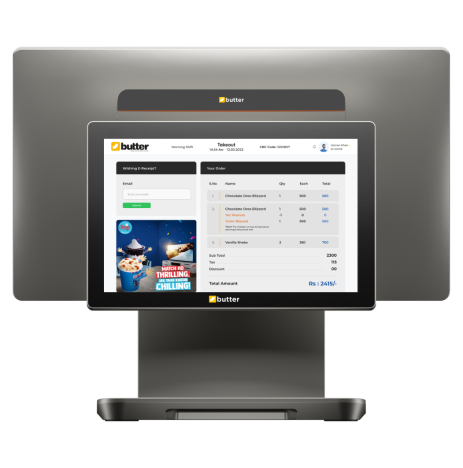
Our restaurant POS system shows orders on a screen in front of the customer. They can verify in real-time that the order is exactly what they requested.

Manage Tax with Butter Tax Mapper
Calculate and map tax on items, order types, categories, and more!

Refunds
With Butter POS, you can easily refund a single item or the whole bill. You can also choose the payment method for the refund, making the process simple and smooth.

Multiple Item Types
It supports different item types like Simple Items, Combos, Item Sizes (e.g., small, medium, large pizzas), Build Your Own, Do It Yourself, and Weighted Items.

Generate Barcodes by Weight
It generates barcodes based on the weight of the product. For example, if an item weighs 200 grams, it will create a barcode reflecting that weight.

Easily Scan Weight Barcodes
Our restaurant POS software scans weight barcodes and automatically shows the weight of the item in the system. Simply scan, and the details appear instantly.

Cash Setup with Currency Configuration
Handle opening cash, float amounts, expenses, refunds, and shift closing with ease. Butter POS formats all transactions in your local currency, ensuring accuracy, and transparency.

Order Type-wise Menu Management
This feature lets you customize your menu based on the order type. For example, you can set Menu 1 for takeaway and Menu 2 for delivery. It gives you flexibility to manage menus according to your business needs.

Reprint
Effortlessly reprint bills or Kitchen Order Tickets with Butter POS. Whether it is for customer requests or reprints in the kitchen, this feature guarantees fast and seamless service, ensuring no order is ever missed.

Customize Orders Easily
Butter POS offers modifiers like "with," "extra," "less," or "no," allowing you to customize each order according to guests' demand.

Manage Your Billing Flow
Tailor billing to fit your needs—manage running orders, send bills to due, or process payments instantly for QSR orders. Gain full control for a smooth and accurate billing experience.

Service Charges
Service Charges in Butter POS allow you to automatically apply a set fee to orders, ensuring consistency in billing. Easily customize the service charge percentage based on your business needs, streamlining the payment process for both guests and staff.

Order Flow Management
Easily manage your orders from beginning to end. Open and track orders with ease, ensuring a seamless and efficient workflow that keeps your operations running smoothly.

Add Float in Till
In Butter POS, you can add opening cash (float) to a till at the start of a shift for accurate cash tracking.

Add Delivery Charges on Runtime
You can add delivery charges directly while creating the order, without pre-configuring it in the item list.

Mark Individual Items as Complimentary
You can mark specific items as complimentary so they are zero-priced but still recorded in reports.

Apply Remarks on Individual Items
You can add custom notes to individual items, which will reflect in the KOT for kitchen instructions.
Apply Discount on Individual Item
Butter POS allows you to apply a discount to a specific item instead of the entire bill.

Multi Interface Billing Screen
The billing screen can be configured with categories, without categories, with numpad, or both — depending on your outlet’s preference.

Table Management
You can add tables, create locations (like indoor/outdoor), search tables by name, and view color-coded table statuses.

Add Denominations on Runtime
Cash denominations can be entered during payment to ensure accurate cash reconciliation.

On the House
You can mark the entire bill as complimentary while still tracking the sale in reports.

Add Items in Running Orders
Items can be added to an already saved or ongoing order without closing the bill.

Edit Running Orders
Butter POS allows you to modify items in an active order before final settlement.

Fire Order to Show Priority to the Kitchen Staff
You can mark items as “Fire” to notify the kitchen to prepare them on priority.
Apply Discounts on Individual Items in Running Orders
Even in active orders, item-level discounts can be applied before billing.
Cash Handover Flows
Butter POS supports proper shift-wise cash handover with tracking between staff.
Merge and Move Items
If permitted, users can merge tables or move items between tables.
Apply Service Charges (From Manager’s Access)
Service charges can be applied from Manager access when required.

Split Payments
Bills can be split by payment mode or by item, allowing flexible settlements.

Refund with Tax
Refunds can include or exclude tax based on the outlet’s configuration.
Refund Bill Printing
A refund receipt can be printed for documentation and customer reference.

Consolidated KOT
Multiple items can be grouped and printed in a single consolidated kitchen ticket.

Station-wise Printing
Items can automatically print to different kitchen stations based on mapping.
Rounding Off Settings
You can enable rounding rules to adjust final bill amounts automatically.

Device Status
You can check printer connectivity and device health directly from the POS.
Station Mapping
Items can be mapped to specific kitchen stations for accurate KOT routing.

Order Stage Settings
You can define different order stages (like new, preparing, ready) for better tracking.
Enable Arabic Bill
Butter POS supports bilingual bills with Arabic language printing.
Enable Modified Due Bill Print
You can configure the system to print updated due bills after modifications.

Ask for Number of Guests
The POS can prompt staff to enter guest count for dine-in or takeaway orders.

Send to Kitchen Toggle
You can enable or disable automatic sending of orders to the kitchen.
Offline Ordering toggle
If supported for your outlet, orders can be taken even without internet connectivity.
Printer Configuration on Device
Printers can be directly configured and mapped from the POS device.
Add Expense
You can log outlet expenses in POS based on expense types created in HQ.
Employee management

Track Each Employee's Performance
Track each employee's performance and make informed business decisions.

Custom Role-based Permissions
You can set custom permissions for each employee based on their role. For example, you can decide who can void bills, replace items, or mark items as complimentary.
Reports and Insights

Custom Sales Report
It allows you to generate various reports, including Tender Progress, Category Progress, Expenses Progress, Transaction Adjustments, Order Taker Progress, Order Type Progress, and Discount Reports.

Order History
Butter POS keeps a detailed record of every transaction in the order history. Easily track, review, and manage past orders anytime.

Tax Report
This feature provides detailed tax reports to help you track and calculate taxes accurately. View all tax-related information in one place.

Blockchain-based Reporting
Butter POS tracks every step of an order, from placement to the final bill. It also records any changes or revisions made during this time and shows in a pictorial format.

Identify Top Selling Items
It tracks your Top 10 Selling Items and generates a report for you. This helps you easily see which items are the most popular and selling the most, giving you valuable insights to improve your menu and sales strategy.

Generate Shift Reports
This POS software generates a shift report that shows all the important details of that shift. This includes total money earned, discounts, refunds and returns, complimentary items, item-wise and bill-wise taxes, cash denominations at the start of the day, and the total shift float.
Export Sales Data for Insights
Easily export sales data to spreadsheets for detailed analysis and deeper insights.
Outlet-wise Ordertype Mapping
Order types can be mapped differently for each outlet based on operations.

Multiple Order Types
Butter POS supports multiple order types like Dine-In, Takeaway, Delivery, etc.
Tender-wise Tax
Tax calculation can vary depending on the selected payment mode.

50+ Manager FAQs
Butter POS includes built-in training FAQs to guide managers directly within the system.
Expense Appears in Reporting
All added expenses are reflected in reports for accurate financial tracking.
Credit card payments

Third party Card Payments
In USA, Butter POS is integrated with: SumUp, PayPal, Zettle, and Blockchyp
Third-Party Integrations

Food Delivery Apps
Butter POS is integrated with online food ordering and delivery apps to help you make more sales. We have partnered with: Grub Hub, Uber Eats, Door Dash, and Deliveroo

Odoo Integration
All sales made through Butter POS are automatically synced and stored in your Odoo account.
Support

24/7 Live Chat Support
We provide you with live chat support. No waiting, no delays, get instant assistance whenever you need it. Our team is available 24/7.

Help Center
In our Help Center, you can find video tutorials, guides, and helpful articles to learn how to use Butter POS and many more.

Butter POS Community
The Butter POS community lets you connect with existing customers, gather their feedback, share your ideas, and exchange useful information.
Restaurant and Bar Features

KOT Printing Error Alert
If a Kitchen Order Ticket fails to print, Butter POS displays an error on the screen and triggers an audible alert. This ensures that no prints are missed due to printing issues.
Kitchen Display System
Butter POS includes a kitchen display system to keep your kitchen staff updated on incoming orders. It ensures smooth communication and faster order preparation.

Create Tables on Demand
If you feel you do not have enough tables on the POS, you can easily create a new table anytime you need.

Merge Tables
The Merge Tables feature in Butter POS allows you to easily combine multiple tables into one bill during service. This ensures a smooth experience for guests and simplifies the payment process. The kitchen is also kept in the loop, with automatic print notifications sent whenever tables are merged, ensuring seamless coordination between FOH and kitchen teams

Shift Table
With the Shift Tables feature in Butter POS, you can effortlessly move orders between tables during service, ensuring smooth and flexible table management. Additionally, Butter POS keeps the kitchen informed by automatically sending a print notification whenever a table is moved from X to Y, keeping all teams in sync and operations running seamlessly.
CRM and Loyalty Program

Manage Customer Allergies
If your customer has allergies, you can manage this in Butter POS, ensuring you are always aware if they are ordering the right items based on their dietary needs.

Rewarding Repeat Purchases
Encourage customers to make recurring purchases by offering them bonus points as a reward, creating an incentive for continued loyalty and engagement.

Frequently Ordered Items
Butter POS tracks customer purchase history and their most frequently ordered items, helping you provide tailored service and suggestions.

Customer Address on the Receipts
Display the customer’s address on receipts to ensure accurate and smooth delivery handling.

Save Customer Preferences
Store customer details to offer better and personalized service.

Customer Base
Butter POS stores customer data across all outlets, including names, phone numbers, addresses, and vehicle details, in a unified customer base.


Restaurant Point of Sale System - Solution for all the restaurants
 Region: United States
 +1 302 440-6869
 info@butterpos.com
 1111B S Governors Ave
Dover, DE 19904, USA


