
Managing multiple outlets and POS devices can quickly become complex without the right structure. Outlet & Device Management in Butter POS is designed to give businesses complete control over where the system is used and which devices are allowed to operate, while keeping sales data accurate, secure, and well-organized.
This guide explains what Outlet & Device Management is, why it's important, how it works, and how businesses use it in real-world scenarios.
What Is Outlet & Device Management in Butter POS
In Butter POS, Outlet & Device Management is the system that allows you to:
- Organize and manage multiple business locations (outlets)
- Register and control POS devices at each outlet
- Ensure sales, users, and reports remain correctly linked
- Prevent unauthorized device access
It acts as the operational backbone of Butter POS, especially for businesses with multiple counters or branches.
Understanding Outlets in Butter POS
What Is an Outlet?
In Butter POS, an Outlet represents a physical business location, such as:
- A restaurant branch
- A café location
- A food court counter
- A cloud kitchen unit
Each outlet functions independently inside the system.
What Is Managed at the Outlet Level?
Outlet management in Butter POS allows you to:
- Assign menus and item pricing
- Configure taxes and service charges
- Manage payment tenders
- Assign staff and permissions
- View outlet-specific sales and reports
- Manage multiple order types
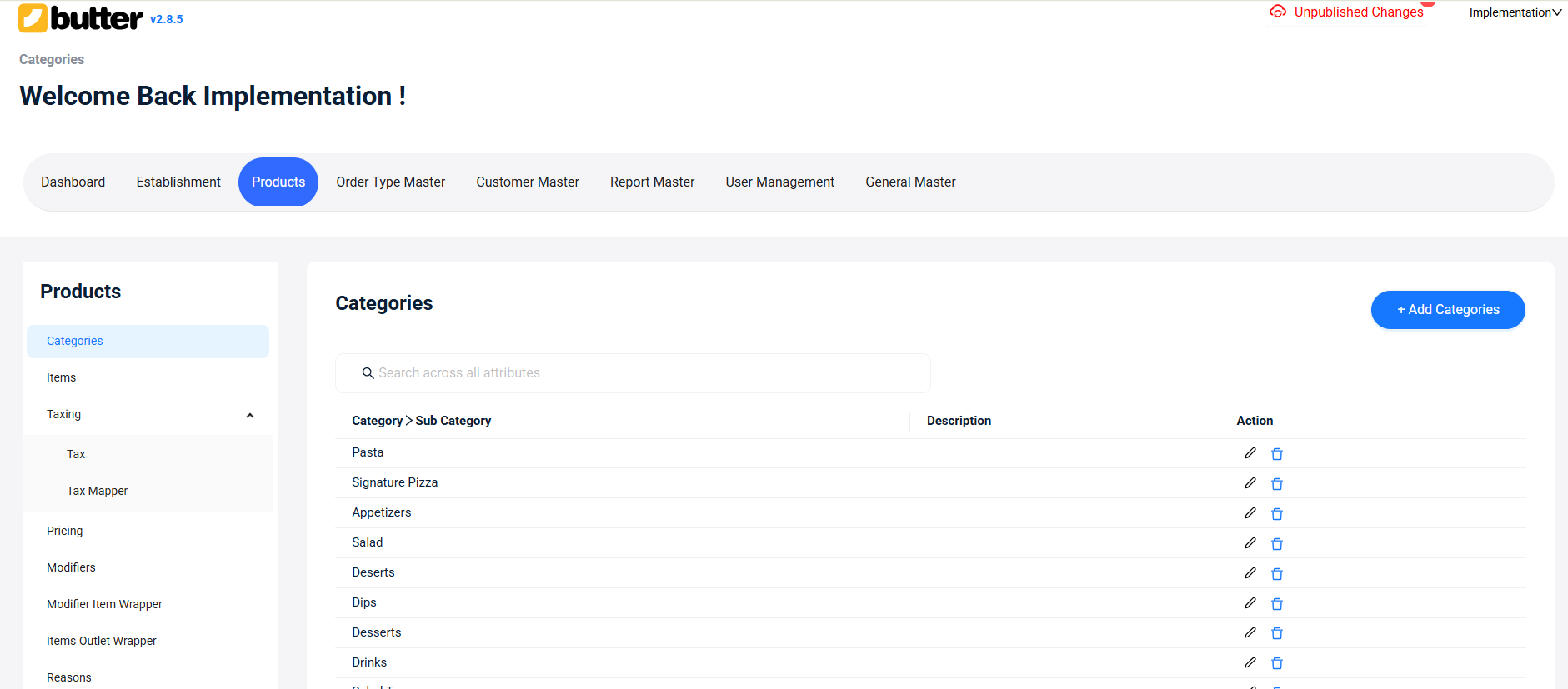
This structure ensures that data from one outlet never mixes with another.
Understanding Devices in Butter POS
What Is a Device?
A Device in Butter POS refers to any authorized POS terminal used for:
- Order taking
- Billing
- Payment processing
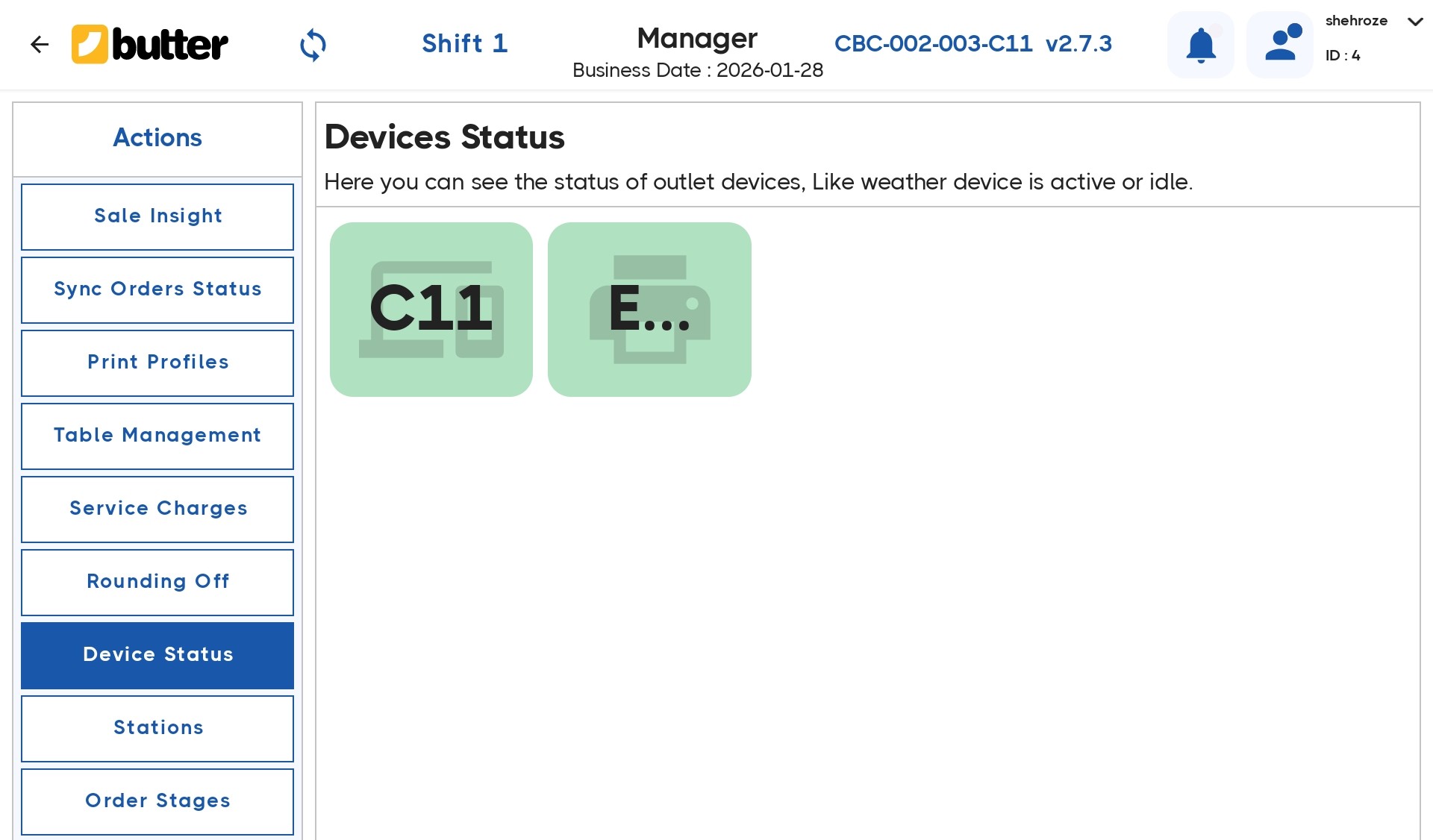
Examples include billing counters, Android tablets, and handheld order-taking devices.
Why Device Management Is Important
Device management ensures:
- Only approved devices can access the system
- Each device's activity is tracked
- Lost or unused devices can be disabled instantly
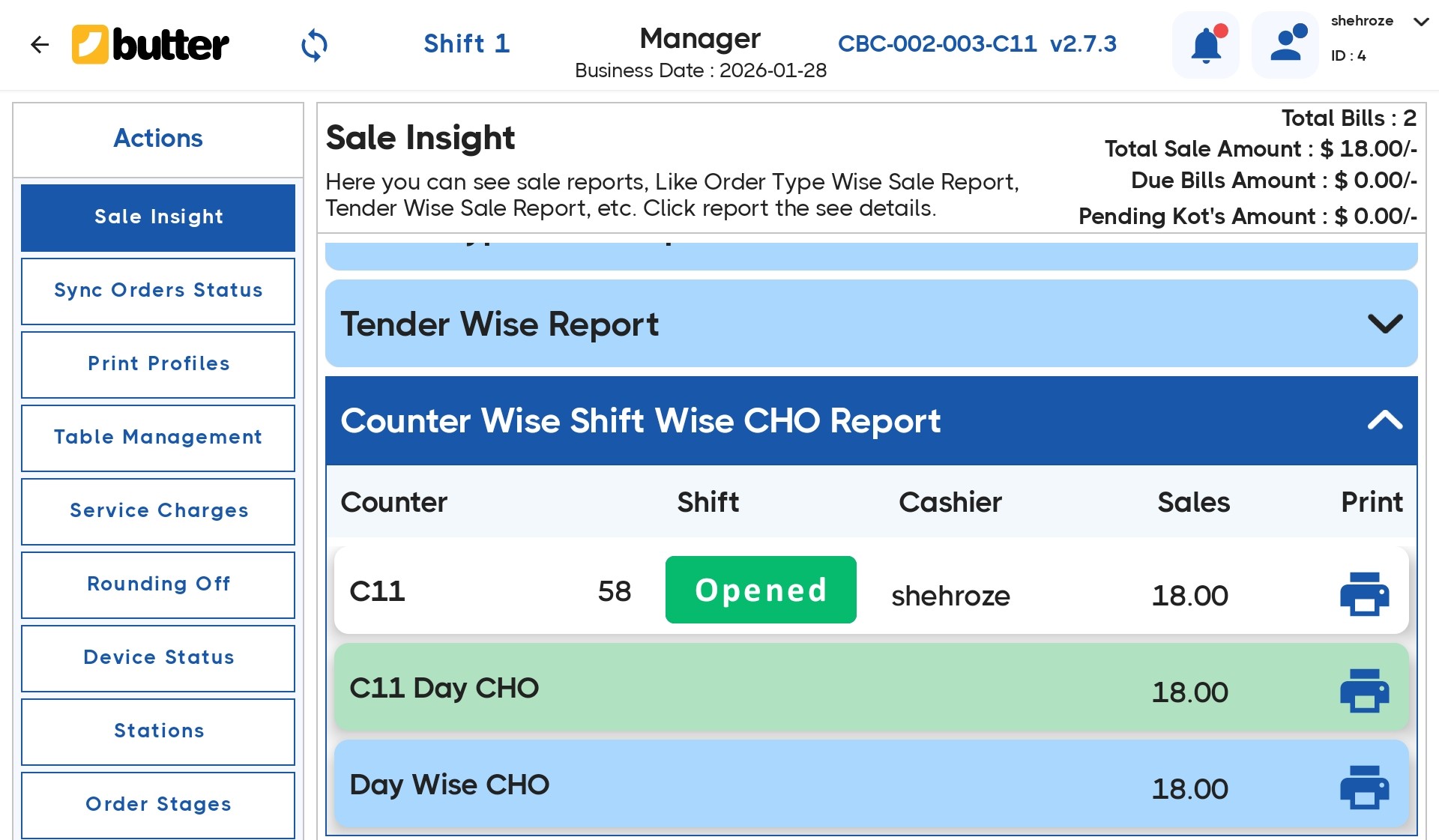
- Counter-wise and device-wise reports remain accurate
How Outlet & Device Management Work Together
Outlet & Device Management function as a linked system:
- An Outlet defines where the sale happens
- A Device defines how the sale is processed
- Every device must be assigned to a single outlet
- All transactions are recorded under both the outlet and the device
This structure enables precise reporting and strong operational control.
Real-World Example: Multi-Outlet Restaurant Business
Business Setup
A restaurant brand operates:
- Outlet A – Downtown location
- Outlet B – Mall location
Each outlet has:
- Two billing counters
- One handheld order-taking device
How It's Managed in Butter POS
- Two outlets are created in Butter POS
- Each POS terminal is registered as a device
- Devices are assigned to their respective outlets
- Staff log in and operate only on assigned devices
Result:
- Sales data remains separate for each outlet
- Reports show outlet-wise and device-wise performance
- Counter-level efficiency is easy to track
- Unauthorized devices are blocked from billing
Key Benefits of Outlet & Device Management
1. Accurate Reporting
Sales, taxes, discounts, and payments are recorded correctly per outlet and per device.
2. Strong Operational Control
Managers know exactly where transactions are happening and through which devices.
3. Improved Security
Only registered and approved devices can access Butter POS.
4. Scalable Business Growth
New outlets and counters can be added without losing structure or control.
Common Use Cases
- Restaurant chains with multiple branches
- Cafés with separate dine-in and takeaway counters
- Food courts with multiple billing points
- Cloud kitchens managing multiple brands
Outlet & Device Management ensures clean data separation and visibility across all scenarios.
Conclusion
Outlet & Device Management in Butter POS is a critical foundation for any growing business. As outlets, counters, and devices increase, the need for clarity, control, and accuracy becomes even more important. This feature ensures that every sale is correctly linked to the right outlet and device, making reporting reliable and operations transparent.
When outlets and devices are configured correctly, billing becomes smoother, audits become easier, and management decisions become data-driven. Whether you operate a single location or manage multiple branches, Outlet & Device Management prepares your business for scalable growth, without compromising security or accuracy.
Frequently Asked Questions (FAQs)
What is an outlet in Butter POS?
An outlet in Butter POS represents a physical business location where transactions take place. Each outlet maintains its own sales data, tax settings, menus, and reports. This separation ensures that data from different locations does not mix. Even if a business has only one location, creating an outlet is required to structure billing and reporting correctly. Outlet-level management also makes future expansion easier.
Can one business have multiple outlets in Butter POS?
Yes, Butter POS allows a single business account to manage multiple outlets. Each outlet operates independently with its own configuration and reports. This is especially useful for restaurant chains, franchises, or businesses with multiple branches. Management can easily compare sales and performance across outlets. This setup provides centralized control with location-level visibility.
What counts as a device in Butter POS?
A device in Butter POS is any authorized POS terminal used for order-taking or billing. This includes counter terminals, Android tablets, and handheld ordering devices. Each device must be registered in the system before use. All transactions performed on a device are tracked for reporting and accountability. Device identification helps maintain operational transparency.
Can one device be used across multiple outlets?
No, a single device can only be assigned to one outlet at a time in Butter POS. This rule prevents data overlap and reporting inaccuracies. If a device were used across multiple outlets, sales data could become unreliable. When business needs change, devices can be reassigned properly. This ensures clean and accurate records.
Why does Butter POS require device registration?
Device registration ensures that only approved and authorized hardware can access the POS system. This prevents unauthorized billing and protects business data. Every transaction is linked to a registered device, improving traceability. It also helps during audits and troubleshooting. Overall, device registration strengthens system security and control.
Can I disable a device without deleting it?
Yes, Butter POS allows devices to be disabled without deleting them. This is useful when a device is temporarily not in use or under maintenance. A disabled device cannot process orders or generate bills. The device data remains intact and can be reactivated later. This provides flexibility while keeping records safe.
Does device management affect reports?
Yes, device management directly impacts reporting in Butter POS. Reports can be generated device-wise to analyze counter-level performance. Managers can identify which devices handle more transactions or revenue. This information helps optimize staffing and operations. Accurate device setup ensures reliable and meaningful reports.
Can I track sales per counter?
Yes, since each counter is treated as a device, Butter POS allows counter-wise sales tracking. This helps businesses understand peak counters and customer flow. It also assists in evaluating staff efficiency at different billing points. Counter-level insights support better operational decisions. This is especially useful in high-volume outlets.
What happens if a device is not assigned to an outlet?
A device that is not assigned to an outlet cannot operate in Butter POS. The system blocks billing and order-taking until the device is properly linked. This prevents transactions from being recorded incorrectly. Outlet-device assignment is a mandatory step during setup. It acts as a safeguard for data accuracy.
Can I move a device to another outlet?
Yes, devices can be reassigned to a different outlet if required. Once reassigned, all new transactions are recorded under the new outlet. This is useful during outlet expansion, relocation, or restructuring. The process ensures continuity without data confusion. Proper reassignment maintains reporting accuracy.
Is outlet management required for single-location businesses?
Yes, outlet management is required even for businesses with only one location. It forms the basic structure of Butter POS. All sales, taxes, and reports are recorded under the outlet. This setup also prepares the business for future growth. Consistent structure helps maintain clean data.
Can different outlets have different menus?
Yes, Butter POS supports outlet-specific menus and pricing. Each outlet can offer different items or prices based on location strategy. This is useful for regional preferences or operational differences. Customers see the correct menu for their outlet. Menu flexibility improves business adaptability.
Are staff linked to outlets or devices?
Staff members are assigned to outlets and perform actions using devices. Each transaction is recorded with staff and device details. This improves accountability and transparency. Managers can track who performed which action and where. It also helps during audits and performance reviews.
Does Butter POS prevent unauthorized device access?
Yes, Butter POS only allows registered devices to access the system. Unauthorized or unknown devices are automatically blocked. This prevents misuse and fraudulent billing. It also ensures that business data remains secure. Device control is a key security feature.
Can I view device activity history?
Yes, Butter POS provides visibility into device-level activity through reports. Managers can see when a device was used and what transactions were processed. This helps identify issues or unusual activity. It also supports performance analysis. Device history adds transparency to daily operations.
Is outlet-wise tax configuration supported?
Yes, Butter POS allows taxes to be configured separately for each outlet. This is useful when different locations follow different tax rules. The system automatically applies the correct tax based on the outlet. This ensures compliance and accurate billing. Reports also reflect correct tax calculations.
Can multiple devices operate simultaneously at one outlet?
Yes, multiple devices can operate at the same outlet at the same time. This is ideal for busy locations with multiple counters. All devices work independently while data is recorded centrally. This keeps operations fast and efficient. High-volume businesses benefit greatly from this setup.
Does device management help during audits?
Yes, device management makes audits easier and more transparent. Each transaction is traceable to a specific device and outlet. This helps identify discrepancies quickly. Clear device records improve compliance. Auditors can review data with confidence.
Can I rename devices for easier identification?
Yes, devices can be renamed using meaningful labels like "Counter 1" or "Takeaway POS." This makes reports easier to read and understand. Staff can quickly identify the correct device. Clear naming reduces confusion. It improves overall operational clarity.
Why is Outlet & Device Management important?
Outlet & Device Management is the foundation of accurate operations in Butter POS. It ensures data integrity, security, and clear reporting. Without proper setup, sales and reports can become unreliable. This feature supports scalability and control. It is essential for smooth day-to-day operations and long-term growth.





 Region: United States


