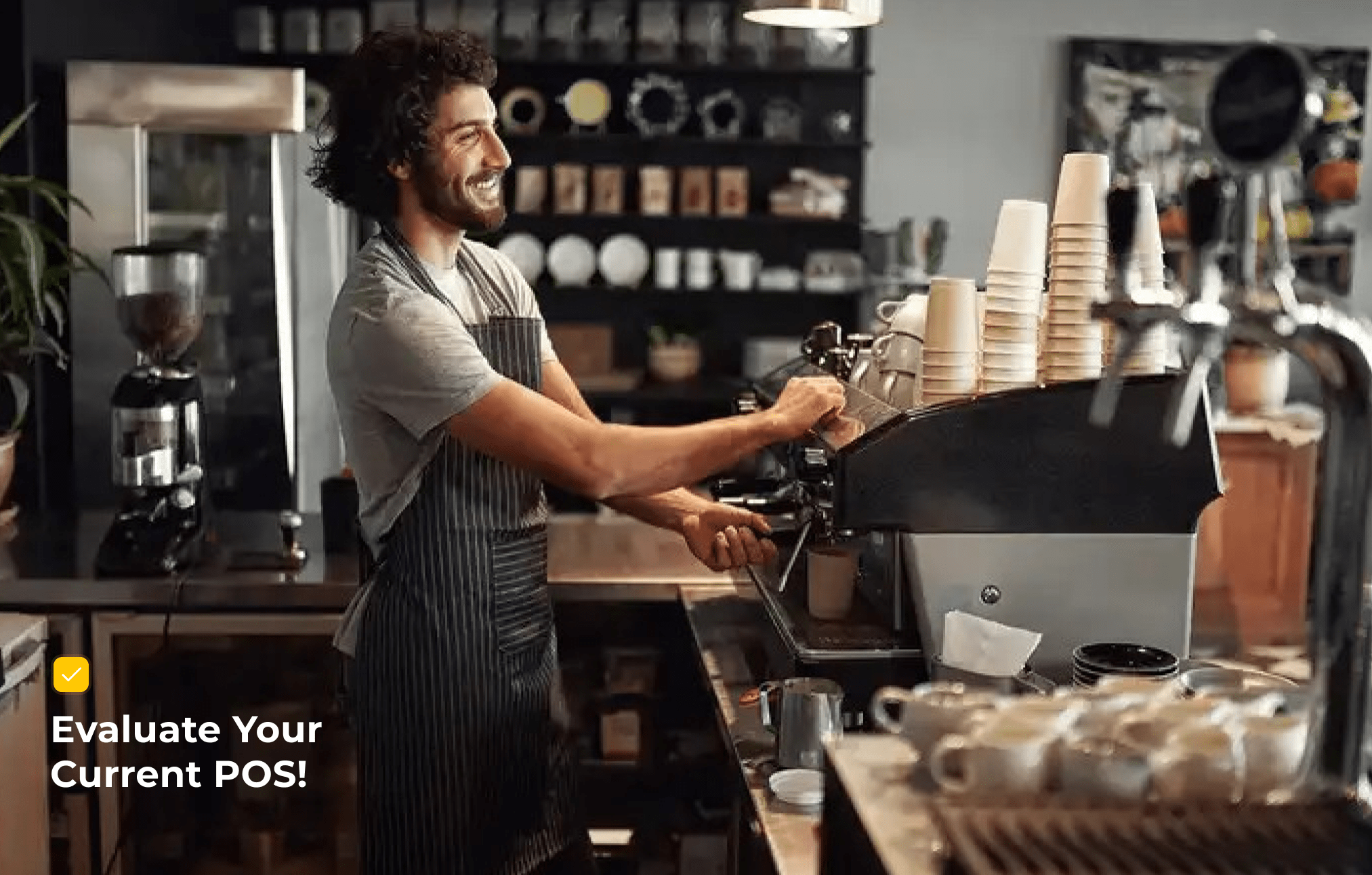
Let's start by asking you a question: what's harder, remembering all your regulars' coffee orders or keeping your POS system from freezing during the morning rush?
If you said coffee orders, don't worry, your POS might just be the bigger problem. Most generic systems aren't built for the crazy-fast pace of a coffee shop. That's why choosing the POS with the right features can be the difference between a smooth latte flow and a long line of frustrated customers.
In this guide, we'll break down which features actually make a POS perfect for coffee shops, so you can focus on serving great coffee, not fixing tech headaches.
Let's get started!
1. Speedy Order Management
A coffee shop isn't like a fine-dining restaurant; customers aren't here for three courses and a slow evening. They want their coffee, and they want it fast. A POS that can't keep up will slow everything down, turning your morning rush into a morning mess.
The right POS system for a coffee shop should allow:
- One-tap order entry: No complicated steps, just quick input.
- Custom modifiers: Extra shot, oat milk, caramel syrup, all should be just a tap away.
- Repeat orders: Most customers order the same drink every morning, so reordering should be instant.
Think of it this way: if your barista can take an order in less time than it takes an espresso shot to pour, you're on the right track. A fast and easy POS doesn't just save time; it keeps your line moving, your customers happy, and your staff stress-free.
2. Customization & Modifiers
No two coffee orders are ever the same. One customer wants an oat milk latte with two extra shots, another wants a cappuccino with half sugar and caramel drizzle.
This is where a generic POS usually falls short. If it doesn't have proper customization options, your staff ends up scribbling notes or trying to remember complicated drink requests. That's risky in a busy shop; mistakes lead to wasted drinks, frustrated customers, and extra costs.
The best coffee shop POS should make customization effortless. Look for features like:
- Easy modifiers like Milk type, syrup flavors, and extra shots.
- Facility of Custom notes. Add special requests without slowing down the line.
- Upcharges that auto-calculate, so you're not losing money when someone adds almond milk or an extra pump of vanilla.
In short, your POS should be as flexible as your menu. When it's simple for staff to add or adjust modifiers, you deliver exactly what the customer asked for.
3. Loyalty & Customer Retention Tools
Let's be honest: people don't go to coffee shops just for caffeine. They come for the routine, the familiarity, and sometimes, the little surprises that make them feel special. That's why a loyalty program isn't just "nice to have", it's a must-have for any coffee shop POS system.
Think about it. Your regular who swings by every morning is more valuable than the occasional walk-in. A POS with built-in loyalty and rewards helps you:
- Keep customers coming back: Digital punch cards, points, or free drinks after X visits.
- Track frequent buyers: Know who your best customers are and reward them.
- Run promos easily: "Happy Hour on Cappuccinos" or "Double Points on Mondays" can be set up in seconds.
When your POS makes loyalty effortless, you turn casual drinkers into daily regulars. And that's the real secret sauce for consistent revenue in the coffee business.
4. Payment Flexibility
Nobody likes waiting in line for coffee, especially not when they're running late for work. That's why your POS should make payments as quick and painless as possible. The best coffee POS systems should offer:
- Multiple payment options like tap-to-pay, mobile wallets, cards, or cash — customers should be able to pay however they like.
- Split payments easily, so the friends grabbing coffee together shouldn't have to fight over who's paying; your POS should make it simple to divide the bill.
- Portable payments, whether at the counter, curbside, or even a pop-up coffee cart, you should be able to accept payments on the go.
The smoother your checkout, the faster your line moves. After all, people come for coffee and comfort, not for fumbling with payment machines.
5. Inventory for Café Essentials
Coffee shops don't just run on beans and milk; they run on precision. A few cartons short of oat milk, and half your menu is suddenly unavailable. Too much stock, and you're pouring money (and spoiled milk) down the drain.
That's why a coffee shop POS should either include or easily connect with inventory management tools. The goal isn't just to count supplies, it's to keep the café running smoothly without surprises. Look for features like:
- Real-time stock tracking to know exactly how much milk, beans, or syrups are left.
- Low-stock alerts to get notified before you run out of essentials.
- Integration with suppliers to automate reordering, so you never experience the dreaded "out of oat milk" moment.
When your inventory is synced with your POS, every latte sold automatically updates your stock levels. That means fewer mistakes, less waste, and a coffee place that's always ready to serve.
6. Staff & Security Controls
In most coffee shops, the team is small but busy. Baristas are juggling orders, handling cash, cleaning tables, and sometimes even managing the till. With so much happening, you need a POS that helps you manage staff smoothly while keeping your business secure.
Here's what to look for:
- Role-based access: Not every staff member needs full system control. Limit who can give discounts, process refunds, or access reports.
- Shift tracking: Clock-ins and clock-outs can be directly entered in the POS, saving you from messy spreadsheets.
- Fraud prevention: Prevent fake orders, double billing, or "missing" transactions with built-in safeguards.
The right coffee POS acts like a silent manager, watching over transactions, protecting revenue, and giving you peace of mind that your café is running honestly and efficiently.
7. Reports That Actually Matter
Selling coffee isn't just about pulling perfect espresso shots; it's also about knowing the numbers behind those shots. A POS that gives you the right reports can completely change the way you run your café.
Instead of overwhelming you with dozens of complicated charts, the best POS system for a coffee shop should focus on insights that matter most, like:
- Best-selling drinks
- Peak hours
- Daily/weekly sales summaries
Good reporting is like having a business coach built into your POS. It shows you where money is being made, where it's leaking, and how to grow smarter. Some modern POS systems (for example, Butter Coffee Shop POS) already simplify reporting into easy-to-read dashboards, so you can make decisions in minutes, not hours.
8. Designed for Simplicity
Let's be real, most coffee shop owners aren't tech experts. You shouldn't need an IT degree just to set up a POS or pull a simple sales report. That's why ease of use is one of the most important features to look for.
A coffee shop–friendly POS should be:
- Simple to set up: No weeks of training or complicated installation.
- Cloud-based: So your data is safe, updated in real-time, and accessible from anywhere.
- Mobile-friendly: Check sales or track performance even when you're away from the café.
The goal is simple: spend less time figuring out your system and more time focusing on your customers. When your POS is easy and intuitive, your staff won't get stuck, and your café won't skip a beat.
Let's Evaluate Your Current POS
Here's a quick evaluation. Rate your current POS system against the must-have coffee shop features below. Tick the boxes your POS already covers, and see how close you are to a perfect 10.
Now, count your ticks! If you scored 8 or more, congrats, your POS is pretty solid. If you're below 8, it might be the right time to book your demo of Butter Coffee Shop POS.
Generic vs Coffee Shop POS - A Quick Comparison
|
Feature |
Generic POS |
Coffee Shop POS |
|
Order Speed |
Multiple clicks to add an order; slows down during rush hours |
One-tap order entry; optimized for high-volume, fast transactions |
|
Customization |
Limited modifiers; staff must manually note custom requests |
Built-in drink modifiers (extra shot, syrup, milk type) with automatic upcharges |
|
Loyalty & Rewards |
Often requires third-party apps |
Integrated loyalty programs (points, punch cards, promos) |
|
Payments |
Basic card/cash support |
Flexible payments: tap-to-pay, wallets, split bills, mobile checkout |
|
Inventory |
Generic stock tracking (not suited for café supplies) |
Tracks beans, milk, syrups; low-stock alerts; supplier integration |
|
Staff Controls |
Minimal staff permissions; limited shift tracking |
Role-based access, fraud prevention, built-in shift management |
|
Reports |
Complicated, generic reports |
Café-focused insights: best-sellers, peak hours, daily/weekly summaries |
|
Ease of Use |
Steep learning curve; needs training |
Simple, cloud-based, mobile-friendly; easy for staff to learn quickly |
Conclusion
Choosing the right POS for your coffee shop isn't just about handling transactions; it's about creating smoother operations, happier customers, and a business that runs like clockwork. From fast order-taking and easy drink modifiers to loyalty programs, flexible payments, and café-focused reports, each feature plays a role in keeping your shop ahead of the curve.
The bottom line? A generic POS might get the job done, but it won't set you apart. A system built with coffee shops in mind gives you the speed, control, and insights you need to thrive in a competitive market.
If your current POS falls short, it may be time to explore options designed specifically for cafés, solutions like Butter POS that bring these features together in one simple, easy-to-use system.
Ready to Brew More Sales & Less Stress With Butter POS? Book Your Free Demo Now.
Frequently Asked Questions (FAQs)
What is the best POS system for a coffee shop?
The best POS system for a coffee shop is one that can handle fast-paced orders, frequent customizations, and repeat customers without slowing down operations. A coffee-focused POS should support quick order entry, easy modifiers, and built-in loyalty tools. Systems like Butter coffee shop POS are designed specifically for café workflows, making it easier for baristas to take orders quickly while keeping lines short and customers satisfied.
How much does it cost to set up a POS system for a café?
The cost of setting up a café POS depends on factors like software fees, hardware needs, and payment processing charges. Some POS systems require upfront hardware purchases and monthly subscriptions, which can add up quickly. Others, like Butter coffee POS, allow café owners to start without heavy upfront costs and only pay standard transaction fees, making them more accessible for small and growing coffee businesses.
Do coffee shops really need a specialized POS?
Yes, coffee shops benefit greatly from a specialized POS because their operations are different from full-service restaurants. High order volume, drink customizations, and loyalty-driven sales require a system that can move quickly and stay organized. A generic POS often slows things down, while a coffee-specific POS improves speed, accuracy, and customer satisfaction.
Can I switch my generic POS to a coffee shop POS system easily?
Switching from a generic POS to a coffee shop–specific system is usually straightforward with modern platforms. Most providers allow you to import menus, pricing, and staff roles with minimal downtime. This means your café can continue operating smoothly while upgrading to a system that better supports daily coffee shop operations.
Why is speed so important in a coffee shop POS system?
Speed is crucial because coffee shops operate on quick service and high customer turnover. During peak hours, even a few extra seconds per order can create long lines. A fast POS ensures baristas can take orders, process payments, and move customers through efficiently, keeping service smooth and stress-free.
How does a POS system help reduce drink order mistakes?
A well-designed POS clearly displays drink options and modifiers on the screen, reducing reliance on memory or handwritten notes. When baristas select modifiers digitally, orders are more accurate, fewer drinks are remade, and ingredient waste is minimized. This leads to better consistency and happier customers.
Can a coffee shop POS handle complex drink customizations?
Yes, a coffee shop POS is built to handle detailed customizations such as milk alternatives, syrup flavors, sweetness levels, and extra shots. These options are presented clearly and can be selected quickly, allowing staff to handle even the most complex orders without slowing down service.
How does a POS system support customer loyalty in coffee shops?
A POS with built-in loyalty features automatically tracks customer visits and rewards. Instead of physical punch cards, customers earn points or rewards digitally. This encourages repeat visits, strengthens relationships with regulars, and helps coffee shops increase long-term revenue.
Is mobile payment support important for coffee shops?
Mobile payment support is essential because coffee customers value speed and convenience. Tap-to-pay and digital wallets reduce checkout time and keep lines moving quickly. Offering multiple payment options also improves the overall customer experience and reduces abandoned purchases.
How does a POS system help manage coffee shop inventory?
A POS system tracks ingredient usage automatically as drinks are sold. This real-time tracking helps owners understand consumption patterns, manage stock more efficiently, and avoid both shortages and over-ordering. Accurate inventory management also reduces waste and protects profit margins.
Can a POS system help prevent running out of popular items?
Yes, many coffee shop POS systems provide low-stock alerts. These notifications warn owners when ingredients like milk or syrups are running low, allowing them to reorder in advance and avoid disappointing customers during busy periods.
How does role-based access improve coffee shop operations?
Role-based access ensures that staff members only have permission to perform tasks relevant to their role. This prevents unauthorized discounts, refunds, or report access, helping protect revenue while maintaining smooth daily operations.
Is staff shift tracking important in a coffee shop POS?
Shift tracking helps coffee shop owners manage labor more effectively. When staff clock in and out through the POS, owners gain accurate insights into working hours, staffing needs, and labor costs without relying on manual tracking.
What reports should a coffee shop POS provide?
A coffee shop POS should offer clear, easy-to-understand reports focused on sales performance. Reports such as best-selling drinks, peak hours, and daily or weekly summaries help owners make informed decisions about staffing, menu changes, and promotions.
Can a POS system help increase coffee shop profits?
Yes, the right POS improves efficiency, reduces errors, tracks popular items, and supports loyalty programs. These improvements lead to faster service, higher customer satisfaction, and increased repeat business, all of which contribute to higher profitability.
Why is ease of use critical for baristas?
Baristas work in fast-paced environments and need tools that are intuitive and easy to learn. A simple POS reduces training time, minimizes mistakes, and allows staff to focus on making great drinks rather than struggling with technology.
Does a cloud-based POS benefit coffee shop owners?
A cloud-based POS allows owners to access sales data, reports, and inventory from anywhere. This flexibility is especially useful for owners managing multiple locations or those who want to monitor performance without being physically present at the café.
Can a POS system work for both café counters and coffee carts?
Yes, modern POS systems are flexible enough to support fixed counters, mobile coffee carts, and pop-up locations. Portable devices allow coffee businesses to accept payments and manage orders wherever they serve customers.
How does the right POS improve customer experience?
A reliable POS improves customer experience by ensuring fast service, accurate orders, and smooth payments. When customers receive their drinks quickly and exactly as ordered, they're more likely to return and recommend the café to others.
When should a coffee shop consider upgrading its POS system?
A coffee shop should consider upgrading its POS when service slows down, order mistakes increase, or the system lacks features like loyalty programs and modern payment options. Upgrading to a coffee-focused POS can significantly improve efficiency and overall business performance.






 Region: United States


