Restaurants today rarely operate with just one type of order. Most outlets handle a mix of dine-in guests, takeaway customers, and delivery orders. To manage this efficiently, Butter POS provides built-in support for multiple order types.
This tutorial explains:
- What order types are in Butter POS
- How the feature works
- How staff use order types during billing
- The features tied to order types
- The practical benefits for daily operations and reporting
Now, let's get started.
What Are Order Types in Butter POS?
In Butter POS, an order type defines how an order is fulfilled.
Commonly used order types include:
- Dine-In
- Takeaway
- Delivery
Each order created in the system is tagged with one order type. This tag stays with the order throughout billing, settlement, and reporting.
Order types help Butter POS distinguish between different service flows while keeping all orders within a single system.
How to Add Multiple Order Types in Butter POS
Adding multiple order types in Butter POS is simple. Follow these steps:
-
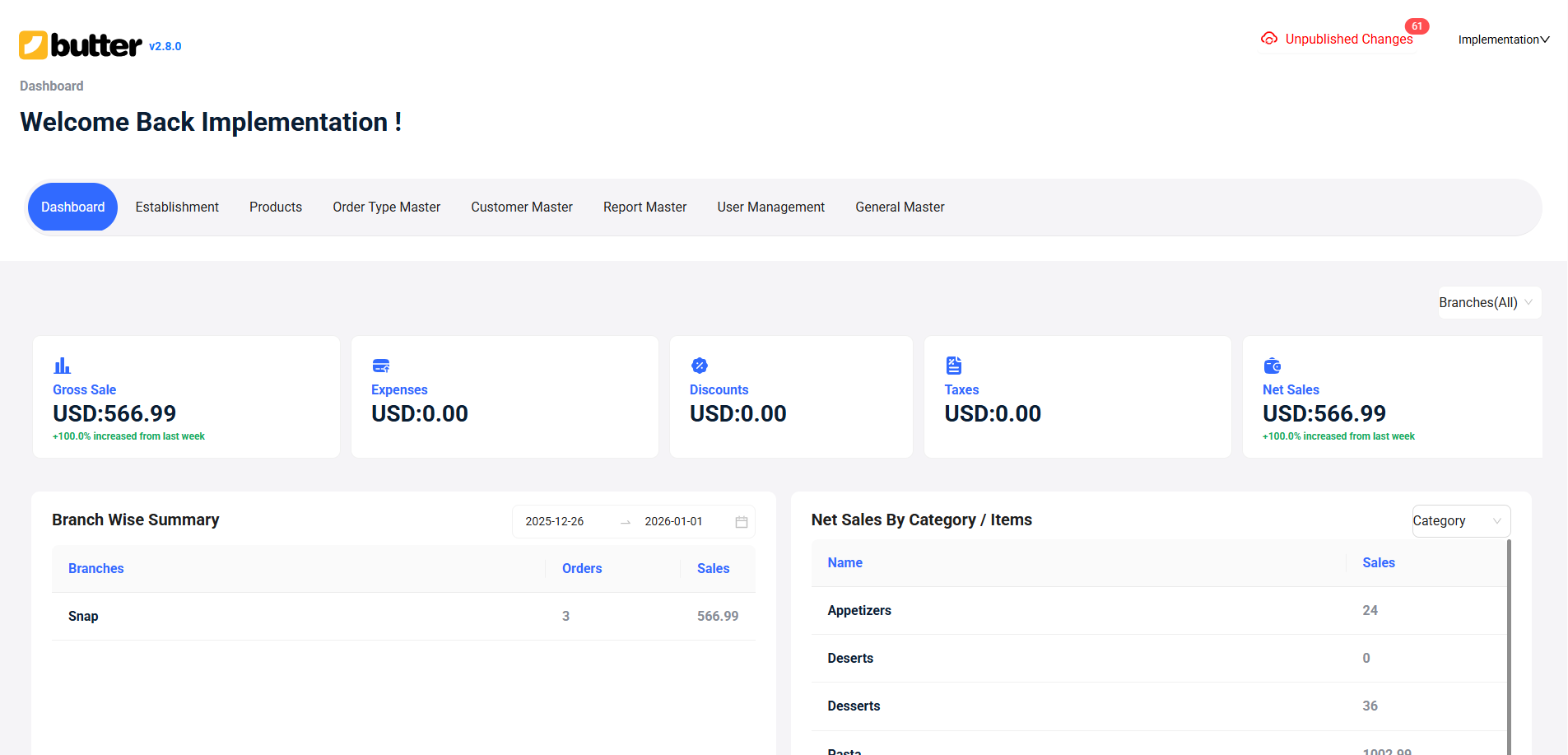
Go to Butter HQ: Log in to your Butter HQ dashboard to start setting up new order types.
-
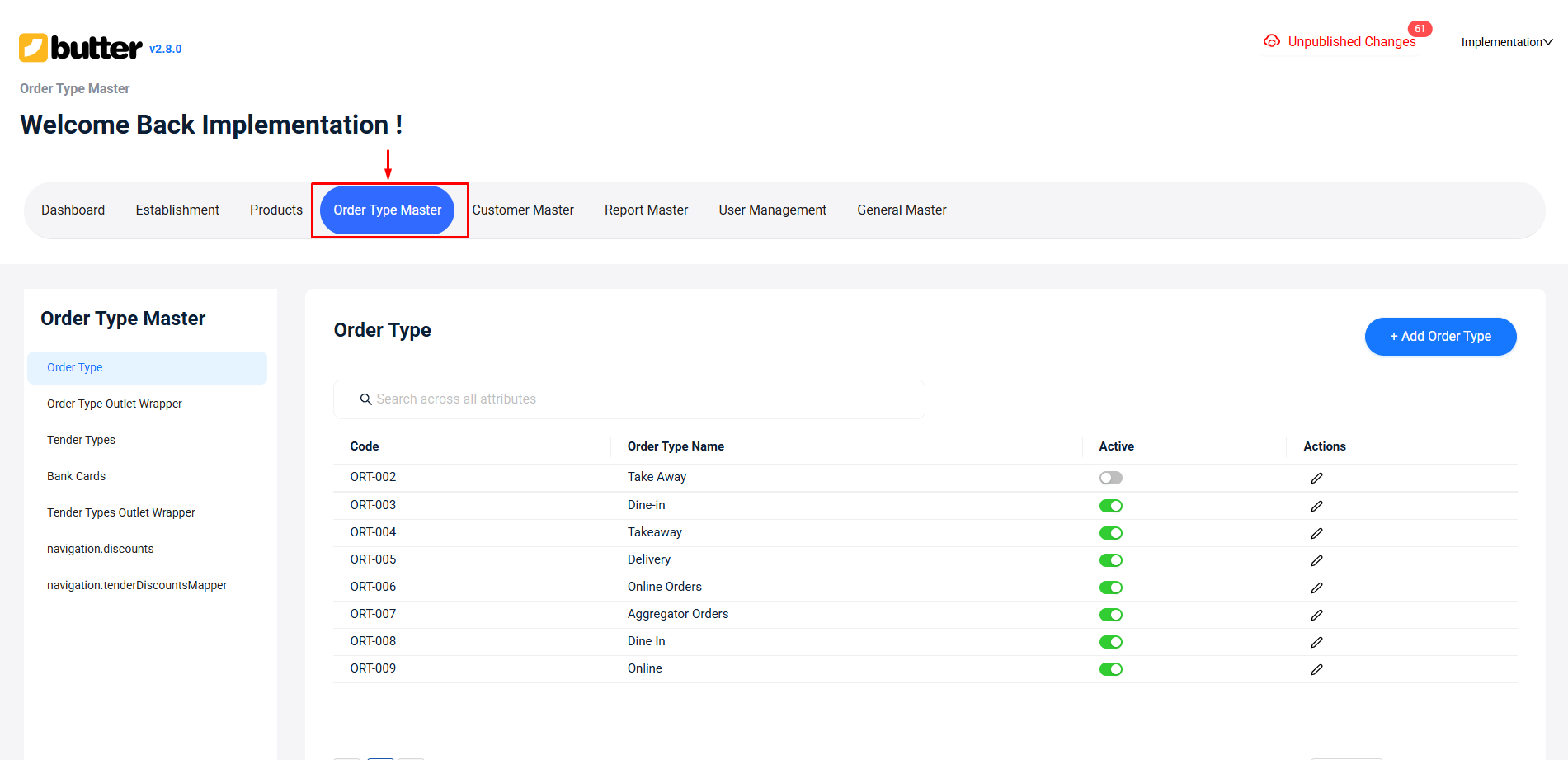
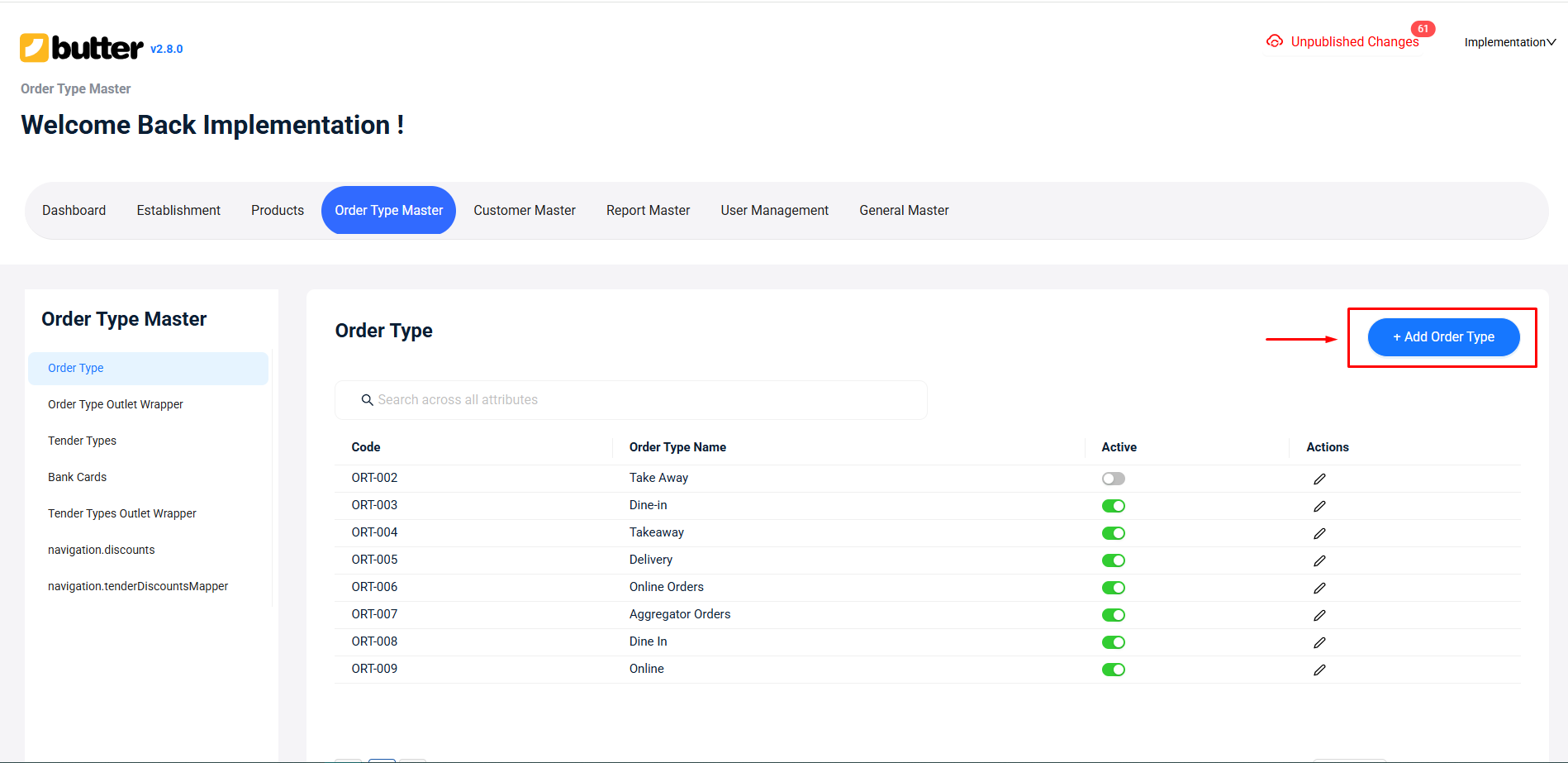
Open Order Type Master: Navigate to the Order Type Master tab. This is where all your order types are managed.
-
Add a New Order Type:
-
Click on "Add Order Type".
- Enter the Order Type Name (e.g., Dine-In, Takeaway, Delivery).
- Enter the POS Name, which is how it will appear in the Butter POS app.
- Define a KDS Color for this order type to easily identify orders in the kitchen.
- Adjust the configurations as per your requirement by turning options on or off.
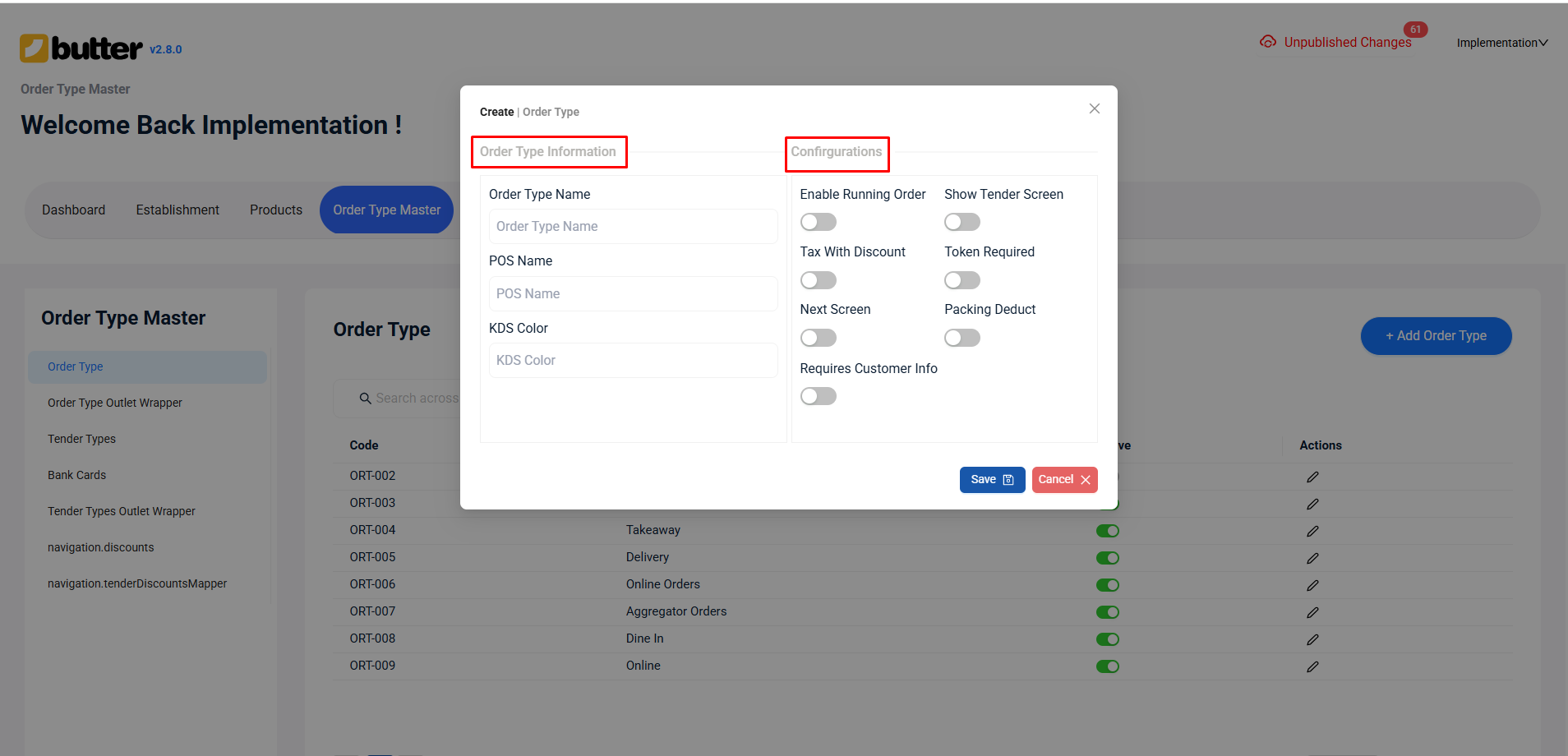
- Save the Order Type: After filling in all the details, click Save. Your new order type is now created in the system.
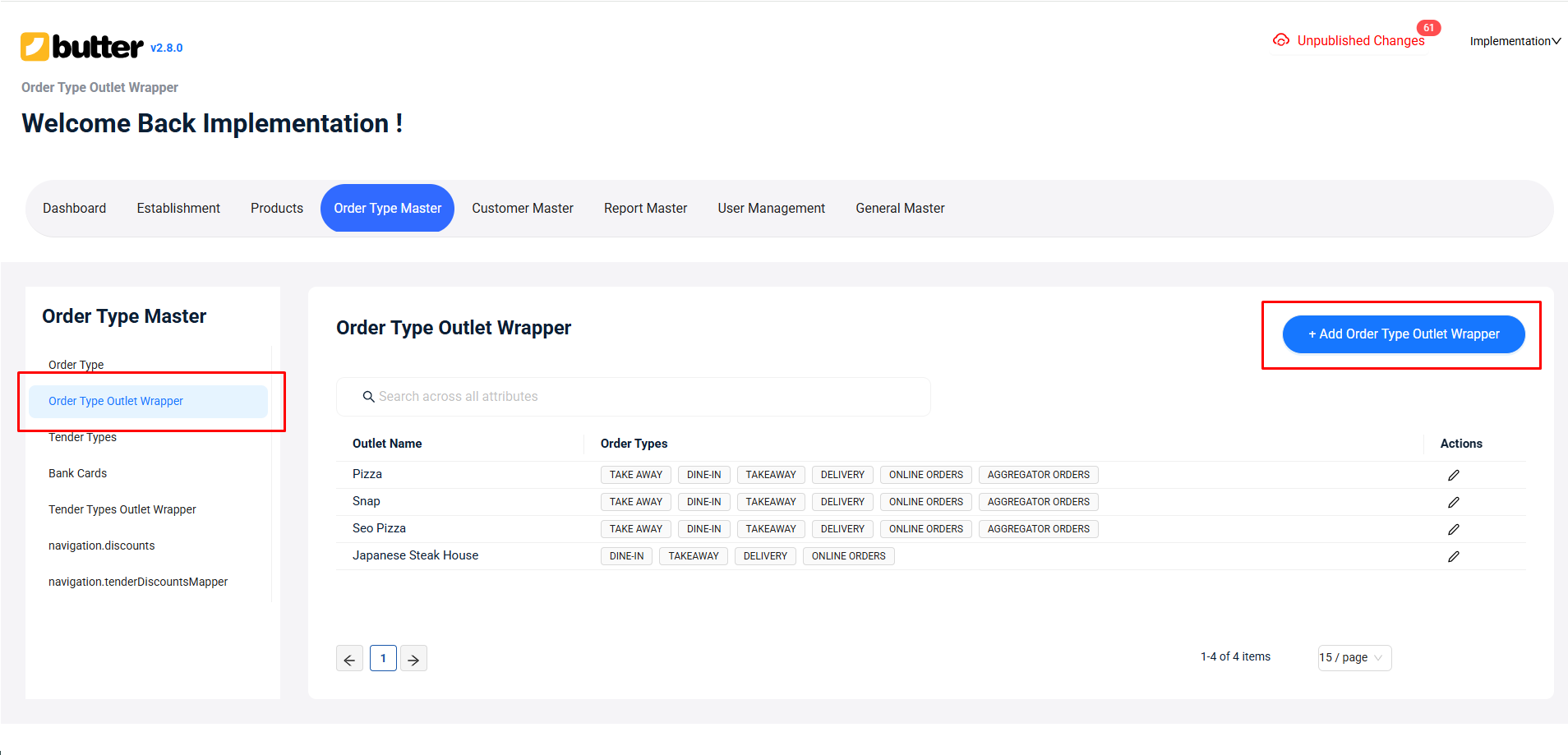
- Assign the Order Type to an Outlet: Go to the Order Type Outlet Wrapper tab.Select the outlet(s) where you want this order type to be available.
-
Verify in Butter POS App: Open your Butter POS app and check. The new order type should now appear and be ready to use.
How to Use Order Types During Billing
-
Start a New Order
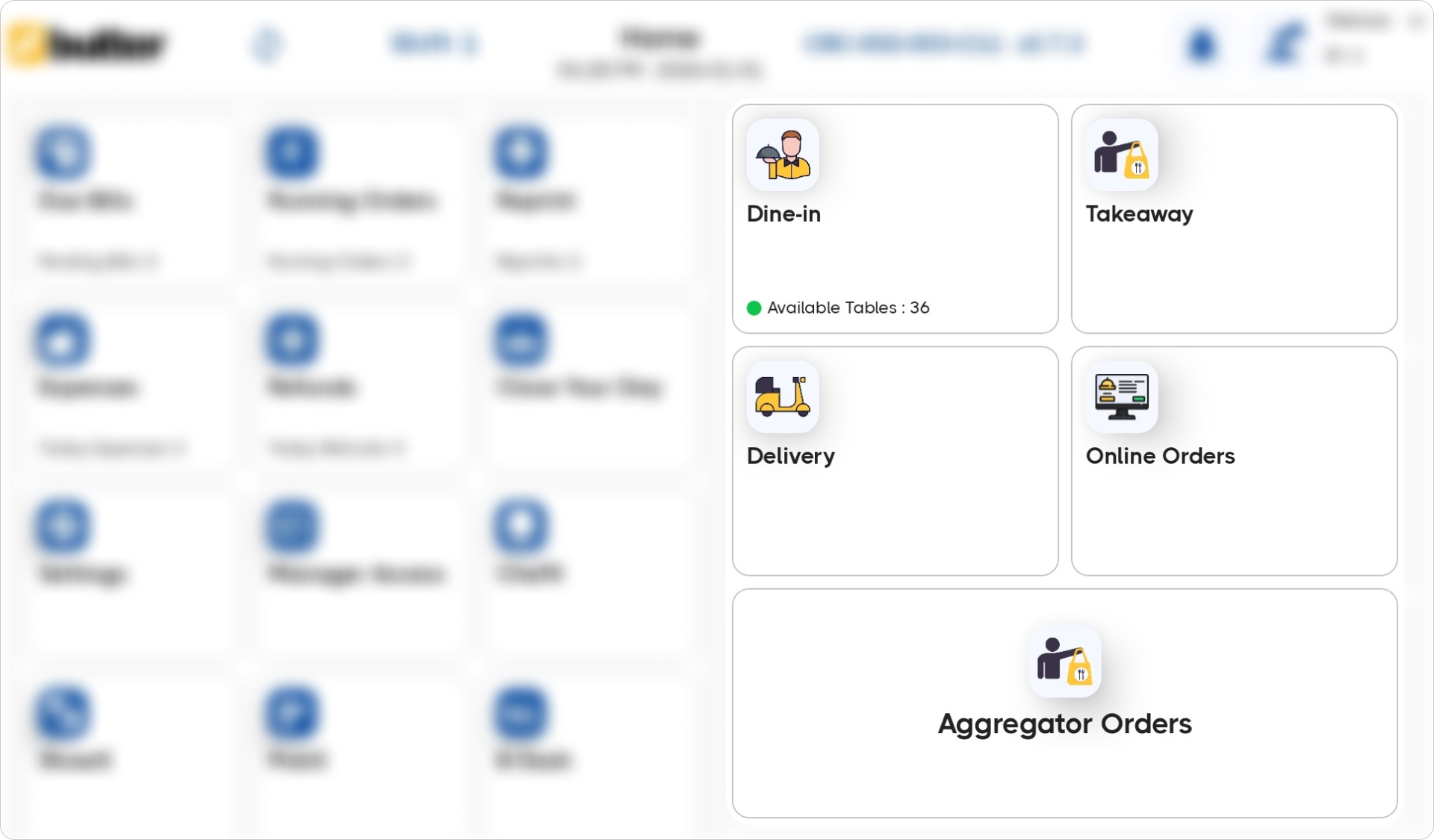
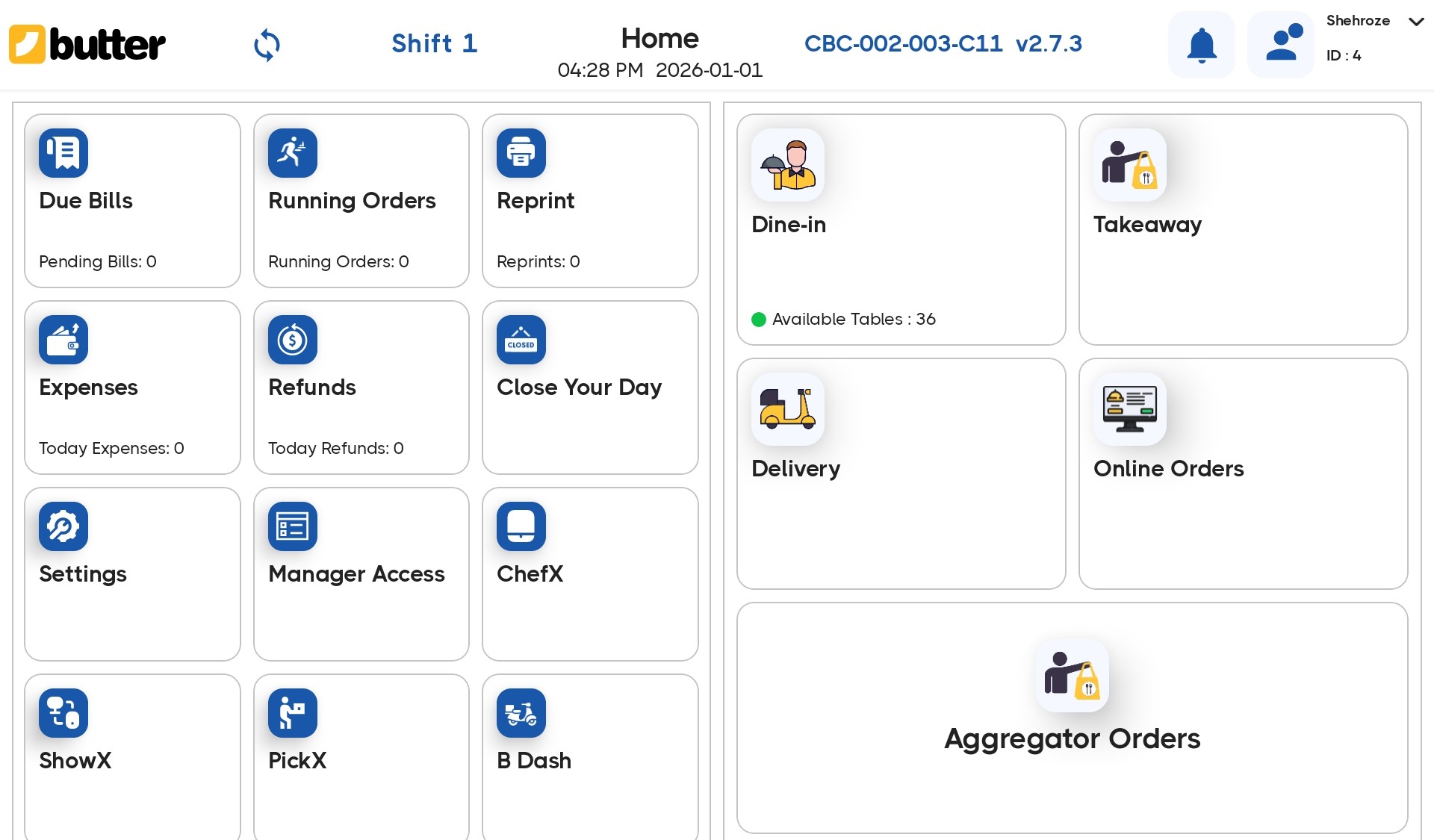
When a staff member begins a new order, it is compulsory to select an order type. The order types will be clearly displayed on the homescreen of the app.
-
Select the Order Type
The staff selects whether the order is:
- Dine-In
- Takeaway
- Delivery
-
Continue Billing as Usual
After selecting the order type:
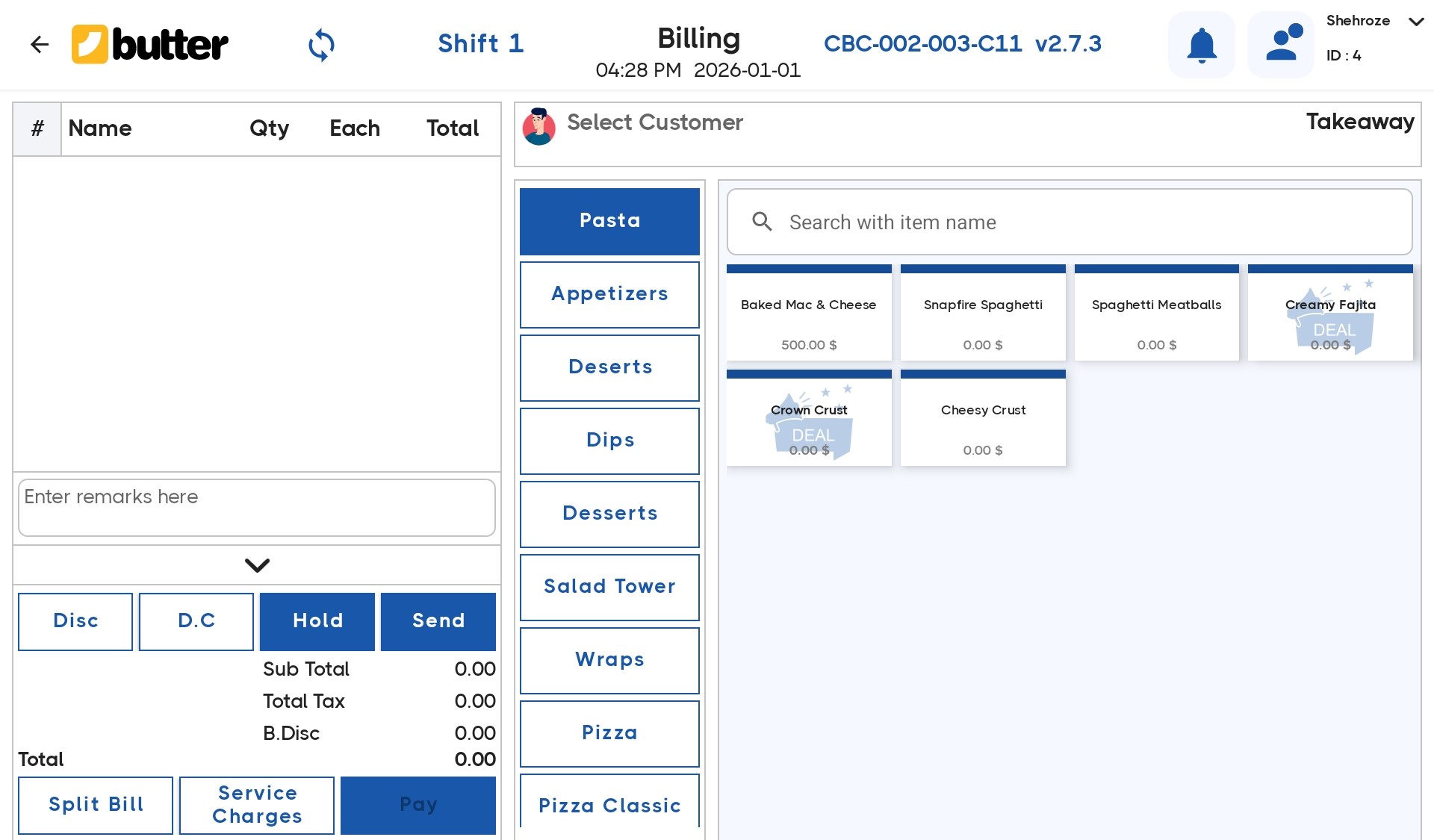
- Items are added
- The bill is generated
- Payment is collected
The order type remains linked to the bill throughout the process.
More About the Order Types
While order types may look simple on the surface, several system behaviors depend on them.
-
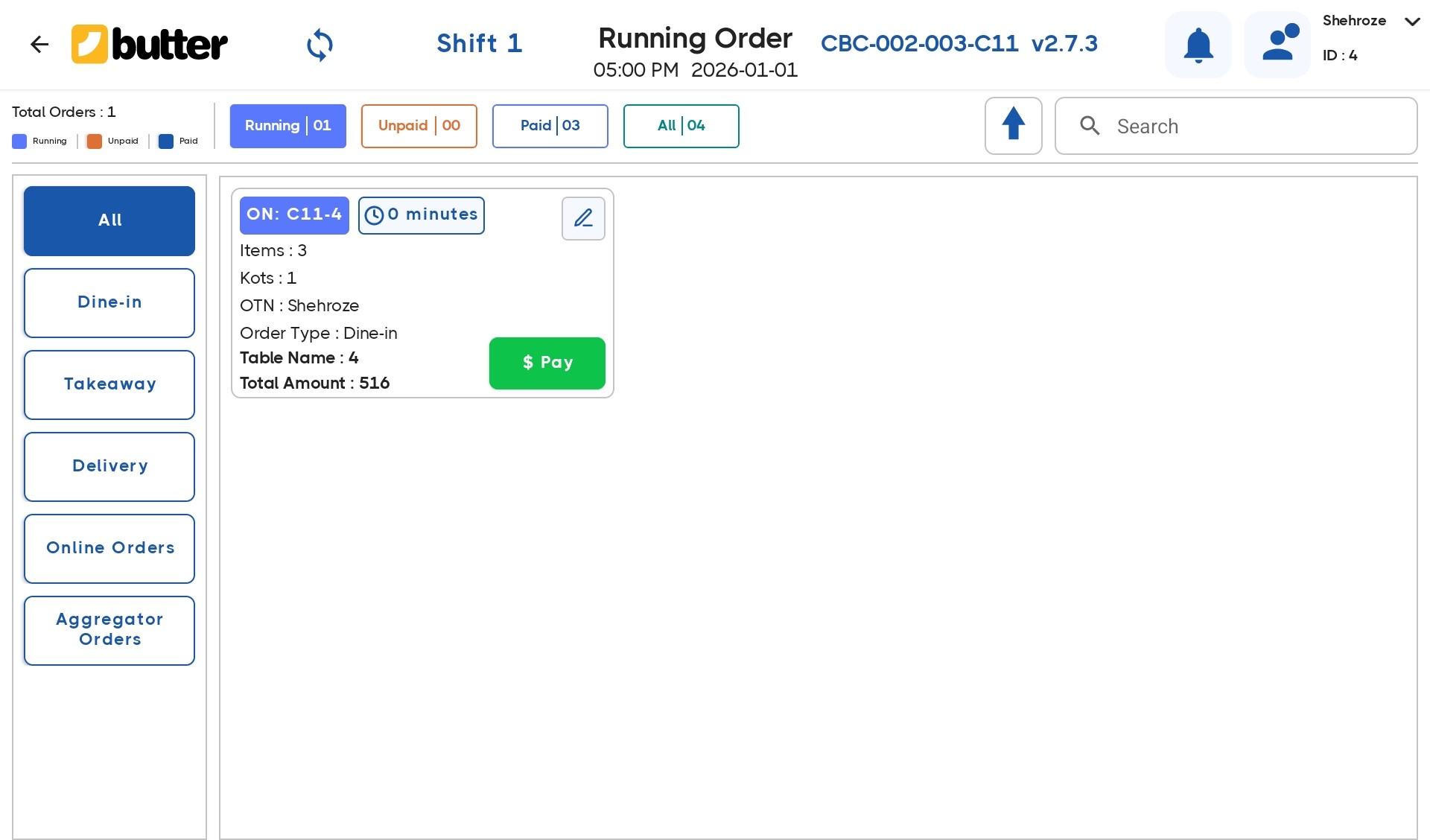
Order Identification
Every order clearly displays its order type, allowing staff to instantly understand how it should be handled.
-
Separate Order Flows
Each order type follows its own operational flow:
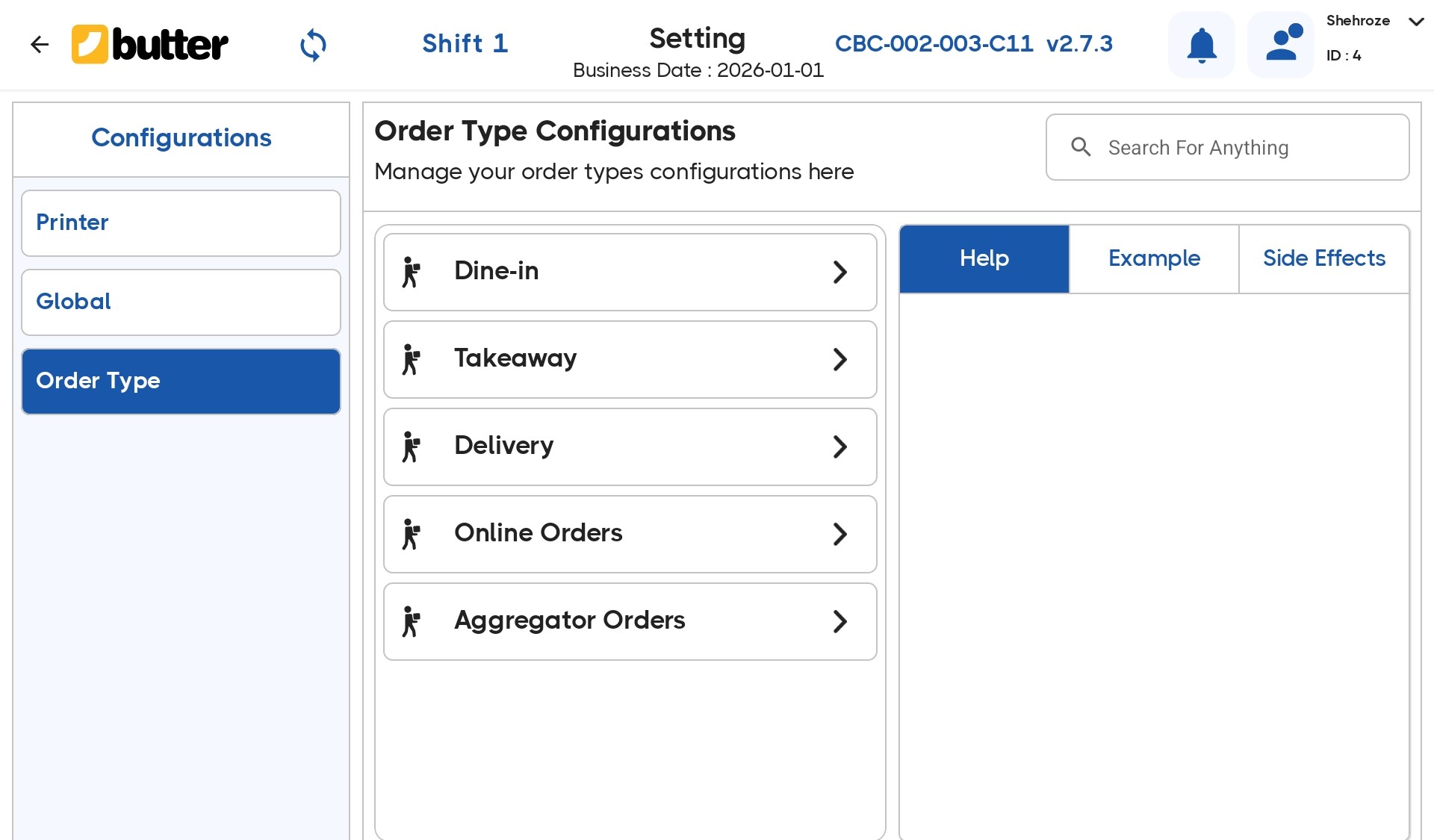
- Dine-In orders are handled for in-house service
- Takeaway orders are prepared for pickup
- Delivery orders are tracked separately from in-store orders
This prevents confusion during busy service periods.
-
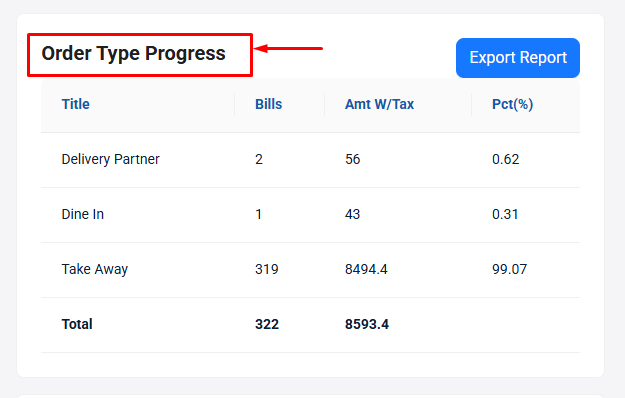
Reporting Classification
Order types are automatically used as a classification in reports. This allows management to review sales based on how orders were served.
How Order Types Affect Reports
Because order types are assigned at billing time:
- Sales are categorized correctly
- Performance can be reviewed per service type
- Trends become easier to identify
Restaurant owners can clearly see how much revenue comes from dine-in versus takeaway or delivery, without manual sorting.
Best Practices for Using Order Types
To get the most out of this feature in Butter POS:
- Train staff to select the order type before adding items
- Avoid changing the flow mid-order
- Use order-type-based reports regularly to understand service trends
Following these practices keeps both operations and reporting clean.
Bottom Line
Multiple order types in Butter POS allow restaurants to manage different service models within one system. By selecting the correct order type at the start of each order, Butter POS automatically organizes operations and reporting behind the scenes.
This makes daily service smoother and gives restaurant owners clearer insights into how their business is performing.
Frequently Asked Questions (FAQs)
What does managing multiple order types mean in Butter POS?
In Butter POS, managing multiple order types means handling dine in takeaway and delivery orders within the same system while keeping billing kitchen flow and reporting accurate for each order type.
Which order types can be managed in Butter POS?
Butter POS supports dine in orders, takeaway orders and delivery orders. Each order type follows its own workflow while remaining connected to the same inventory and billing system.
How do I select an order type while creating a new order?
When you start a new order in Butter POS, you choose the required order type from the available options. The system then opens the relevant screen such as table view for dine in or direct billing for takeaway.
Can I manage dine in and takeaway orders at the same time?
Yes. Butter POS allows you to keep multiple orders open across different order types so staff can switch between dine in tables and takeaway bills without closing existing orders.
How does Butter POS handle table based orders for dine in?
For dining in orders, Butter POS uses table management. Each table holds its own active bill which can be updated, settled or transferred without affecting other order types.
How are takeaway orders managed differently?
Takeaway orders are billed directly without table assignment. This helps staff process quick orders faster while keeping them separate from dine in service.
How are delivery orders handled in Butter POS?
Delivery orders include customer details and delivery mode information while following the same item billing and settlement flow as other order types.
Can I switch an order from one type to another?
If your outlet setup allows it, you can change the order type before final settlement. This helps when a customer changes from dine in to takeaway or vice versa.
Does managing multiple order types affect billing accuracy?
No. Butter POS keeps each order type clearly separated while applying the correct billing logic so totals taxes and discounts remain accurate.
Can different order types have different tax rules?
Tax calculation depends on your outlet configuration. Butter POS automatically applies the correct tax setup during billing regardless of the order type.
Are discounts applied differently for different order types?
Discount application depends on what is enabled for your outlet. Staff can apply supported discounts to any order type during billing.
Can multiple staff members work on different order types simultaneously?
Yes. Multiple users can manage different orders at the same time across dine in takeaway and delivery without interfering with each other.
How does Butter POS help during peak hours with multiple order types?
By keeping all order types within a single system flow, staff can move quickly between orders, reduce waiting time and avoid confusion during busy periods.
Can I hold and resume orders for any order type?
Yes. Orders from any order type can be held and resumed later which is useful when customers delay payment or modify their order.
How does kitchen communication work with multiple order types?
Orders from all order types are sent to the kitchen based on your kitchen setup ensuring preparation stays organized regardless of how the order was placed.
Are reports separated by order type?
Yes. Butter POS reports allow you to view sales performance based on order type so you can track dine in takeaway and delivery separately.
Does inventory update correctly across all order types?
Inventory is updated in real time for every order type ensuring stock levels remain accurate whether the sale is done in takeaway or delivery.
Can I cancel or void orders for specific order types?
If user permissions allow it, orders from any order type can be voided or adjusted while maintaining a proper audit trail.
Do staff need special training to manage multiple order types?
Butter POS is designed to keep the workflow consistent. Once staff understand one order type, managing others becomes intuitive within the same system flow.
Who benefits most from using multiple order types in Butter POS?
Restaurants, cafes and quick service outlets that serve customers in different ways benefit the most. Managing all order types in one system improves speed control and visibility.






 Region: United States


