In a restaurant environment, multiple staff members use the POS system every day, from taking orders and processing payments to applying discounts and reviewing sales. Not every action should be accessible to everyone.
User Permission in Butter POS is designed to solve this exact challenge by allowing businesses to control who can access specific features and perform specific actions within the system.
By assigning clearly defined permissions to each user role, Butter POS helps restaurants maintain operational discipline, protect financial data, and reduce the risk of errors or misuse. Whether it's restricting discounts, requiring approvals for bill voids, or limiting access to reports, user permissions ensure that the system is used responsibly, securely, and according to each staff member's role.
Why User Permission Is Important in Butter POS
User Permission is not just a security feature; it plays a key role in smooth daily operations.
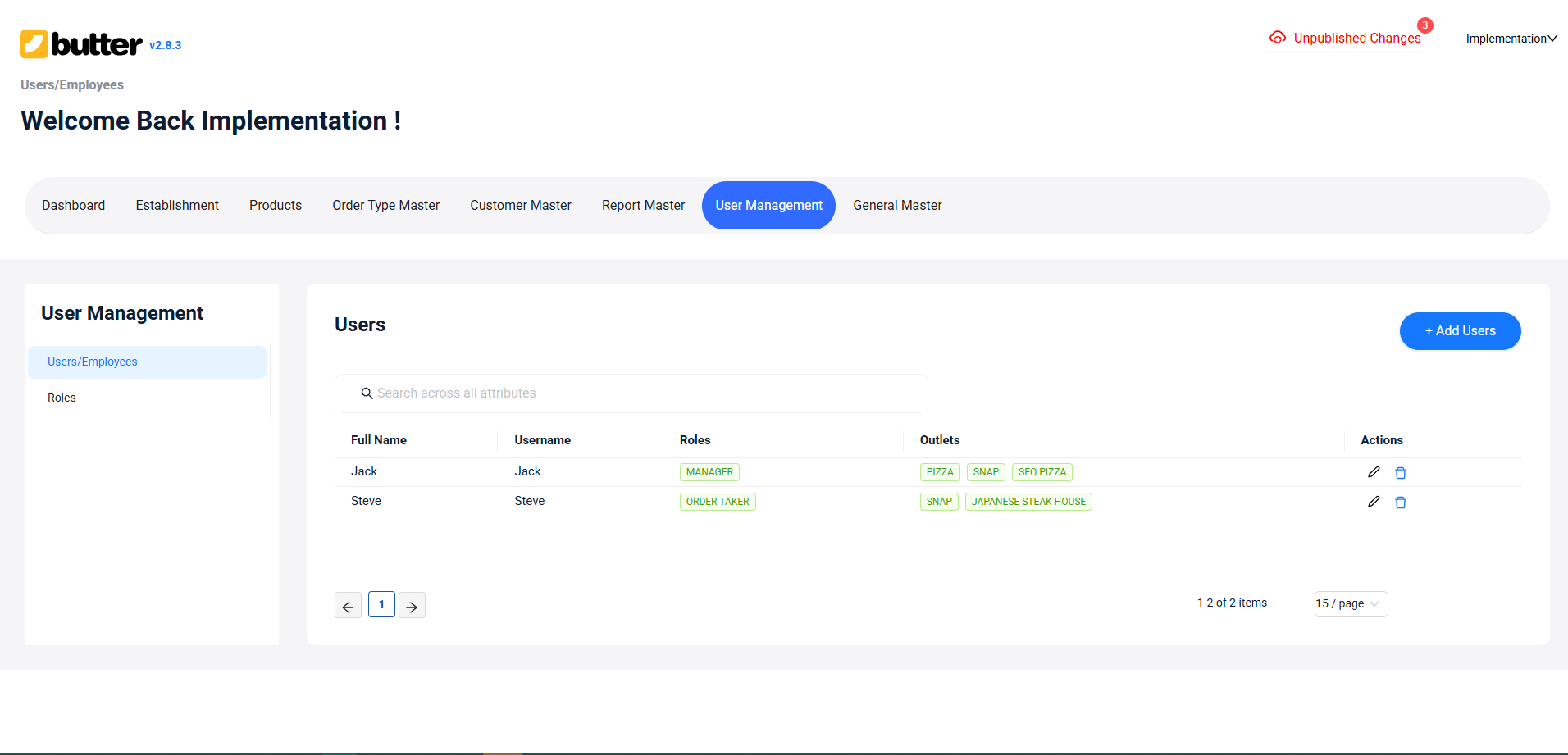
Key Benefits of User Permission:
- Prevents unauthorized discounts and bill voids
- Protects financial data and reports
- Maintains staff accountability
- Reduces billing errors and misuse
- Makes audits and reviews easier
How User Permission Works in Butter POS
Butter POS manages user permission through roles and action-based access control.
Step 1: User Roles in Butter POS
Each staff member is assigned a specific role, and permissions are linked to that role.
Common User Roles:
- Cashier – Handles billing and payments
- Manager – Supervises operations and approvals
- Admin / Owner – Full system access and control
 Each role has a predefined set of permissions.
Step 2: Action-Based Permissions
Permissions in Butter POS are defined at the action level, meaning you can control exactly what actions a user can perform.
Examples of Permission-Controlled Actions:
- Creating and editing bills
- Applying discounts
- Removing or voiding items
- Canceling bills
- Reprinting bills or KOTs
- Changing payment methods
- Opening and closing shifts
- Accessing reports

If a permission is disabled, the user will not be able to perform that action.
Step 3: Manager Authorization for Sensitive Actions
Some actions are considered sensitive and require manager approval in Butter POS.
Actions That Typically Require Approval:
- High-value discounts
- Bill voids or cancellations
- Item removal after KOT generation
- Bill modifications after settlement
This approval system helps prevent revenue loss and misuse.
Step 4: Report and Data Access Control
Butter POS allows you to control who can view which reports.
Example Access Levels:
- Cashier – Limited access to current bills
- Manager – Sales, discounts, tenders, and adjustment reports
- Owner / Admin – Full financial and performance reports
This keeps sensitive financial data secure.
Step 5: User Activity Tracking and Accountability
Every action in Butter POS is logged against the user account.
Tracked activities include:
- Discounts applied
- Bills voided or canceled
- Items removed or modified
This ensures clear accountability and supports internal audits.
Conclusion
User Permission in Butter POS is a powerful feature that helps restaurants maintain control, security, and accountability.
When permissions are set correctly, Butter POS becomes more than a billing system, it becomes a complete operational control platform that supports secure and efficient restaurant management.
Frequently Asked Questions (FAQs)
What is User Permission in Butter POS?
User Permission in Butter POS is a feature that controls what actions a staff member can perform and what information they can access in the system. It ensures that each user operates within their assigned role, helping maintain security, accuracy, and accountability.
Why does Butter POS use user permissions?
Butter POS uses user permissions to prevent unauthorized actions, such as incorrect discounts or bill voids, and to protect sensitive financial data. This helps restaurants maintain operational discipline and reduce revenue loss.
Who should use User Permission in Butter POS?
User Permission is useful for any restaurant with more than one staff member, especially where roles like cashier, captain, manager, and owner have different responsibilities.
How do user roles work in Butter POS?
In Butter POS, each user is assigned a role, and that role determines the set of permissions they receive. Permissions are not random; they are tied to the responsibilities of the role.
What are the common user roles in Butter POS?
Common roles include:
- Cashier
- Captain
- Manager
- Admin or Owner
Each role has different access levels and allowed actions.
Can a cashier apply discounts in Butter POS?
A cashier can only apply discounts if the permission is enabled. In many setups, discounts require manager authorization, which prevents misuse.
What actions can be restricted using User Permission?
User Permission can restrict actions such as:
- Applying discounts
- Voiding or canceling bills
- Removing items after KOT
- Reprinting bills or KOTs
- Accessing reports
- Closing shifts
Does Butter POS support manager approval for sensitive actions?
Yes. Butter POS supports manager authorization for sensitive actions like bill voids, high-value discounts, and post-billing modifications.
Can user permissions control report access?
Yes. Butter POS allows you to decide which reports a user can view, ensuring that financial and performance data is only accessible to authorized roles.
Can captains or order takers see sales reports?
Typically, captains and order takers are restricted from viewing financial reports. Report access is usually limited to managers or owners, depending on the permission setup.
How does User Permission improve accountability?
Butter POS logs actions against individual user accounts. This means every discount, void, or modification is traceable to a specific user, improving accountability.
Can User Permission help prevent revenue leakage?
Yes. By restricting discounts, voids, and cancellations and requiring approvals, User Permission plays a key role in reducing revenue leakage.
Is User Permission useful for audit and review purposes?
Absolutely. Since actions are tracked by the user, Butter POS makes it easier to review activity, identify issues, and conduct audits.
Can all users be given the same permissions?
While it is technically possible, it is not recommended. Giving all users the same permissions increases the risk of errors, misuse, and data exposure.
What happens if a user tries to perform a restricted action?
If a user does not have permission, Butter POS will block the action or request manager authorization, depending on how permissions are configured.
Are permissions applied per user or per role?
Permissions in Butter POS are primarily applied per role, making it easier to manage multiple users with similar responsibilities.
Does User Permission affect daily operations speed?
No. When set correctly, User Permission actually improves efficiency by reducing confusion and ensuring staff focus only on relevant tasks.
Can User Permission be changed later?
Yes. Permissions can be updated as staff responsibilities change, such as when a cashier is promoted to a supervisor or manager role.
Is User Permission only about security?
No. While security is important, User Permission also helps with process control, accuracy, accountability, and smoother operations.
How does User Permission make Butter POS more effective?
By clearly defining who can do what, User Permission turns Butter POS into a controlled, reliable operational system, not just a billing tool.






 Region: United States


