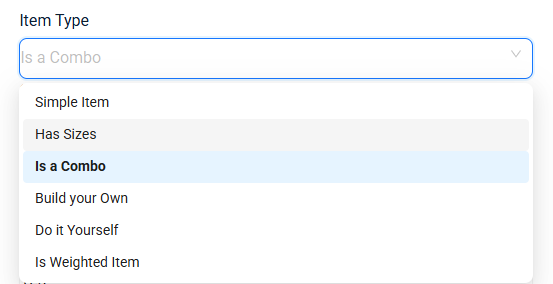
Butter POS is designed to handle different kinds of menu items used in real restaurant operations. Not every item is sold in the same way, some are simple, some have sizes, some are sold as combos, and some are sold by weight.
This tutorial-style guide explains all item types in Butter POS, with clear examples and practical usage.
Let's get started.
4 Types of Items in Butter POS
Butter POS supports the following item types:
-
Simple Items
-
Items with Sizes
-
Combo Items
-
Static Combo
-
Dynamic Combo
-
Weighted Items
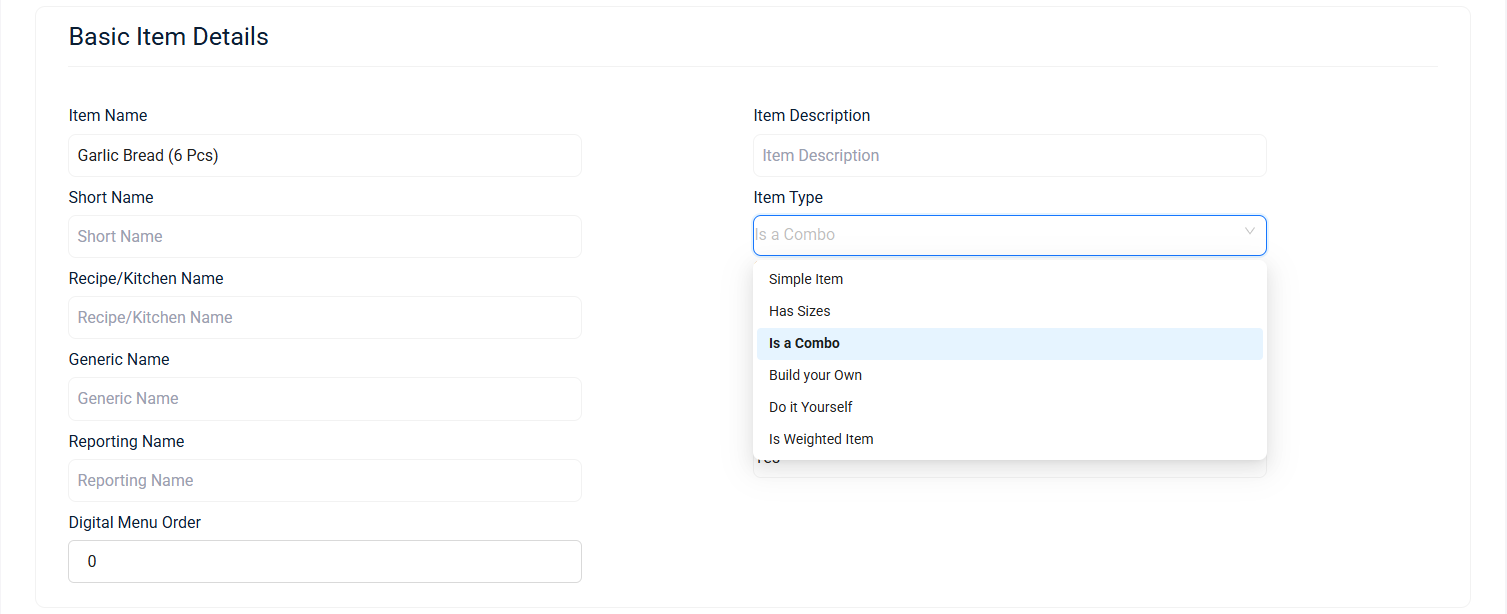
Each type exists to solve a real operational need. Let's go through them one by one.
-
Simple Items
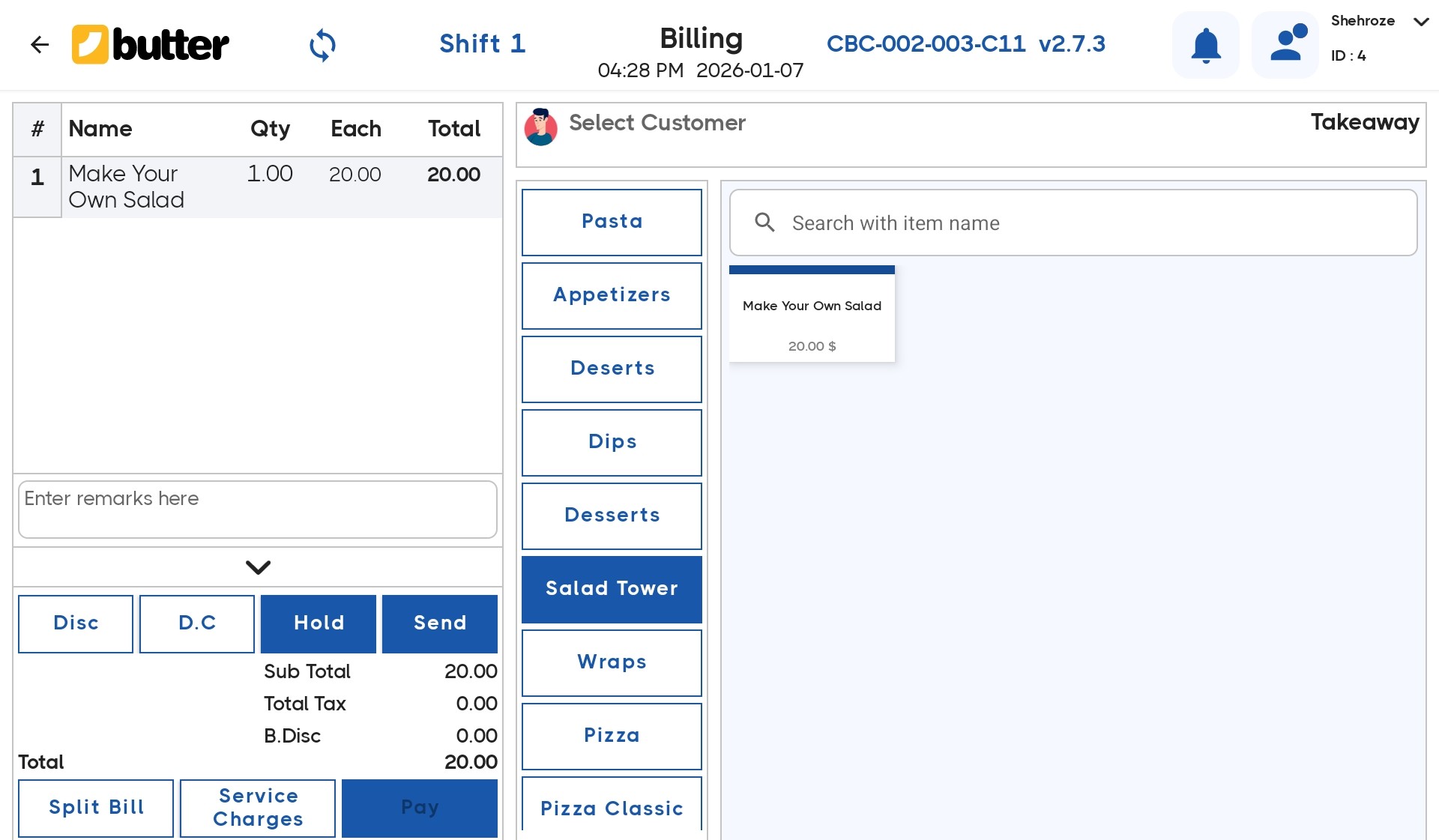
A simple item is sold as-is, without any size selection, combination, or weight-based pricing.
- Fixed price
- Fixed quantity (count-based)
- One tap adds the item to the bill
Example
- Fries
- Garlic Bread
- Sauce Dip
How It Works in Billing
- Cashier taps the item
- Item is added directly to the cart
- Quantity can be increased or decreased
- No popup or additional selection appears
When to Use Simple Items
Use simple items when:
- Price never changes
- No size or variation is required
- Item is sold per piece
-
Items with Sizes
Size-based items allow a single item to be sold in multiple sizes, each with its own price.
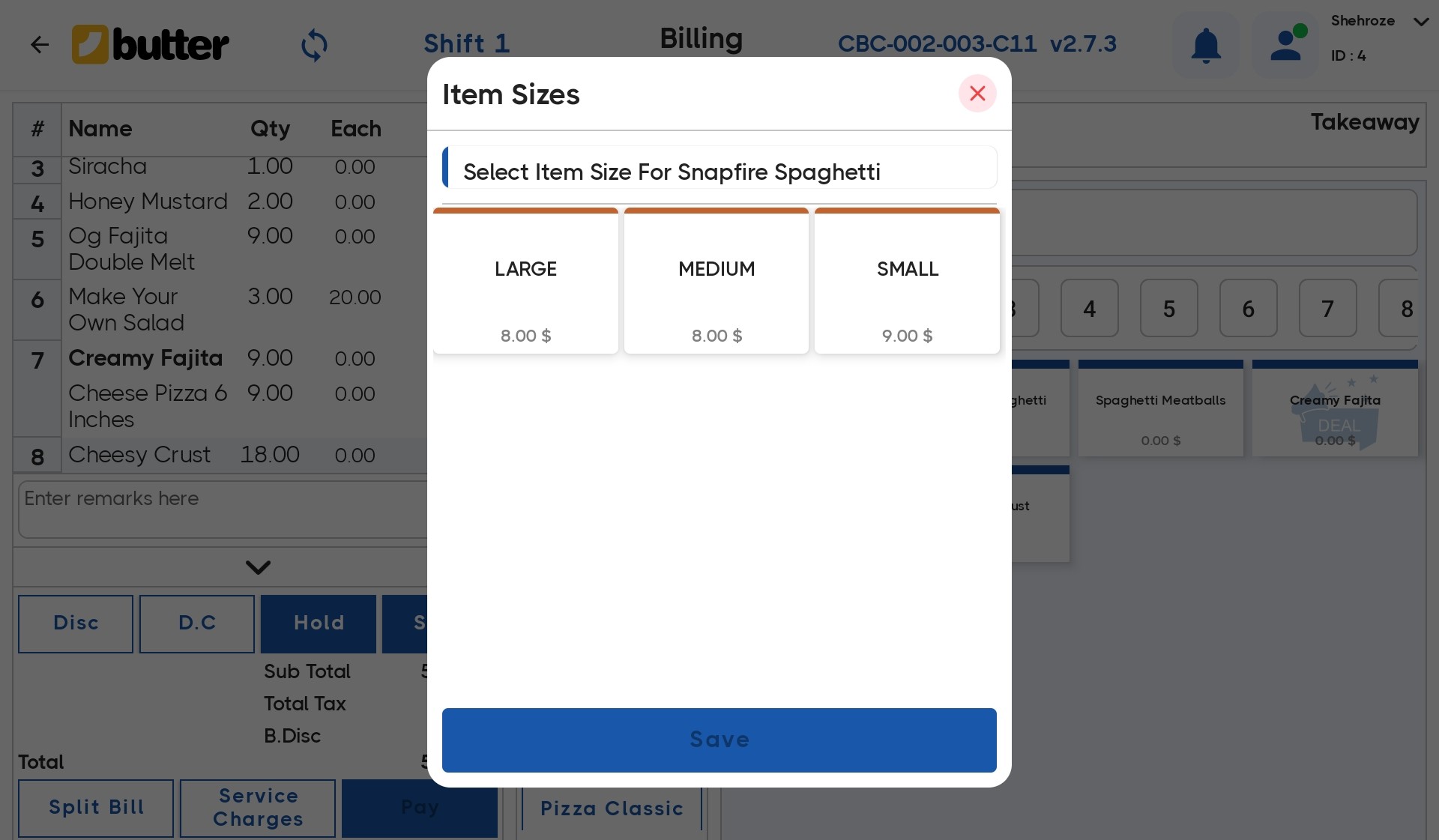
Butter POS prompts the cashier to select a size before adding the item to the bill.
Example
- Pizza (6 inches, 9 inches, 12 inches)
- Pasta (Small, Medium, Large)
- Coffee (Regular, Large)
Billing Flow
When a size-based item is tapped:
- A popup appears titled Item Sizes
- Available sizes are shown (for example: 6 inches, 9 inches, 12 inches)
- Each size displays its price
- Cashier selects the required size
- Clicks Save
The selected size item is then added to the cart with its correct price.
Key Benefits
- Clean menu (one item, multiple sizes)
- Avoids duplicate items
- Faster billing
3) Combo Items
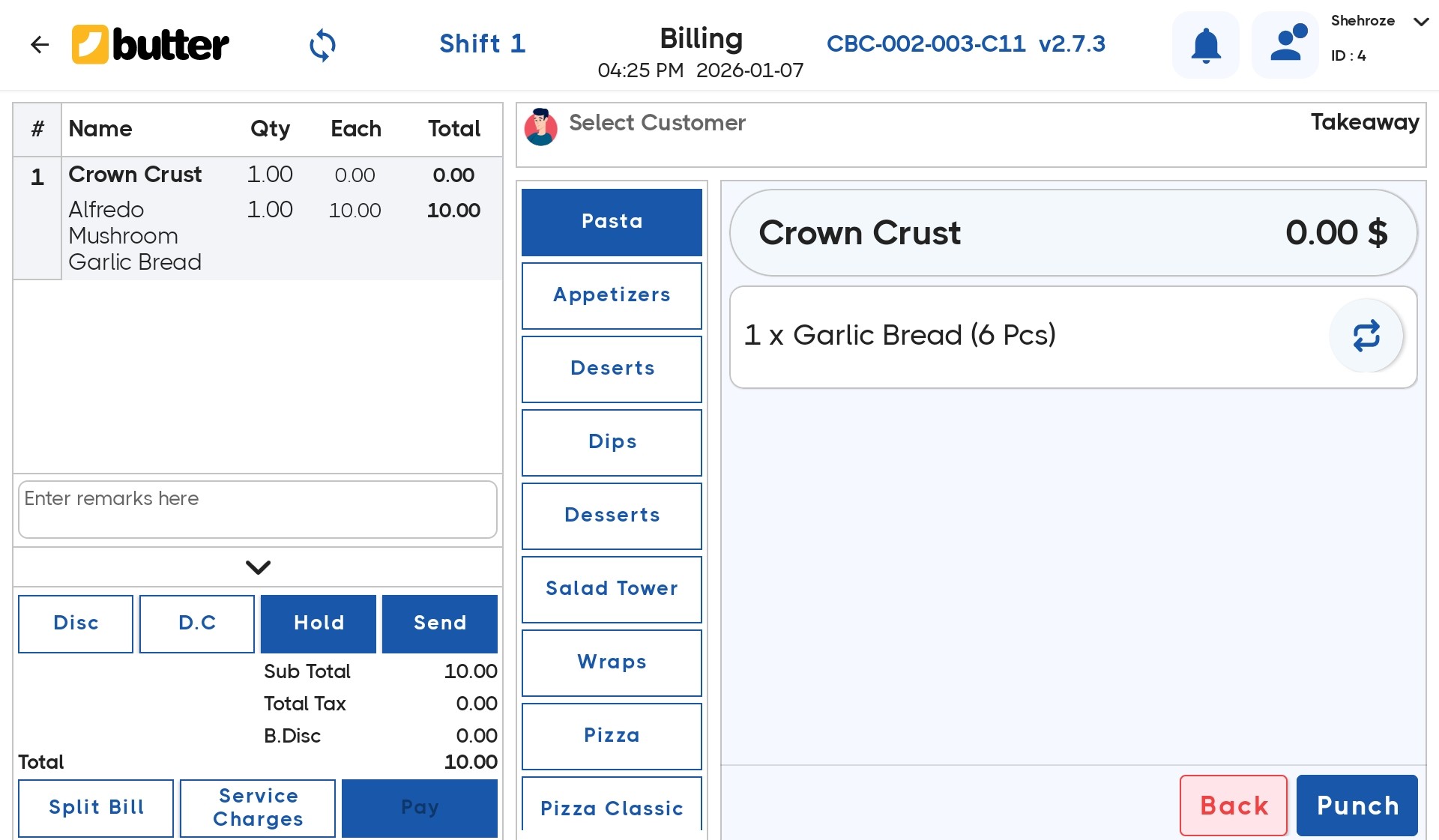
Combo items allow multiple products to be sold together as one deal. Butter POS supports two types of combos.
-
Static Combo Items
A static combo has fixed items inside it. The customer cannot change or select components.
Example
- Burger + Fries + Drink
- Breakfast Combo (Eggs + Toast + Tea)
How It Works
- Cashier taps the combo item
- Combo is added directly to the cart
- Included items are predefined
- No selection screen appears
When to Use Static Combos
Use static combos when:
- Combo content never changes
- No customization is allowed
- Speed is important
-
Dynamic Combo Items
A dynamic combo allows customer choice within the combo.
The cashier selects items from predefined groups.
Example
- Pizza Combo:
- Choose any Pizza
- Choose any Drink
- Choose any Side
How It Works
- Cashier taps the dynamic combo
- Selection screen appears
- Cashier selects items from each group
- System validates required selections
- Combo is added as a single item
Benefits of Dynamic Combos
- Flexible deals
- Better customer experience
- Controlled customization
4) Weighted Items
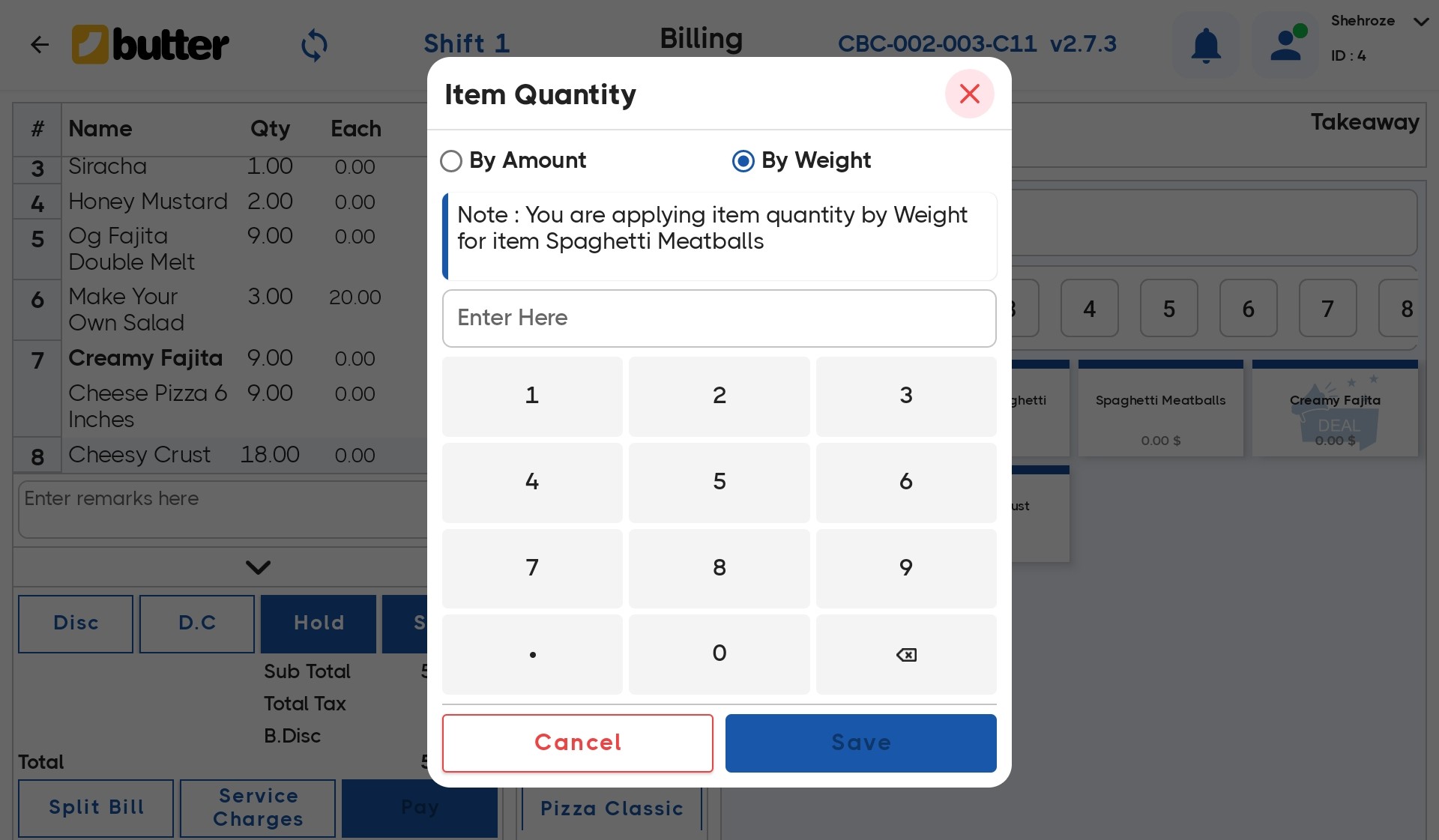
Weighted items are sold by weight instead of quantity. Butter POS allows entering weight during billing using a numeric keypad.
Example
- Spaghetti Meatballs (by weight)
- Cheese
- Meat
- Dry Fruits
Billing Flow
When a weighted item is selected:
- Item Quantity popup opens
- Cashier chooses by weight
- Numeric keypad appears
- Weight is entered (for example: 0.75 kg)
- Click Save
Butter POS automatically calculates the price based on the entered weight.
Why Weighted Items Are Important
- Accurate pricing
- No estimation or manual calculation
- Perfect for deli and kitchen operations
Summary
Butter POS item types are designed to match real-world selling scenarios:
- Simple Items for fast and fixed-price sales
- Size-based items for products with variations
- Static combos for fixed deals
- Dynamic combos for customizable offers
- Weighted items for precise, weight-based billing
By choosing the correct item type during setup, billing becomes:
- Faster
- More accurate
- Easier for staff
- Clear for reporting
Understanding these item types ensures your menu is structured correctly and your live billing runs smoothly every day.
Frequently Asked Questions (FAQs)
How many item types does Butter POS support?
Butter POS supports four main item types: Simple Items, Size-Based Items, Combo Items, and Weighted Items.
What is the most commonly used item type?
Simple items are the most commonly used because they have fixed pricing and require no additional selection.
Can an item have both size and weight options?
No. In Butter POS, an item can only follow one pricing logic at a time—either size-based or weight-based.
Are size-based items mandatory for pizzas?
No. Size-based items are optional, but they are highly recommended for products like pizzas where price varies by size.
Can prices be different for each size?
Yes. Each size in a size-based item can have its own independent price.
What happens if a cashier forgets to select a size?
The system does not allow adding the item to the cart without selecting a size.
What is the difference between static and dynamic combos?
Static combos have fixed items, while dynamic combos allow item selection from predefined groups.
Can a static combo be customized during billing?
No. Static combos do not allow customization during billing.
Are dynamic combos slower during billing?
No. Dynamic combos are optimized for quick selection and remain fast during live billing.
Can combo items be priced differently from individual items?
Yes. Combo pricing is independent and can be lower than the total price of individual items.
How are weighted items priced?
Weighted items are priced based on unit weight, and the final price is calculated automatically after entering weight.
Can weighted items be sold by quantity instead of weight?
No. Once an item is set as weighted, it must be sold by weight.
Is manual calculation required for weighted items?
No. Butter POS automatically calculates the price based on the entered weight.
Can weight values be edited before saving?
Yes. Cashiers can edit the weight until they confirm and save the entry.
Are weighted items suitable for restaurants?
Yes. Weighted items are commonly used for dishes sold by portion weight or raw material sales.
Can item types be changed after creation?
Yes, but it is recommended to do this carefully as it may affect reporting and billing behavior.
Do item types affect sales reports?
Yes. Item types help structure reports more accurately, especially for combos and weighted sales.
Can the same item exist as both simple and combo items?
Yes. An item can be sold individually and also be part of a combo.
Does using combos affect inventory tracking?
Yes. Combo items automatically deduct inventory for all included items.
What is the main benefit of using correct item types?
Using correct item types ensures faster billing, fewer mistakes, accurate pricing, and clean reporting.






 Region: United States


