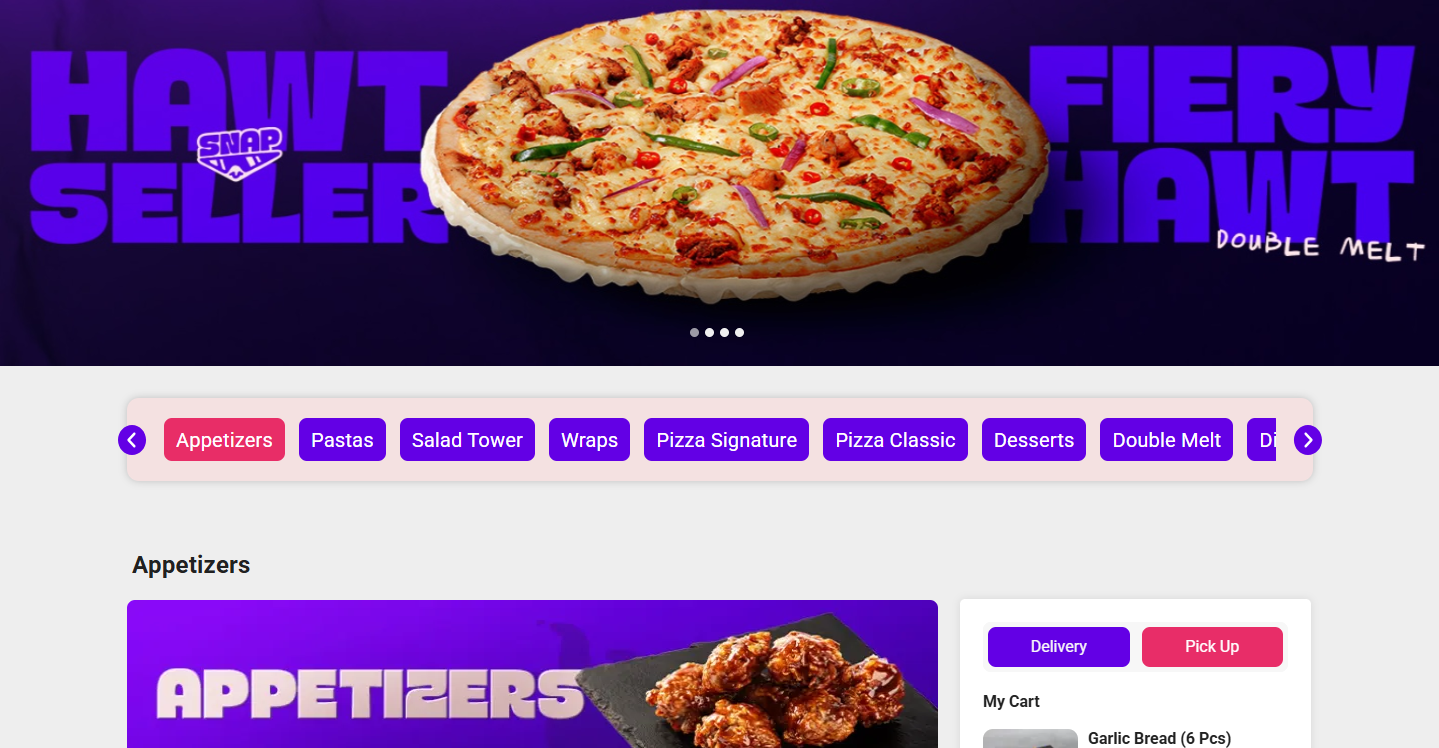
Web ordering integration in Butter POS allows restaurants to receive customer orders from supported web ordering platforms directly into the POS system. Instead of managing online orders separately, everything flows into one place, following the same operational process as dine-in or takeaway orders.
This guide explains what the feature is, how it works, how orders behave inside Butter POS, and what you need to manage it effectively.
1) What Is Web Ordering Integration in Butter POS?
In Butter POS, web ordering integration connects your POS with supported web ordering platforms so that:
- Customer orders placed online automatically appear in Butter POS
- Staff do not need to manually enter online orders
- Orders follow the same kitchen and billing workflow as other orders
- Sales data from online orders is included in Butter POS reports
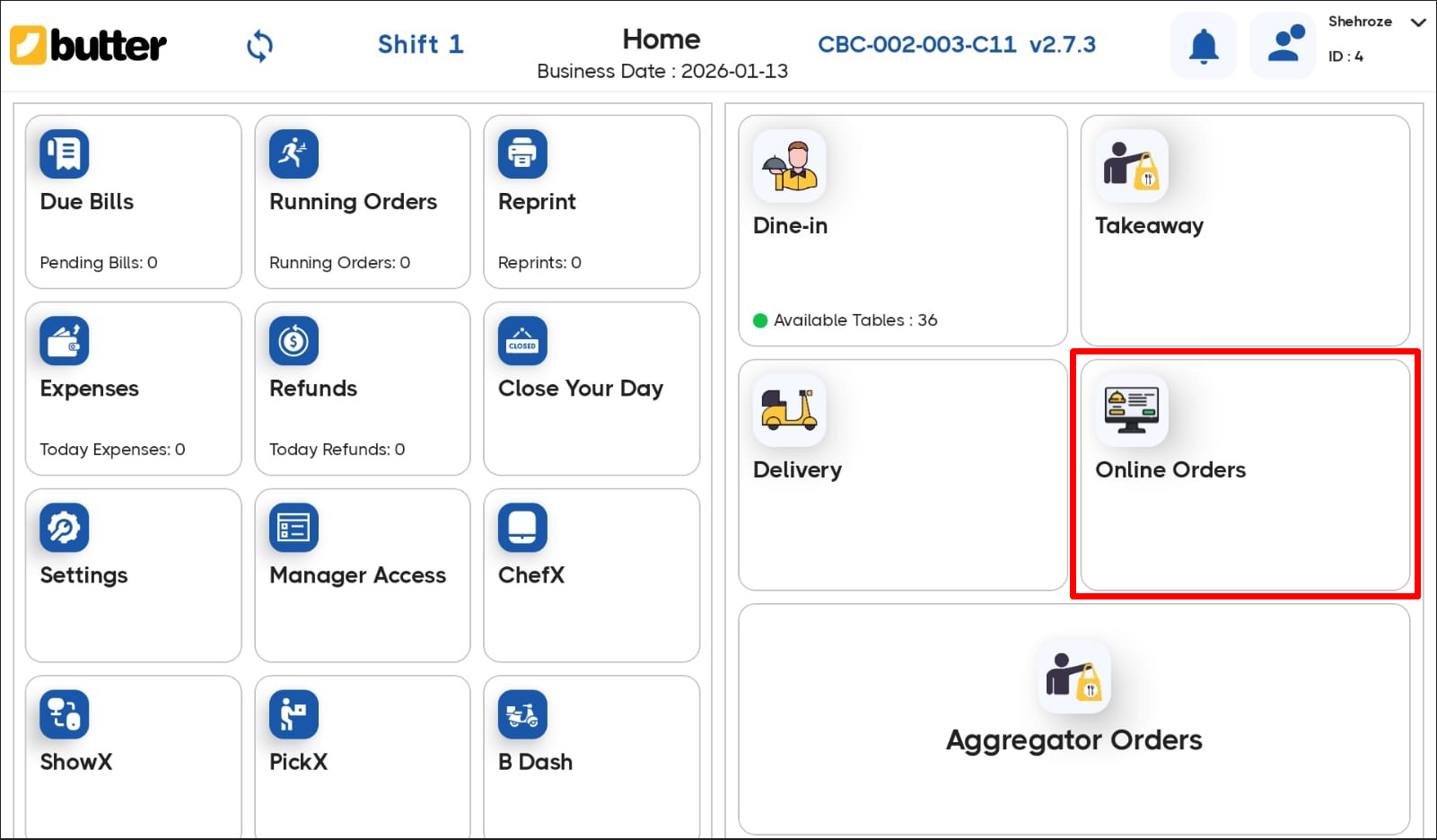
Once integrated, Butter POS becomes the central control point for both offline and online orders.
2) How Online Orders Enter Butter POS
When a customer places an order on a supported web ordering platform:
-
The order is transmitted to Butter POS automatically
-
Butter POS receives the order with:
-
Item names
-
Quantities
-
Modifiers (add-ons, choices, etc.)
-
Pricing as configured in Butter POS
-
The order appears on the POS screen without staff intervention
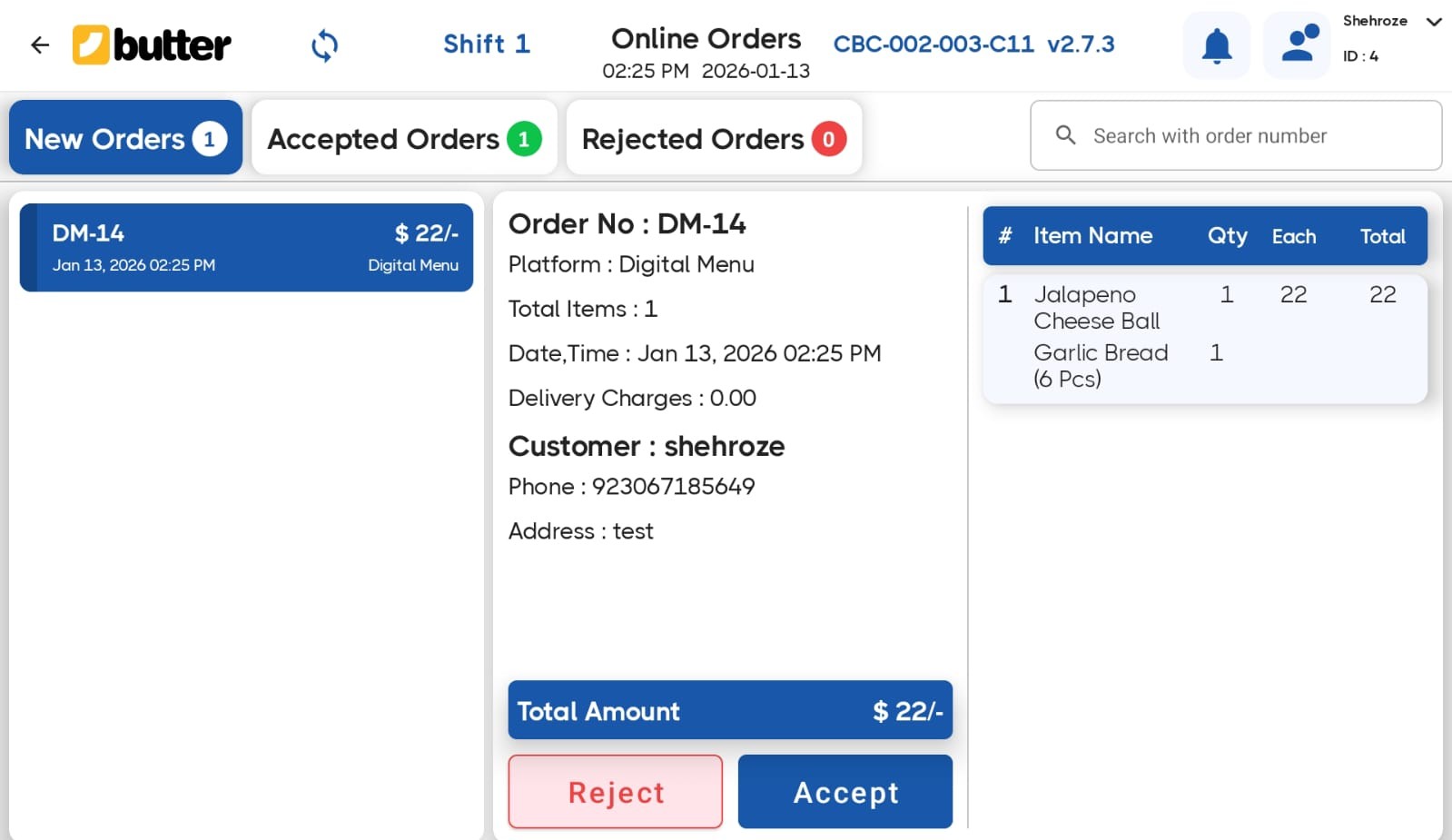
From this point onward, Butter POS treats it as a normal order.
3) How Online Orders Appear Inside the POS
In Butter POS, online orders are clearly identifiable so staff can distinguish them from walk-in or dine-in orders.
Typically:
- The order source is shown as Online Ordering
- Order details are locked to prevent accidental price or item mismatches
- The order is ready to be accepted and processed by staff
Once received, staff can:
- Review the order
- Send it to the kitchen
- Track its preparation status
- Complete billing as per normal workflow
4) Order Processing Flow
Here's the full lifecycle of an online order in Butter POS:
Step 1: Order Received
The order appears automatically in the POS system.
Step 2: Order Review
Staff verifies items and modifiers (no re-entry needed).
Step 3: Accept or Reject Order (At Branch)
After reviewing the order, the branch can take one of the following actions:
Accept Order
- Items are available
- Kitchen is operational
- Order can be fulfilled
The order proceeds to the next stage.
Reject Order
- Item is out of stock
- Kitchen is closed
- Operational constraints prevent fulfillment
The order is rejected as per the online platform's rules.
Step 4: Kitchen Processing
The order is sent to the kitchen just like any other order.
Step 5: Preparation
The kitchen prepares the items based on the order details.
Step 6: Completion
Once prepared, the order is marked as completed or ready, depending on your outlet's process.
Butter POS ensures online orders move through the same operational flow as offline orders, keeping things consistent.
5) Menu and Item Mapping
For web ordering integration to work correctly, menu items must be aligned between Butter POS and the online platform.

In Butter POS:
- Items are mapped so names, prices, and modifiers match exactly
- Modifiers like extras or size options flow correctly into the POS
- Taxes and charges are applied as configured in Butter POS
This ensures:
- No pricing discrepancies
- No missing modifiers
- Clean reporting and billing
If an item or modifier is not configured in Butter POS, it will not sync correctly.
6) Billing and Payments for Online Orders
In Butter POS, online orders typically arrive with payment information already handled by the online platform.
Inside the POS:
- The order is recorded for sales tracking
- Payment mode reflects the online transaction
- No additional payment collection is required at the counter
This keeps financial records accurate while avoiding double billing.
7) Reporting and Sales Tracking
Online orders are fully included in Butter POS reports.
You can track:
- Online sales totals
- Item-wise sales from online orders
- Tax, discounts, and net sales
- Order counts from online channels
This means you don't need a separate system to analyze online performance, everything stays inside Butter POS.
8) Operational Benefits of Web ordering Integration
Using web ordering integration in Butter POS helps outlets:
- Reduce order entry errors
- Speed up order processing during peak hours
- Centralize all orders in one system
- Maintain consistent pricing and reporting
- Improve kitchen coordination
Staff focus on preparation and service instead of retyping orders.
9) Supported Integrations Only
In Butter POS, web ordering integration works only with supported platforms.
- Unsupported platforms cannot be connected
- Custom or manual integrations are not supported
- Orders must come through the standard integration flow
If a platform is not officially supported, Butter POS doesn't integrate with it.
10) Common Operational Tips
- Always keep your Butter POS menu updated before syncing online platforms
- Test a few online orders after setup to confirm item and modifier flow
- Train staff to recognize online orders on the POS screen
- Monitor reports to ensure online sales are being recorded correctly
Summary
Web ordering integration in Butter POS brings online and offline orders into a single, controlled workflow. Orders come in automatically, follow standard kitchen and billing processes, and are fully reflected in reports. When set up correctly, it removes manual work, reduces errors, and keeps operations organized.
Frequently Asked Questions (FAQs)
What does Web ordering integration mean in Butter POS?
In Butter POS, web ordering integration allows customer orders placed on supported online platforms to be received automatically inside the POS system, without manual order entry.
How do online orders reach Butter POS?
When a customer places an order on a supported web ordering platform, the order is transmitted directly to Butter POS and appears on the POS screen in real time.
Do staff need to manually enter online orders?
No. In Butter POS, online orders are automatically created in the system. Staff only need to review and process them.
How can staff identify online orders in the POS?
Online orders are clearly marked by their source in Butter POS, allowing staff to distinguish them from dine-in or walk-in orders.
Are online orders treated differently from regular orders?
Operationally, no. Once received, online orders follow the same kitchen, preparation, and completion workflow as other orders in Butter POS.
What order details are included when an online order is received?
Butter POS receives item names, quantities, modifiers, and pricing exactly as configured in the POS, ensuring consistency across systems.
How are modifiers and add-ons handled for online orders?
Modifiers selected by the customer, such as extras or size options, flow directly into Butter POS, provided they are properly configured in the menu.
What happens if an item or modifier isn't set up correctly in Butter POS?
If an item or modifier is missing or incorrectly configured, it may not sync properly. Keeping the POS menu updated is essential for smooth integration.
How are prices controlled for online orders?
Prices used for online orders are based on how items are configured in Butter POS. This prevents mismatches between online and in-store pricing.
Are online orders automatically sent to the kitchen?
Yes. Once accepted, online orders can be sent to the kitchen just like any other order, following your standard kitchen workflow.
How is payment handled for online orders?
In Butter POS, online orders usually arrive with payment already completed through the online platform. No additional payment collection is required at the counter.
Do online orders appear in Butter POS reports?
Yes. Online orders are fully included in Butter POS reports, contributing to sales totals, item-wise reports, tax calculations, and net sales.
Can I track online sales separately from offline sales?
Butter POS allows you to identify and analyze online orders within reports, making it easier to review online performance alongside other sales.
Does Web ordering integration affect tax calculations?
Taxes are applied based on how tax rules are configured in Butter POS, ensuring consistent tax reporting for both online and offline orders.
What happens if the internet connection is unstable?
Web ordering integration depends on connectivity. If the connection is interrupted, new online orders may be delayed until the system reconnects.
Can unsupported online platforms be integrated with Butter POS?
No. Butter POS only supports integration with officially supported web ordering platforms. Unsupported platforms cannot be connected.
Is custom or manual integration supported?
No. Butter POS does not support custom-built or manual web ordering integrations. Orders must come through the standard supported flow.
Do online orders impact inventory or item availability?
Online orders consume the same items as in-store orders. Accurate menu and stock configuration helps avoid availability issues.
What training do staff need for handling online orders?
Staff should be trained to recognize online orders in the POS, review order details, and follow the normal kitchen and completion workflow.
What are the most common mistakes to avoid with Web ordering integration?
The most common issues include outdated menus, incorrect modifier setup, and untrained staff. Regular checks and basic training help prevent these problems.






 Region: United States


