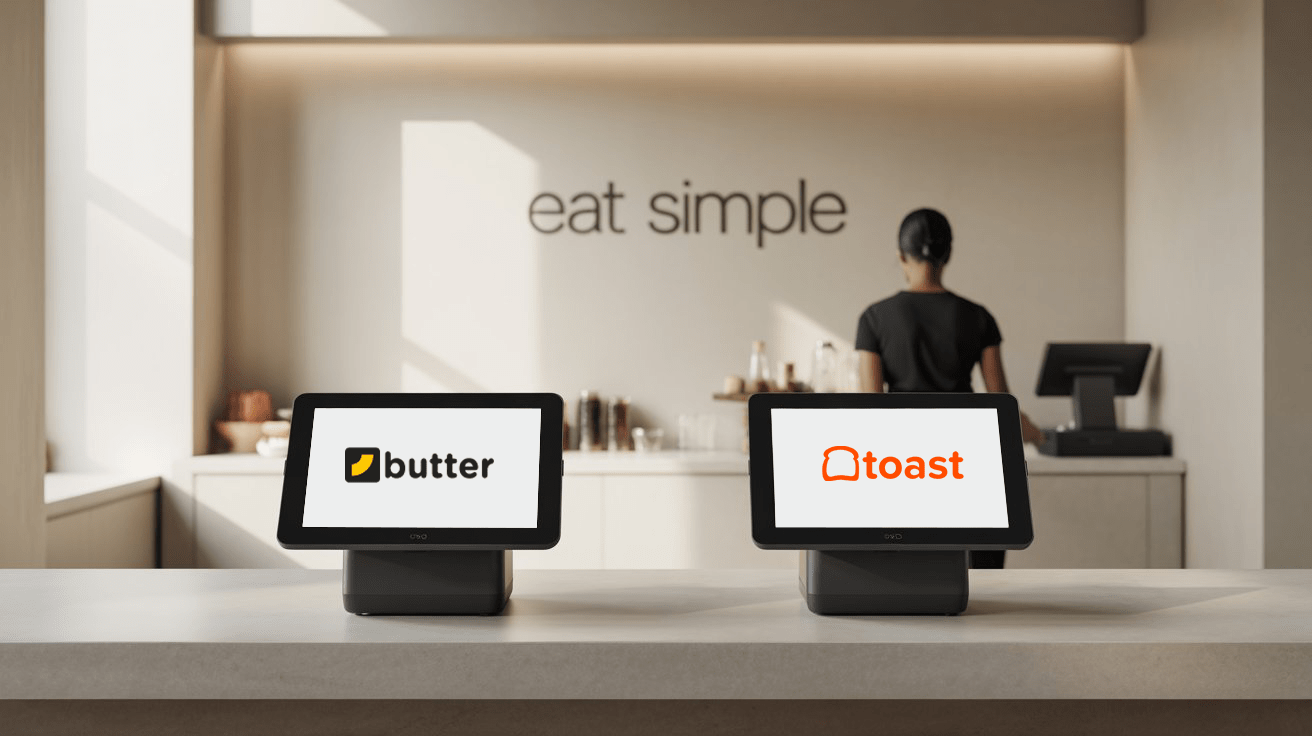
Running a single-counter restaurant is all about speed, control, and simplicity. You don't have extra staff to manage systems, and you definitely don't have time to figure out complex software in the middle of a lunch rush.
That's where the right POS system can either help you run smoothly or slow you down.
You've probably heard of Toast POS — it's well-known, widely used, and packed with features. But here's the real question:
Is Toast POS the right fit for your small, single-counter setup? Or is it more than you actually need?
In this blog, we're comparing Toast POS vs Butter POS — side by side, no fluff — to help you figure out what works better when space is tight, teams are small, and every second counts.
Meet the Contenders - Toast POS vs Butter POS
Before we dive deeper, here's a quick side-by-side look at both POS systems — so you can get the lay of the land.
| Feature | Toast POS | Butter POS |
| Ideal For | Medium to large restaurants | Small, single-counter setups |
| Setup & Onboarding | Requires assistance, learning curve involved | Plug-and-play, go live same day |
| Hardware | Proprietary, paid separately | Works with existing hardware or low-cost options |
| Pricing Transparency | Add-ons can increase monthly cost | Flat monthly pricing, no hidden charges |
| Customer Support | Scripted, response times vary | Direct, fast support with real humans 24/7 |
| Ease of Use | Advanced but complex for small setups | Built for non-tech-savvy owners |
| Feature Set | Wide range, built for scale | Focused tools designed for small teams |
| Best Use Case | Multi-location, high-volume operations | Solo counters, food stalls, cloud kitchens |
Setup and Simplicity - Getting Started Without the Headache
When you're running a single-counter operation, your focus isn't on tech — it's on food, service, and speed. The last thing you need is a complicated setup that takes days to figure out.
➢ Toast POS
Toast POS offers a polished system — but it often comes with setup appointments, hardware coordination, and training time. That's not a deal-breaker, but for small teams, it means time away from the counter. It's designed for scale, so the process naturally feels a bit heavy if you're running a one-person or two-person show.
➢ Butter POS
Butter POS is made for small restaurants, so the setup is intentionally simple. No special hardware. No IT support needed. You can sign up, get your system running, and start billing orders the same day.
If you can use a smartphone, you can use Butter POS. That's the idea — less setup, more selling.
Features That Actually Matter in a Small Setup
Not every restaurant needs 100+ features. If you're running a single counter, what you really need is a system that does a few things — and does them fast, reliably, and without confusion.
➢ Toast POS
Toast is built for full-service restaurants, franchises, and growing operations. You get tools for inventory, multi-location management, staff scheduling, loyalty programs, and more. That's great — but for a small outlet, most of these either go unused or add unnecessary clutter.
You might find yourself paying for tools you'll never touch.
➢ Butter POS
Butter POS cuts out the noise. It's designed for small setups, so the feature list is focused and intentional:
- Fast Billing – Create and close orders in seconds
- Split Payments – Handle cash and card combos with ease
- Real-Time Sales Dashboard – Know your daily totals anytime
- Simple Menu Editing – Add or remove items without a laptop
- Fraud Protection – Every order is recorded, so nothing "goes missing"
- Table Numbers or Tokens – Optional, for dine-in or takeaway workflows
You don't need to manage a warehouse, you just need to take orders, get paid, and track your day. Butter keeps it that simple.
Pricing - Are You Paying for More Than You Need?
For small restaurant owners, every dollar counts. The real cost of a POS system isn't just the monthly fee — it's in the hardware, hidden charges, and the features you'll never use.
➢ Toast POS
Toast's pricing starts reasonably, but as you add features like online ordering, marketing tools, and loyalty programs, the monthly cost goes up. Plus, you're required to buy their proprietary hardware, which can push your initial spend into the thousands.
It's a solid system but often, you're paying for scale that your business doesn't need.
➢ Butter POS
Butter POS is designed to be budget-friendly. One flat monthly fee. No extra charges for basic features. And you don't need to buy expensive hardware, it works with the android device you already have or with low-cost options.
Here's what that means for you:
- No surprise fees at the end of the month
- No getting locked into equipment you can't replace
- No paying for enterprise tools you'll never use
With Butter, what you see is what you pay — and that's a big win for small restaurants.
Customer Support - When You're Stuck at 8 PM
It's 8:00 PM. You've got a queue at the counter. Something's not working — a bill won't print, a menu item disappeared, or your system froze. What happens next depends entirely on your POS provider's support team.
➢ Toast POS
Toast offers support through tickets, email, and phone — but it's built for scale. You may face wait times, automated responses, or tiered support levels. For big teams, that's manageable. But if you're a solo operator, waiting for a callback isn't always an option.
➢ Butter POS
Butter POS treats small restaurants like big customers. You get direct, human support — often from the same team that built the product. Whether it's late evening or early morning, help is a text away.
There's no call center. No scripts. Just straight answers when you need them.
Because when your restaurant depends on one screen, that screen can't afford to go silent.
Which POS is Built with Small Setups in Mind?
If you're running a small setup — a single counter, two staff members, limited seating — your needs are different. You don't want extra tabs, complex reports, or features made for chains. You want something that fits your workflow, not something you have to work around.
➢ Toast POS
Toast is a powerful system — no doubt. But it's built with growth and complexity in mind. Multiple locations. Staff roles. Expansions. That's great for bigger players. But for a single-counter setup, it can feel like too much system for too little space.
➢ Butter POS
Butter POS wasn't scaled down from an enterprise system. It was built from the ground up for small restaurants, food stalls, and owner-led teams. Every screen, every button, every step is designed to reduce effort — not add to it.
- No training manuals
- No complex dashboards
- No overwhelming options
When your restaurant is small, your POS should feel light, fast, and invisible. That's what Butter aims to be — the system that works quietly in the background while you focus on the food.
Final Verdict - Toast or Butter?
If you're running a mid-size or large restaurant with multiple stations, rotating staff, and layered operations — Toast POS is a solid choice. It's loaded with features and built for restaurants that are growing fast or already scaled.
But if you're running a small, single-counter setup — where every minute, every tap, and every dollar matters — Butter POS might be exactly what you're looking for.
Here's the bottom line:
- Toast POS is great, but it's built for businesses larger than yours.
- Butter POS is built for you. It's fast, lean, affordable, and made to solve the exact problems small restaurant owners face every day.
You don't need more features — you need fewer clicks, faster service, and less headache. That's Butter.
Still Deciding? Try Butter POS For Free
No hardware required. No long-term contracts. Just sign up and see how it fits your flow. Start Now - It's Free.
Frequently Asked Questions (FAQs)
What makes a POS system suitable for a single-counter restaurant?
A single-counter restaurant needs speed, simplicity, and reliability. The ideal POS should allow fast order-taking, quick billing, and minimal navigation without complex settings. Since staffing is limited, the system must be easy to learn, require little to no training, and work smoothly during peak rush hours.
Is Toast POS designed for small single-counter setups?
Toast POS can be used in small restaurants, but it is primarily designed for medium to large operations. Its features, setup process, and hardware requirements are optimized for businesses with multiple staff members, stations, and long-term scalability, which may feel excessive for a single-counter setup.
Why does POS complexity matter for small restaurants?
In a small restaurant, complexity slows things down. Too many screens, options, or steps increase the chance of mistakes during busy hours. A simpler POS reduces mental load, speeds up service, and allows owners to focus on customers instead of managing software.
How does Butter POS support faster order processing?
Butter POS is built with minimal steps for common tasks. Orders can be created, modified, and closed in seconds. The interface is designed for quick taps rather than deep menus, which helps maintain speed even when there's a line at the counter.
Do single-counter restaurants need advanced POS features?
Most single-counter restaurants don't need advanced features like multi-location reporting, complex staff hierarchies, or enterprise-level inventory tools. What they need are core functions like fast billing, payment handling, and daily sales tracking without unnecessary extras.
How does setup time differ between Toast POS and Butter POS?
Toast POS often requires onboarding support, hardware coordination, and training sessions. Butter POS, on the other hand, is designed to be plug-and-play, allowing owners to set up and start billing the same day without technical assistance.
Does Toast POS require proprietary hardware?
Yes, Toast POS typically requires proprietary hardware that must be purchased separately. This increases the upfront cost and can limit flexibility if you want to replace or upgrade devices later.
Can Butter POS work on existing devices?
Butter POS works on standard Android devices, including smartphones and tablets. This allows restaurant owners to use existing hardware or choose affordable options without being locked into expensive equipment.
How does pricing impact small restaurant owners?
Small restaurants operate on tight margins, so predictable pricing is crucial. Hidden fees, add-ons, or mandatory upgrades can quickly strain budgets. A flat and transparent pricing model helps owners plan expenses more confidently.
Is Toast POS more expensive for small setups?
While Toast POS may appear affordable initially, costs can increase as add-ons, features, and hardware are included. For small restaurants that don't use these extras, the overall cost may outweigh the benefits.
Why is pricing transparency important in a POS system?
Transparent pricing prevents surprise expenses and helps restaurant owners accurately forecast monthly costs. This is especially important for small operations where cash flow management is critical to survival.
How does Butter POS handle customer support differently?
Butter POS offers direct, human support without scripted responses or long wait times. Support is designed for urgency, recognizing that small restaurants cannot afford downtime during service hours.
Why is fast customer support crucial for single-counter restaurants?
When a single POS screen goes down, the entire operation stops. Fast support ensures issues are resolved quickly, preventing long queues, frustrated customers, and lost sales during peak hours.
Can Toast POS support small restaurants as they grow?
Yes, Toast POS is well-suited for restaurants planning rapid growth or expansion. However, small single-counter setups may find its current feature set excessive until scaling becomes a real need.
Is Butter POS scalable if the business grows later?
Butter POS focuses on small operations but still supports growth within that space, such as higher order volumes or additional counters. It prioritizes simplicity while allowing gradual expansion without overwhelming complexity.
Which POS is easier for non-tech-savvy restaurant owners?
Butter POS is designed specifically for owners with little to no technical background. Its intuitive layout and straightforward workflows make it easier to learn and operate without formal training.
How does POS choice affect service speed during rush hours?
A well-optimized POS reduces order time, payment delays, and confusion. Systems with too many steps or slow navigation can bottleneck service, especially when staff numbers are limited.
What type of restaurant benefits most from Butter POS?
Butter POS is ideal for food stalls, single-counter restaurants, cloud kitchens, takeaway spots, and owner-operated setups where speed, affordability, and simplicity are priorities.
What type of restaurant should consider Toast POS instead?
Restaurants with multiple locations, large teams, table service, or complex operations benefit more from Toast POS due to its advanced feature set and scalability.
How should a restaurant owner choose between Toast POS and Butter POS?
The decision should be based on current needs, not future assumptions. If the setup is small, fast-paced, and budget-conscious, a lightweight POS like Butter POS is often the better fit. If operations are complex or expanding rapidly, Toast POS may offer long-term advantages.






 Region: United States


