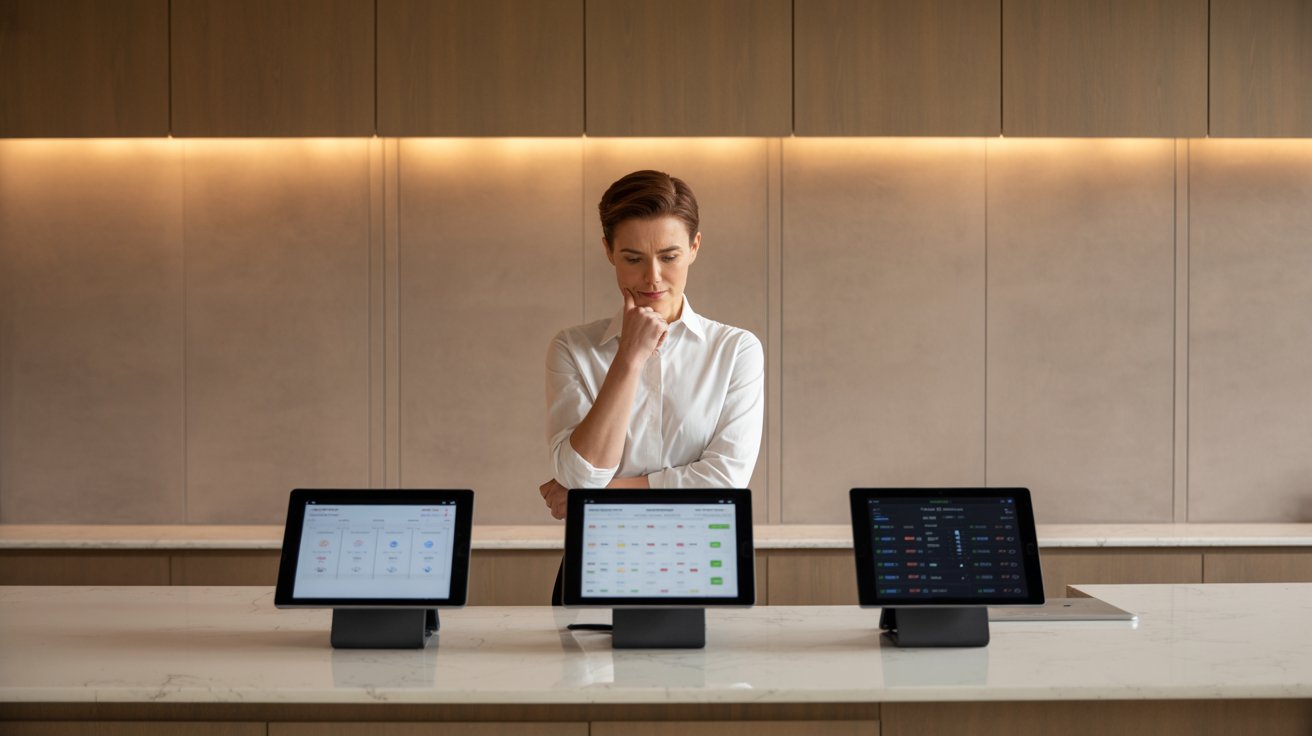
Undoubtedly, running a restaurant is all about juggling staff, keeping customers happy, and making sure the kitchen never slows down. The last thing you want is a POS system that adds more confusion instead of making life easier.
But that's exactly what happens to many restaurant owners: hidden fees, complicated features nobody uses, slow support, or systems that crash during peak hours. If you've ever wondered, "Which POS should I choose? How do I know it will actually solve my problems?" You're not alone.
In this guide, I'll clear up every concern you have about choosing a restaurant POS, so you can finally make a confident decision without the stress. Let's get started.
1. "I Don't Know What I Actually Need"
This is the most common struggle I hear from restaurant owners. You start researching POS systems, and suddenly you're bombarded with endless features: cloud-based, mobile ordering, loyalty programs, kitchen display systems—the list doesn't end. And the truth is, not every feature is necessary for your restaurant right now. That's why many owners feel stuck, unsure of what they actually need versus what's just "nice to have."
Here's the simple way to think about it:
- Start with the basics. At a minimum, your POS should handle order taking, billing, payment processing, and receipt printing. If a system struggles here, it's not worth considering.
- Then, match features to your restaurant type. For example, if you run a dine-in restaurant, look for table management. If you focus on delivery, you'll want strong online ordering and delivery integrations. If you're looking for pizza POS, consider customizations and split billing.
- Avoid shiny object syndrome. Just because a POS offers 50 features doesn't mean you'll use them. Paying extra for features your team never touches is like buying a sports car but only driving it in first gear.
Note: If you're running a pizza kitchen, we've put together a complete breakdown of what to look for in a POS specifically designed for pizza restaurants: How to Choose a POS for Your Pizzeria?
2. "POS is Too Complicated for My Staff"
Another concern many restaurant owners share is: "My staff isn't tech-savvy—will they even understand how to use this system?" And honestly, it's a valid concern. A modern restaurant POS is supposed to make operations smoother, not turn into another training headache. If your team struggles with the system, it slows down service, frustrates customers, and puts extra pressure on you as the owner.
Here's what you can do:
- Always ask for a live demo. Don't just watch a sales video—get your staff to actually test the system during a demo. If they get it within minutes, you're on the right track.
- Check training resources. A good POS should offer onboarding support, quick-start guides, or short video tutorials.
- Look for an intuitive design. If basic actions like taking an order or splitting a bill take more than a few taps, that's a red flag.
Your POS should empower your staff, not intimidate them. If your team feels comfortable, service gets faster, customers leave happier, and you can focus on running the business instead of troubleshooting tech.
3. "Hidden Costs & Pricing Confusion"
Let's be honest, POS pricing can feel like a maze. On the surface, you see a nice monthly fee, but once you dig deeper, extra charges start showing up: setup fees, hardware costs, payment processing percentages, support fees, or add-ons that were never mentioned upfront. Many restaurant owners only realize the "real cost" of their POS months after signing the contract, and by then, it's too late.
Here's how to stay ahead of the surprises:
- Understand the pricing model. Some systems charge per terminal, while others charge per location or per user. Make sure you know exactly how you'll be billed.
- Separate hardware from software. Tablets, printers, and cash drawers are often sold separately. Always ask: "What hardware is included in the package?"
- Check for hidden processing fees. Payment gateways can eat into profits. Compare rates with your existing provider before you lock yourself in.
- Ask about support costs. Is 24/7 support included, or does it cost extra? This small detail makes a huge difference when your system crashes at 10 PM on a Saturday night.
A smart move is to compare yearly vs monthly pricing. Many providers give discounts on annual plans, but only commit if you're confident the POS is right for you.
4. "Will This POS Actually Improve My Operations?"
This is the question at the heart of every buying decision: "If I spend money on this system, will it really make my restaurant run better?" Many owners hesitate because they've seen fancy tech before that promised the world but barely changed day-to-day operations.
The truth is, the right POS should deliver measurable improvements in how your restaurant runs. Think about these areas:
- Speed of service
- Fewer mistakes
- Better table management
- Actionable insights
Imagine a busy Friday night where 50+ orders are flying in at once. With a strong POS, everything flows: orders hit the kitchen instantly, bills are split in seconds, and your staff isn't running back and forth with handwritten notes. That's when you realize it's not just "software", it's the backbone of smooth operations.
5. "I've Heard POS Systems Can Be Unreliable"
For many restaurant owners, the biggest nightmare is a POS that suddenly stops working during peak hours. Unfortunately, this happens more often than you'd think, especially with outdated or poorly supported systems.
Reliability isn't just a "nice to have", it's a deal-breaker. When evaluating a POS, here's what you should check:
- Cloud-based backups. If your system crashes, cloud storage ensures your data is safe and accessible.
- Offline mode. Even if the internet goes down, your POS should keep running and sync data once you're back online.
- Support availability. Look for 24/7 customer support. Restaurants don't stop at 5 PM, and neither should your POS provider.
- Track record. Read reviews or ask vendors directly about uptime percentages. Anything below 99.9% uptime is a red flag.
Reliability is about more than just software; it's about peace of mind. A strong POS doesn't leave you wondering, "Will it fail me tonight?" Instead, it gives you confidence that even on your busiest nights, your system has your back.
6. "What If My Needs Change in the Future?"
Restaurants don't stay the same forever. Maybe today you're running a small dine-in spot, but tomorrow you might add delivery, open a second branch, or even expand into catering. One of the biggest concerns owners have is: "Will my POS still work for me when my business grows or changes?"
This is where scalability matters. A POS should adapt to your restaurant, not the other way around. Here's what to look for:
- Modular features: Choose a system that lets you add new features as your business evolves, instead of forcing you to buy an entirely new setup.
- Multi-location support: If expansion is in your plans, your POS should manage multiple outlets under one account.
- Integration readiness: Whether it's delivery platforms, loyalty apps, or accounting software, your POS should integrate smoothly with tools you may need in the future.
- Flexible pricing: A scalable POS won't punish you with sky-high costs just because you grew bigger—it should grow with you at a fair price.
Think long-term: the POS you pick today should still serve you when your restaurant is double the size or running entirely new services.
7. "I Don't Want Employee Theft or Fraud"
Employee theft is one of the most uncomfortable topics for restaurant owners, but it's also a very real concern. From giving away free meals to friends, to deleting bills after cash payment, to pocketing cash without recording the order, these small leaks can cost restaurants thousands of dollars every year. And the worst part? Most of it goes unnoticed until it's too late.
A strong POS system helps close these gaps by building accountability into daily operations:
- Staff logins and permissions. Every order and payment is linked to a staff member, so you always know who handled what.
- Audit trails. If a bill is voided, discounted, or deleted, the system records it. No more "missing" transactions
- Real-time reporting. You can track sales and voids even when you're not at the restaurant, right from your phone.
- Role-based access. Staff only get access to the parts of the system they actually need, reducing opportunities for misuse.
With the right POS, you don't have to play detective. Instead, you get full visibility into what's happening in your restaurant. And that peace of mind lets you focus on growth, not on constantly worrying about who's doing what.
What to Ask Before Choosing a POS Vendor
By now, you've seen how many concerns come up when selecting a POS. To make sure you don't miss anything, here's a simple checklist of questions every restaurant owner should ask before signing up with a vendor:
Features
- Does it cover the basics (order taking, billing, payments)?
- Can I add industry-specific features (like table management, delivery, bar tabs) if I need them?
Pricing
- Is the cost per terminal, per user, or per location?
- Are hardware and support included, or charged separately?
- What are the payment processing fees?
Support
- Do you offer 24/7 support?
- How quickly do you respond to downtime issues?
- Are training resources included for my staff?
Scalability
- Can the POS handle multiple outlets under one account?
- Will I be able to add new features later without switching systems?
Security
- How does the POS prevent fraud or theft?
- Is there role-based access for staff?
- Does it have audit trails for discounts, voids, and deletions?
Demo & Trial
- Can I test the system with my staff before committing?
- Do you offer a free trial or pilot program?
Keep this checklist handy. The more questions you ask upfront, the fewer surprises you'll face later.
Conclusion
Choosing the right POS system isn't just about picking software; it's about finding a long-term partner for your restaurant's growth. A good vendor should make your life easier, not harder. That's why it's important to look beyond fancy promises and ask the real questions that matter: features, pricing, support, scalability, and security.
I've seen many restaurant owners regret rushing into a decision, only to realize later that their POS couldn't scale with their business or protect them from losses. You don't want to be in that position. Take your time, use the checklist above, and evaluate every vendor carefully.
And remember, the best way to judge a POS is to see it in action. Always ask for a live demo and test how it fits with your restaurant's daily flow. That one step can save you a lot of money and stress down the road.
Ready to Choose a POS That Actually Works for You?
All the concerns we discussed above, from complexity and hidden costs to poor support and security, are exactly why we built Butter POS. It's designed with restaurant owners in mind, keeping things simple, transparent, and reliable.
With Butter POS, you get:
- Easy-to-use interface that your staff can learn in minutes.
- Clear pricing with no hidden charges.
- 24/7 customer support that actually cares.
- Secure billing and ordering to protect your restaurant from fraud.
- Scalable features that grow with your business.
We didn't just make another POS; we solved the problems that frustrate restaurant owners every day.
Frequently Asked Questions (FAQs)
How do I know which POS features I actually need?
The best way to decide is by looking closely at your daily restaurant operations. Core features like order taking, billing, payment processing, and receipt generation are essential for every restaurant. Beyond that, your needs depend on your restaurant type. For example, a quick-service restaurant may prioritize fast billing and online orders, while a dine-in restaurant may need table management and split payments. Choosing features based on real workflows prevents unnecessary complexity.
Is it a mistake to choose a POS with too many features?
Yes, it often is. POS systems with excessive features usually cost more and can overwhelm staff. When employees struggle to navigate the system, service slows down and mistakes increase. Paying for features you don't use also hurts profitability. A focused POS that matches your operations is usually more efficient than an all-in-one system packed with unused tools.
What's the biggest mistake restaurant owners make when choosing a POS?
The most common mistake is choosing a POS based on sales promises rather than real-world usability. Many systems look impressive in demos but fail during busy service hours. Owners should evaluate how the POS performs during rush times, how fast billing is, and whether staff can use it confidently in everyday situations.
How important is staff usability when selecting a POS?
Staff usability is extremely important. Even the most powerful POS system fails if staff finds it confusing or slow. A user-friendly POS reduces training time, minimizes errors, and keeps service flowing smoothly. When staff feels comfortable using the system, customer experience naturally improves.
Should I involve my staff during the POS demo?
Yes, involving your staff is highly recommended. Your servers, cashiers, and managers are the ones who will use the POS daily. Their feedback during a live demo helps you understand whether the system is intuitive, fast, and practical for real service conditions.
Are POS systems hard to learn for non-technical staff?
Not if the POS is designed well. A good restaurant POS should be simple, visual, and intuitive, even for staff with little technical experience. Clear buttons, logical workflows, and minimal steps make learning easier and reduce mistakes during busy shifts.
Why do POS systems often feel expensive after a few months?
Many POS systems appear affordable initially but become costly due to hidden expenses. These may include paid add-ons, hardware costs, payment processing fees, or charges for customer support. Over time, these extras add up, making the POS more expensive than expected.
What pricing model is best for small restaurants?
Small restaurants benefit most from transparent pricing models. Fixed pricing per outlet or per terminal is easier to manage than complex plans with multiple add-ons. Clear pricing helps owners forecast costs accurately and avoid unexpected monthly expenses.
Should I be worried about payment processing fees?
Yes, payment processing fees directly impact your profit margins. Even small percentage differences can add up over thousands of transactions. It's important to clearly understand processing rates, additional charges, and settlement timelines before choosing a POS provider.
Does a POS really improve restaurant operations?
Yes, when chosen correctly. A well-matched POS system improves speed, accuracy, and coordination between front-of-house and back-of-house teams. It reduces manual work, minimizes errors, and creates smoother daily operations.
What operational improvements should I expect from a good POS?
A good POS should lead to faster billing, fewer order mistakes, better table or queue management, and clearer sales reporting. These improvements help staff work more efficiently and allow owners to make better business decisions.
How important is POS reliability during peak hours?
POS reliability during peak hours is critical. Any slowdown or crash during rush time can stop operations, frustrate customers, and cause revenue loss. A stable and tested POS system ensures uninterrupted service when your restaurant is busiest.
Should a POS work without internet?
Yes, offline functionality is essential. A POS with offline mode allows you to continue taking orders and payments during internet outages. Once connectivity is restored, the system syncs data automatically, preventing service disruptions.
What kind of support should a restaurant POS provide?
A reliable restaurant POS should offer 24/7 support. Restaurants operate beyond standard business hours, including nights and weekends. Immediate access to support ensures problems are resolved quickly without affecting service.
Can a POS grow with my restaurant?
Yes, a good POS should be scalable. As your restaurant expands, the system should support new outlets, additional counters, online ordering, and integrations without requiring a complete replacement.
Is it costly to switch POS systems later?
Switching POS systems can be expensive and disruptive. It involves staff retraining, data migration, and temporary operational slowdowns. That's why choosing the right POS from the start saves time, money, and stress in the long run.
Can a POS help prevent employee theft?
Yes, POS systems play a major role in fraud prevention. Features like individual staff logins, audit trails, role-based access, and transaction tracking reduce the risk of internal theft and improve accountability.
How does a POS improve owner visibility?
A modern POS provides real-time reports and dashboards that show sales, refunds, voids, and staff activity. Owners can monitor performance remotely, even when they're not physically present at the restaurant.
Is a free demo really necessary before choosing a POS?
Absolutely. A live demo allows you to see how the POS performs in real workflows. It helps you evaluate speed, ease of use, and practicality beyond marketing claims or feature lists.
What's the biggest benefit of choosing the right POS?
The biggest benefit is peace of mind. When your POS runs smoothly, daily operations become predictable and efficient. This allows you to focus on customers, staff, and growth instead of dealing with constant technical issues.






 Region: United States


