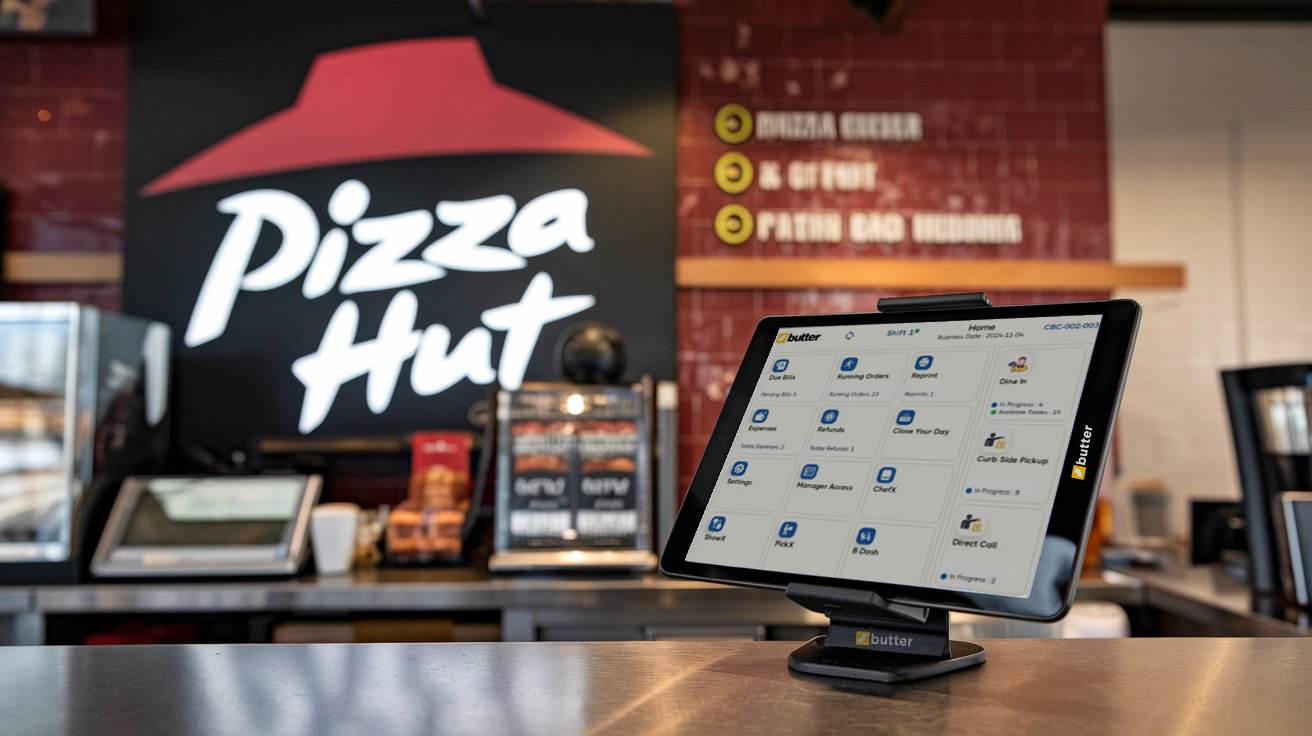
A great pizza needs the right ingredients, and a great pizzeria needs the right POS.
You can have the best dough, the freshest toppings, and a wood-fired oven straight from Italy, but if your POS system is a mess, your pizzeria will be, too.
Imagine opening day: orders piling up, the kitchen in chaos, and a furious customer demanding a refund because their pepperoni pizza turned into a pineapple disaster.
A bad POS doesn't just slow you down, it ruins the experience for everyone. But don't worry! In this guide, I'll show you the biggest mistakes to avoid, the must-have features of a pizzeria POS, and how the right system can keep your business running as smooth as melted mozzarella.
Let's get started!
Common Mistakes When Choosing a Pizzeria POS
Choosing a POS system for your pizzeria isn't like picking a regular restaurant POS, it needs to handle complex orders, fast service, and multiple sales channels. Yet, many pizzeria owners make critical mistakes when selecting their system, leading to slow service, order errors, and frustrated customers.
Let's break down the biggest pitfalls so you can avoid them.
Choosing a Generic Restaurant POS Instead of a Pizzeria-Specific One
Not all POS systems are created equal. Many owners make the mistake of picking a general restaurant POS rather than one designed for pizzerias. Here's why that's a problem:
- Pizzerias have unique needs such as custom toppings, half-and-half pizzas, and special requests. A generic POS might not support these.
- Delivery and takeout are huge, so your POS should handle online orders, third-party deliveries, and in-house drivers seamlessly.
- Kitchen communication is different as pizzerias need clear, itemized tickets so chefs know exactly how to prepare each order.
What to do instead? Choose a Pizza POS that's built for pizzerias or at least allows for advanced customization. Have a look at the best-fit restaurant POS systems for your Pizzeria: Top 3 Restaurant POS Systems in 2026.
Ignoring Order Customization Features
Undoubtedly, no one orders a simple cheese pizza anymore. Customers want extra toppings, gluten-free crusts, extra crispy edges, and half-and-half combinations. If your POS doesn't allow customization, you're in for a nightmare.
Common problems with weak customization options:
- Staff manually writing down special requests, leading to errors
- Orders getting mixed up in the kitchen
- Wasted time correcting mistakes, which slows down service
What to do instead? Look for a pizzeria POS that allows:
- Offering modifiers such as with, more, less, no.
- Half-and-half pizza configurations.
- Special request notes that sync with the kitchen.
Not Prioritizing Speed & Ease of Use
A slow, complicated POS can destroy your workflow. If your system takes forever to process an order, your staff will struggle during rush hours, and customers will get impatient.
Here are some signs your POS isn't fast enough:
- Orders take too long to input, causing long lines.
- Kitchen staff struggle to read tickets because of poor formatting.
- Payment processing is slow, leading to delays at checkout.
What to do instead? Choose a POS with:
- A simple, intuitive interface for fast order entry
- One-touch modifiers for easy customization
- Quick payment processing to keep lines moving
Do you know how to track a restaurant's cash flow? If not, read this article: https://butterpos.com/blog/how-to-track-cash-flow-in-a-restaurant-and-avoid-financial-leaks.
Key Features to Look for in a Pizzeria POS
Now that we've covered the biggest mistakes to avoid, let's talk about what actually makes a great pizzeria POS. You don't need just any system, you need one that's built for the fast-paced, high-volume world of pizza making.
Here are the must-have features to look for:
Customizable Pizza Ordering
Pizzerias are unique because customers rarely order a basic pizza. They want extra cheese, no onions, a half-and-half split, or even different crust options. A standard POS won't cut it, you need one that can handle complex pizza customizations with ease.
- Easy topping selections – Drag-and-drop or one-click additions for toppings
- Half-and-half configurations – So your staff doesn't have to manually write it down
- Gluten-free, stuffed crust, or vegan options – Built-in modifiers for quick selection
- Combo meal support – So customers can easily order pizza + drinks + sides
How Butter POS Helps: Our POS was built with pizzerias in mind, offering an intuitive order customization feature that allows staff to quickly modify pizzas without slowing down the line. Try Butter's Pizzeria POS for Free!
Integrated Kitchen Display System (KDS)
Your kitchen is where the magic happens, but if your orders are unclear, messy, or delayed, that magic turns into madness. A Kitchen Display System (KDS) is a must-have for pizzerias because it ensures orders go directly from the POS to the kitchen accurately and instantly.
Without a KDS, your kitchen might struggle with:
- Illegible handwritten tickets leading to mistakes.
- Staff running back and forth with paper receipts.
- Orders being lost or forgotten during rush hours.
With a KDS, your team benefits from:
- Real-time order tracking – No lost tickets or miscommunications
- Color-coded status updates – Helps chefs manage prep time efficiently
- Automated prioritization – Rush orders or delayed orders get flagged
How Butter POS Helps: Our POS syncs with a Kitchen Display System (KDS), making it easy for your kitchen staff to stay on top of every order. Book a Free Demo Now 👉🏻 https://butterpos.com/contact-us!
Speedy Checkout & Payment Processing
Long lines kill business. If your checkout process is slow, customers will get impatient, and staff will struggle to keep up. A pizzeria POS should support:
- Tap-to-pay, mobile wallets, and contactless payments – For faster transactions
- Split payments – Because sometimes friends don't want to Venmo each other later
- Pre-set tip options – So customers can easily tip your staff
- Integrated card readers – To avoid manual entry mistakes
How Butter POS Helps: Our system processes payments in seconds, reducing wait times and keeping the line moving, even during peak hours.Try our Pizza POS System for Free!
Delivery & Takeout Management
Delivery and takeout are huge revenue drivers for pizzerias. But if your POS doesn't properly manage delivery orders, driver assignments, and estimated wait times, it's a problem.
Without proper delivery tracking, you might face:
- Mixed-up addresses and wrong orders
- No way to monitor driver efficiency
- Customers calling every five minutes asking, "Where's my pizza?"
A strong POS should offer:
- Built-in delivery management – Assign drivers, track deliveries, and send ETAs
- Third-party app integration – Sync with Uber Eats, DoorDash, or Grubhub
- Real-time updates – Customers get notified when their order is out for delivery
How Butter POS Helps: Our delivery management system lets you track drivers, set delivery zones, and ensure customers get accurate ETAs—all from your POS.
Fraud Prevention & Employee Access Controls
Employee theft is a real problem in the restaurant industry, and without a secure POS, it's easy for staff to:
Common fraud risks in pizzerias:
- Giving unauthorized discounts to friends
- Pocketing cash payments and deleting the order
- Forgetting" to ring up an order and keeping the cash
Your POS should include:
- Restricted access levels – So only managers can void or discount orders
- Cash drawer monitoring – Tracks every transaction to prevent theft
- Audit trail reports – Helps you spot suspicious activity
How Butter POS Helps: Our system offers built-in fraud prevention, tracking every void, discount, and refund so you always have a clear view of what's happening. Plus, Butter also helps pizzeria owners prevent themselves from external theft (such as customers and vendors).
Sales Reporting & Customer Insights
Data is everything. A great POS does more than take orders—it helps you understand your customers and grow your business.
What a strong POS should track:
- Best-selling pizzas (so you know what's working)
- Peak hours (so you can schedule staff efficiently)
- Customer order history (for loyalty rewards & marketing)
- Online vs. dine-in sales (so you can adjust strategies)
How Butter POS Helps: Our detailed reporting tools help pizzeria owners track sales, identify trends, and make data-driven decisions to increase revenue. Try our Pizzeria POS Now!
How a POS Impacts Your Business Growth
A POS system isn't just for processing payments—it's the backbone of your pizzeria. The right system boosts efficiency, reduces errors, and increases profits, while a slow or outdated POS can frustrate customers and hurt sales. Here's how the right POS drives growth:
- Faster Service = More Revenue – Quick order-taking and payments keep lines moving, increasing daily sales.
- Fewer Mistakes = Higher Profits – Accurate orders and controlled discounts prevent costly errors and waste.
- Smart Inventory Management = Less Waste – Automated tracking prevents stockouts and spoilage, saving thousands yearly.
- Better Customer Experience = More Repeat Business – Loyalty programs, saved orders, and smooth checkouts keep customers returning.
- Data-Driven Decisions = Smarter Growth – Sales insights help optimize pricing, staffing, and promotions.
A great POS isn't an expense, it's an investment that pays for itself by improving efficiency and boosting revenue. Looking for a POS built for pizzerias? Book a Free Demo of Butter Pizza POS 👉🏻 https://butterpos.com/contact-us.
Final Thoughts
A bad POS system can slow down your pizzeria, frustrate your staff, and drive away customers. But the right POS? It will help you streamline operations, reduce mistakes, and grow your profits.
Want to see a pizzeria-friendly POS in action? Check out Butter POS and see how we can help keep your business running as smoothly as a perfectly stretched pizza dough. Book your free demo now: https://butterpos.com/contact-us.
Frequently Asked Questions (FAQs)
Why is choosing a POS for a pizzeria different from choosing one for other restaurants?
Pizzerias deal with complex orders, custom toppings, half-and-half pizzas, and high delivery volumes. A regular restaurant POS may not support these workflows efficiently. A pizzeria-specific POS is designed to handle speed, customization, and kitchen coordination without slowing operations.
What problems can a wrong POS system cause in a pizzeria?
The wrong POS can lead to order errors, slow service, kitchen confusion, and unhappy customers. It can also increase staff stress during rush hours and cause revenue loss due to incorrect orders, missed modifiers, or poor payment handling.
How important is order customization in a pizzeria POS?
Order customization is critical because most pizza orders include special requests. A strong POS allows staff to easily select toppings, crust types, cooking preferences, and split pizzas without manual notes. This reduces mistakes and keeps the kitchen aligned with customer expectations.
What should a POS support for half-and-half pizza orders?
A good POS should visually separate toppings for each half of the pizza. This ensures the kitchen clearly understands how the pizza should be prepared. Without this feature, staff often rely on handwritten notes, which increases the chance of errors.
Why does speed matter so much in a pizzeria POS?
Pizzerias operate in fast-paced environments, especially during lunch and dinner rushes. A slow POS causes long lines, delayed orders, and frustrated customers. Fast order entry and quick payments help maintain smooth operations and higher order volume.
How does a POS help reduce order mistakes in the kitchen?
A POS that integrates directly with the kitchen displays clear, itemized orders in real time. This removes confusion caused by handwritten tickets and verbal communication. Clear instructions help the kitchen prepare each pizza correctly the first time.
What role does a Kitchen Display System play in pizzerias?
A Kitchen Display System shows orders digitally as soon as they are placed. It helps kitchen staff prioritize orders, track preparation times, and reduce missed or forgotten tickets. This improves accuracy and speeds up service during busy periods.
Why is delivery management an essential POS feature for pizzerias?
Delivery is a major revenue channel for pizzerias. A POS with delivery management helps assign drivers, track orders, and manage delivery times. Without it, orders can get delayed, mixed up, or delivered to the wrong address.
How does a POS help manage takeout and online orders?
A strong POS consolidates dine-in, takeout, and online orders into one system. This prevents double entry, reduces confusion, and ensures all orders reach the kitchen in the correct sequence, even during peak demand.
What payment features should a pizzeria POS include?
A pizzeria POS should support fast and flexible payments, including contactless options, mobile wallets, and split payments. Quick checkout reduces waiting time and keeps customers satisfied, especially during high-volume hours.
How can a POS help prevent employee theft in a pizzeria?
A secure POS restricts access to sensitive actions like discounts, voids, and refunds. It also keeps detailed transaction logs that allow owners to track suspicious activity. This transparency discourages theft and protects cash flow.
Why are access controls important in a pizzeria POS?
Access controls ensure that employees can only perform actions relevant to their role. For example, cashiers take orders while managers approve refunds or discounts. This reduces operational risks and improves accountability.
How does sales reporting help pizzeria owners make better decisions?
Sales reports show which pizzas sell best, which hours are busiest, and where revenue comes from. This data helps owners adjust menus, pricing, and staffing to improve profitability and efficiency.
What customer insights can a POS provide for pizzerias?
A POS can track customer order history, preferences, and frequency. This allows pizzerias to create loyalty programs, personalized offers, and promotions that encourage repeat business.
How does inventory tracking improve pizzeria profitability?
Inventory tracking helps owners monitor ingredient usage and prevent overordering. It reduces food waste and ensures popular items stay in stock. Better inventory control directly improves margins.
Can a POS help manage peak-hour rushes more efficiently?
Yes, a well-designed POS speeds up order entry, improves kitchen communication, and reduces checkout delays. This allows staff to handle more orders without sacrificing accuracy or service quality.
Why is ease of use important for staff training?
A user-friendly POS reduces training time and minimizes mistakes. When staff can learn the system quickly, they perform better during busy shifts and feel less overwhelmed.
How does a POS contribute to better customer experience?
Accurate orders, faster service, and smooth payments all create a better experience. When customers get exactly what they ordered without delays, they're more likely to return and recommend the pizzeria.
Is a POS system an expense or an investment for a pizzeria?
A POS is an investment because it improves efficiency, reduces errors, and increases revenue over time. The right system pays for itself by helping owners save money and grow their business.
What should pizzeria owners prioritize when selecting a POS?
Owners should prioritize speed, customization, kitchen integration, delivery management, security, and reporting. A POS that supports daily operations smoothly is essential for long-term success.






 Region: United States


