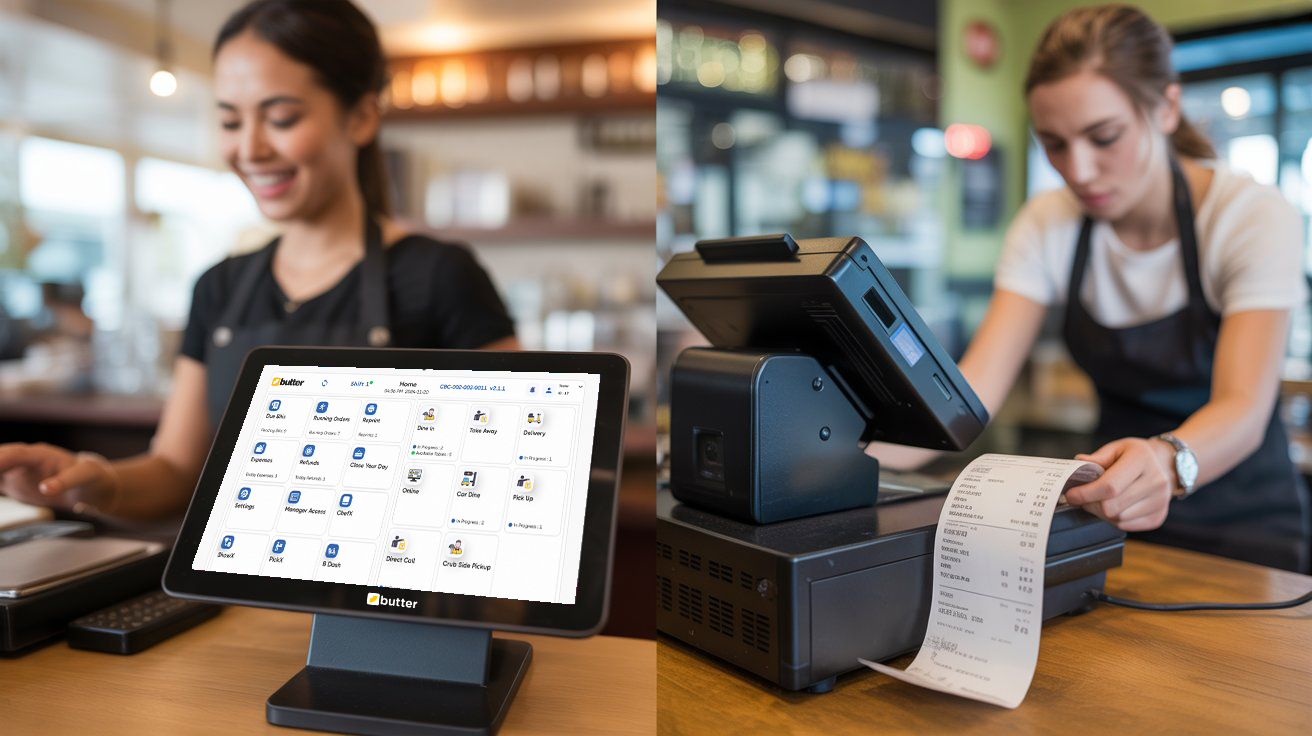
Running a restaurant is hard, and we saw it up close. We spoke to owners dodging a dozen things before noon, managing staff, handling customers, and praying their POS wouldn't freeze during peak hours.
Moreover, we watched good food suffer because of bad systems. And that's when we knew the world didn't need another POS system, it needed a seamless one. Or should we say… the Butter one.
So, we rolled up our sleeves, sat down with chefs, cashiers, and restaurant owners, mapped workflows on napkins, rewrote features from scratch, and tested prototypes until the tech faded and only clarity remained.
What came out of that journey is Butter POS — a system built not just with code, but with compassion, curiosity, and countless cups of late-night coffee. This isn't just software, it's the result of listening, learning, and finally… solving the real problems restaurant owners face every single day.
Let's see what we have fixed.
1. Clunky Interfaces vs Seamless Experience
"Why does it take so long to train my staff on the POS?"
Let's be honest, most conventional POS systems feel like they were designed in another decade. The interfaces are cluttered, the workflows are confusing, and even seasoned staff need cheat sheets to remember how to split a bill or apply a discount. Every hour spent training is an hour lost in a business where speed equals survival.
Butter POS changes that.
We designed the interface to feel like second nature — clean screens, logical flows, and no hidden menus. Whether it's your head chef or a new server, they can learn it within minutes, not weeks. No manuals. No frustration. Just tap…..tap, and done.
Why does that matter? Because in the restaurant business, clarity is currency. Confused staff make errors, and slow systems kill customer experience. But when your team feels confident, your restaurant runs like clockwork.
However, Butter POS doesn't just look good, it works beautifully because we built it with your staff in mind, not just our developers.
2. Hardware Dependency vs Device Flexibility
"Why do I need to invest thousands in hardware just to get started?"
Traditional POS systems often come with a catch: expensive hardware. Bulky terminals, outdated printers, and proprietary gadgets that drain your budget before your first customer walks in. And if one part breaks? Good luck finding a replacement fast.
Butter POS flips the script.
Use the devices you already have — an Android tablet or phone. Setup takes minutes, and there's no need to buy equipment that locks you into one vendor. Whether you're running a pizza kitchen, cafe, or a coffee shop, Butter POS adapts to your scale.
It is not wrong to say that great tech shouldn't chain you down; it should free you to grow.
3. Limited Support vs Real-Time Human Help
"What if my system crashes during the dinner rush — who's there to help me?"
It's every restaurant owner's nightmare. A system crashes right when you're at capacity. And what do most traditional POS providers offer? A support ticket, a waiting line, or an automated email.
We knew that wasn't good enough.
With Butter POS, help is never more than a message away. Our support team isn't a call center reading from scripts. It's real people with real restaurant knowledge who understand the urgency when a system hiccup can cost you thousands in minutes.
You'll get 24/7 support that actually helps you. That's not an add-on, it's a promise.
4. Rigid Menus vs Customization Freedom
"Why can't I customize my menu the way my kitchen works?"
Traditional POS systems just don't fit the way real restaurants work. Want to create a meal combo with custom options? You can't in a conventional POS. Want to make a quick change for a seasonal dish? You'll probably end up calling support and waiting days to get it done.
Butter POS was built with flexibility at its core. Drag, drop, edit, and done.
Moreover, create modifiers, combo meals, specials, and category-based menus in seconds — even mid-shift. Whether you serve sushi, pizza, or street tacos, your menu adapts with you.
Your restaurant isn't generic. Your POS shouldn't be either.
5. No Theft Control vs Built-in Protection
"How can I trust that every order and bill is accounted for — even when I'm not around?"
We've seen it happen: unordered items mysteriously voided, open tables edited after guests leave, cash handled off-record. Traditional POS systems either lack transparency or make it hard to track staff-level actions.
With Butter POS, internal and external theft becomes a thing of the past; your restaurant always stays secure.
Every action is logged. Every user has access limits. You can see what was changed, by whom, and when, in real time. It's not just fraud protection; it's peace of mind.
Because trust is great. But transparency is better.
6. Broken Order Flow vs Instant Kitchen Sync
"Why do my kitchen staff keep getting wrong or delayed orders?"
In traditional systems, the kitchen often becomes the blind spot. Orders get printed late, updates don't sync, or staff shout across the room to confirm a change. It's a recipe for chaos.
Butter POS seamlessly connects everything.
The moment an order is placed, your kitchen display system (KDS) updates instantly. Need to modify an item? Done in real time. Your servers, kitchen, and billing stay in perfect harmony like a well-rehearsed orchestra.
When your team moves in sync, your guests feel it in every bite.
7. Hefty Upfront Costs vs Smart Monthly Plans
"Why do I have to break the bank just to start?"
Traditional systems demand thousands upfront, for software licenses, for hardware, for features that may or may not even fit your operations.
Butter POS offers a smarter path.
Low monthly subscriptions, no hidden fees, and the freedom to cancel anytime. You only pay for what you use, and you upgrade only when you need it. Plus, new users get their first 6 months completely free. Its pricing is built for small businesses with big ambitions.
Because we believe in growing with you, not off you.
8. Outdated Reports vs Smart Dashboards
"How do I know what's working and what's not, right now?"
Undoubtedly, most POS systems offer reports... the next day. Or after you export them. Or only from the desktop back office. That's too late.
Butter POS gives you live, mobile-ready dashboards.
Track the returns, voids, reductions, replacements, top-selling items, busiest hours, staff performance, and table turnover — all from your phone, in real time. Whether you're in the kitchen or on vacation, your restaurant is always in your pocket.
Smart data = smart decisions. That's the Buttery advantage.
Quick Snapshot
| Feature | Traditional POS | Butter POS |
| Interface | Outdated, complex | Intuitive, easy to learn |
| Hardware | Expensive, locked-in | Works on modern Android devices |
| Support | Delayed or scripted | Real-time human help |
| Menu Flexibility | Rigid and limited | Fully customizable |
| Fraud Protection | Minimal or none | User logs, access controls |
| Order Flow | Disconnected | Real-time kitchen sync |
| Pricing | High upfront fees | Affordable monthly plans |
| Reports | Delayed, desktop-only | Live, mobile-ready insights |
Built With Intention & Backed by Experience
Butter POS wasn't developed in a boardroom, it was made on the floor of real restaurants, built through conversations, problems, and a deep desire to create something better.
We're not trying to be everything for everyone. We're here for restaurant owners who care deeply about their service, their people, and their sanity.
If you're still battling outdated systems that create more problems than they solve, maybe it's time to try something that just… works.
Frequently Asked Questions (FAQs)
What is the biggest difference between Butter POS and traditional POS systems?
The biggest difference lies in intent and usability. Traditional POS systems are often built around rigid software logic and legacy workflows, while Butter POS is designed around how restaurants actually operate. From order taking to kitchen coordination and reporting, Butter POS removes friction, reduces complexity, and focuses on speed, clarity, and real-world efficiency.
Why do traditional POS systems feel difficult to learn for staff?
Most traditional POS systems rely on cluttered interfaces, hidden menus, and outdated design principles. This results in longer training times and frequent errors. Butter POS uses a clean, intuitive interface that mirrors natural restaurant workflows, allowing new staff to get up to speed quickly without manuals or repeated training sessions.
How does Butter POS reduce staff training time?
Butter POS is built with simplicity at its core. Logical screen layouts, clear buttons, and straightforward actions mean staff can learn the system in minutes. This reduces onboarding time, minimizes mistakes during peak hours, and helps managers focus on operations rather than constant retraining.
Do I need special or expensive hardware to run Butter POS?
No. Unlike traditional POS systems that require proprietary terminals and printers, Butter POS works on modern Android devices such as tablets and smartphones. This flexibility lowers upfront costs and allows restaurant owners to use devices they already own.
How does device flexibility help small restaurants?
Device flexibility allows restaurants to scale without heavy investment. Whether you're starting small or expanding, you can add or replace devices easily without being locked into a single vendor. This makes Butter POS ideal for cafes, food trucks, and growing restaurant chains.
What happens if the POS system faces an issue during rush hours?
Traditional POS providers often rely on delayed ticket-based support systems. Butter POS offers real-time human support with a team that understands restaurant operations. This ensures faster resolution and minimizes downtime during critical service hours.
How is Butter POS support different from conventional POS support?
Butter POS support is proactive and human-driven. Instead of scripted responses or long wait times, restaurant owners get immediate assistance from people who understand the urgency of service disruptions and operational challenges.
Can I customize my menu easily with Butter POS?
Yes. Butter POS allows full menu customization, including modifiers, combos, categories, and special items. Changes can be made instantly without waiting for technical support, even during active service hours.
Why is menu flexibility important for restaurants?
Menus change frequently due to seasonal items, promotions, or ingredient availability. A rigid POS slows down operations and limits creativity. Butter POS adapts instantly, ensuring your system evolves with your kitchen.
How does Butter POS help prevent internal theft?
Butter POS includes detailed activity logs and user-level permissions. Every action—such as voids, discounts, or edits—is recorded with timestamps and user identification, giving owners complete transparency and control.
Is transparency better than trust in restaurant operations?
Trust is important, but transparency ensures accountability. Butter POS provides clear visibility into staff actions, helping owners identify issues early and maintain operational integrity without micromanaging.
How does Butter POS improve kitchen communication?
Butter POS integrates seamlessly with kitchen display systems, ensuring orders reach the kitchen instantly. Updates, modifications, or cancellations are reflected in real time, reducing confusion and order errors.
Why do traditional POS systems cause order delays?
Many traditional systems rely on delayed printing or disconnected workflows. This creates communication gaps between front-of-house and kitchen staff. Butter POS eliminates these delays with instant digital synchronization.
Is Butter POS affordable for small restaurant owners?
Butter POS uses flexible monthly subscription pricing with no heavy upfront costs. This makes it accessible for small businesses while allowing them to scale features as they grow.
Why are upfront POS costs a problem for new restaurants?
High upfront costs can strain cash flow before a restaurant even starts generating revenue. Butter POS removes this barrier, allowing owners to invest more in food quality, staff, and customer experience.
How does Butter POS reporting differ from traditional POS reports?
Traditional POS systems often provide delayed or desktop-only reports. Butter POS offers live, mobile-friendly dashboards that show real-time performance metrics such as sales trends, staff activity, and peak hours.
Can I monitor my restaurant remotely with Butter POS?
Yes. Butter POS allows owners to track performance from anywhere using their mobile device. Whether on-site or away, you always have visibility into what's happening at your restaurant.
How does real-time data help restaurant owners?
Real-time data enables faster decision-making. Owners can identify slow hours, top-selling items, and operational issues immediately rather than reacting after the fact.
Is Butter POS suitable for different restaurant types?
Butter POS is designed to adapt to various formats including cafes, quick-service restaurants, dine-in setups, and multi-location businesses. Its flexibility makes it suitable for diverse operational models.
Why was Butter POS created in the first place?
Butter POS was built by observing real restaurant challenges firsthand. Instead of adding unnecessary features, it focuses on solving daily operational problems with clarity, empathy, and practical design.






 Region: United States


