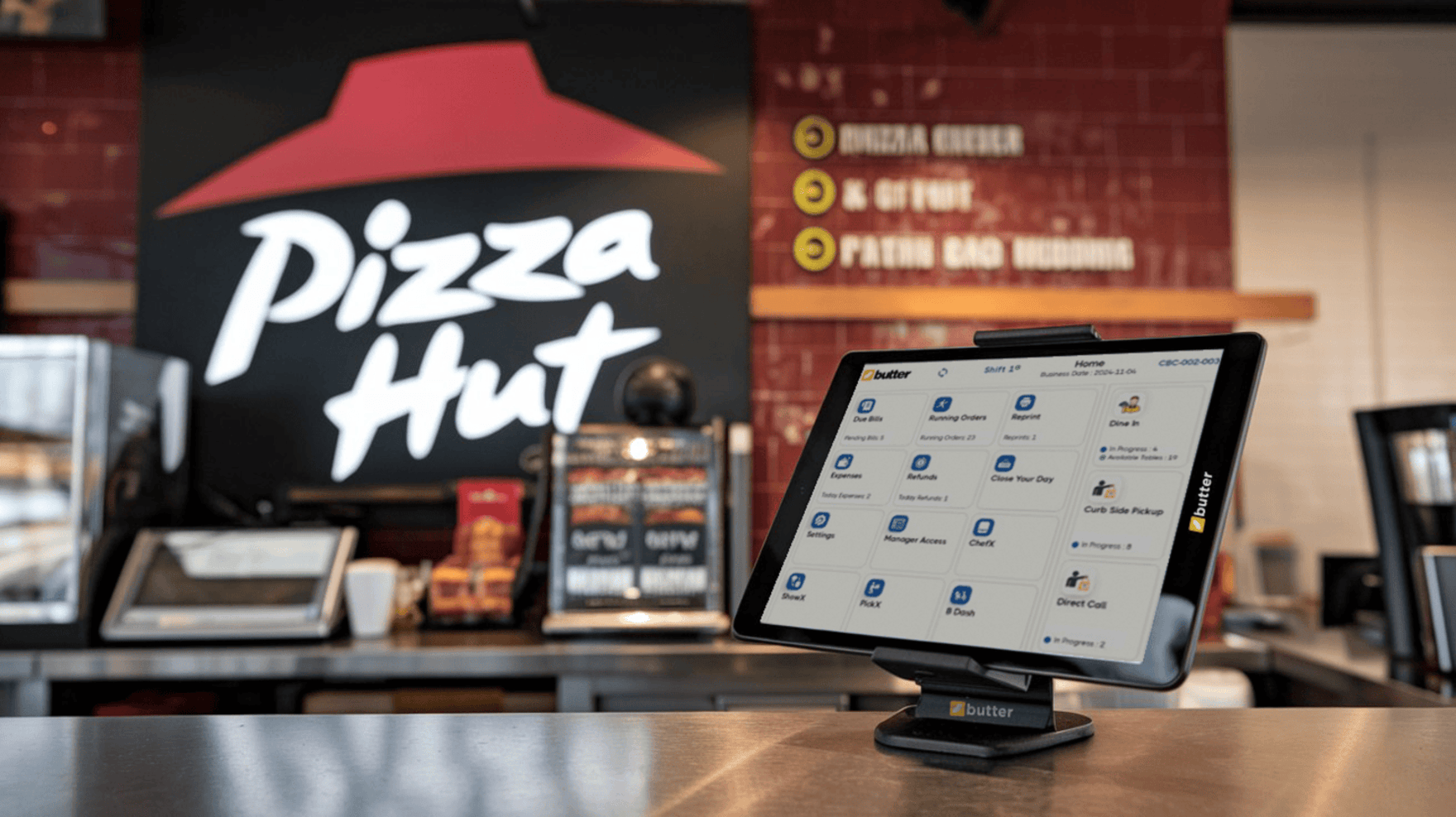
Running a pizza shop isn't just about tossing dough and melting cheese, it's something where every second counts. The orders are piling up, the oven's blazing hot, your staff is juggling deliveries and dine-ins, and your phone won't stop ringing.
Welcome to life in a busy pizza kitchen!
In the middle of this madness, the last thing you need is a clunky, confusing POS system slowing you down. You need a system that works as fast as you do, understands your kitchen flow, and helps you serve that perfect slice on time—every time.
That's exactly what this blog post is about. We're breaking down the must-have features your pizza POS needs to have if you want to keep the chaos under control and the customers coming back for more.
1) Speedy Order Taking
Let's be honest, pizza kitchens don't run slow. It's a non-stop hustle, especially during peak hours when orders are flying in from dine-in tables, phone calls, and food delivery apps all at once.
If your POS can't keep up, you're not just losing time, you're losing sales and customer trust.
Let's Paint a Picture
A customer walks in and wants:
- A large half and half pizza
- Extra cheese on one side
- No olives on the other
- And oh! Make it gluten-free
Now imagine your staff fumbling through complicated menus or scrolling endlessly to find that "half toppings" option. Big mess, right?
Here's What Your Pizza POS Should Do
- Fast, tap-friendly interface — Think big buttons, clear categories, and no lag.
- Custom pizza builder — Choose a crust, size, toppings, and even split toppings visually!
- Smart memory — The system remembers common orders so repeat customers get their usual faster.
- Phone order quick entry — Type in name, number, and order without jumping screens.
A good POS makes your staff faster. A great POS makes them feel like superheroes.
Don't let a slow system become the bottleneck in your business. In a pizza shop, speed is customer service.
2) Kitchen Display System (KDS) Integration
Let us ask you, how many times have printed tickets gone missing during rush hour? One falls behind the counter, one sticks to a sauce bottle, and one gets smeared with marinara sauce.
Yeah… not fun.
That's where a KDS (Kitchen Display System) comes in. It sends orders straight to a screen in the kitchen, so your chefs always see what's next clearly and in real time.
Why is KDS a Game-changer?
- No lost tickets: Orders show up on a digital screen the moment they're placed.
- Timers & order status: Easily track how long an order's been cooking.
- Less yelling, more doing: No more staff shouting orders over oven noise.
- Cleaner setup: No paper = no mess.
In a pizza kitchen, communication breakdowns are the same as burnt crusts and angry reviews. KDS keeps everyone on the same slice.
And let's not forget, your staff will thank you. It's easier to focus when the system does the tracking for them.

Kitchen Opening Checklist
A well-prepared kitchen means faster service and happier guests. Use our free checklist to keep your kitchen running smoothly every morning.

3) Toppings Customization & Modifiers
You know this better than anyone: Nobody just wants a plain pepperoni anymore.
It's always:
- "Add jalapeños but only for half."
- "Can I get no onions but double mushrooms?"
- "I want vegan cheese but regular crust."
If your pizzeria POS system makes custom orders difficult, you're basically telling customers: "Nah, we don't do anything special." That's not gonna fly.
What Do You Need?
- Easy modifiers: Add, remove, or swap toppings with one tap.
- Split pizza options: Build half-and-half pizzas without confusion.
- Auto-pricing: Extra cheese? $1.25 added automatically. No need for manual input.
- Upsell prompts: Suggest garlic crust, extra dip, or a drink while the order's being taken.
The customizable pizzeria point of sale systems will satisfy customers and make ticket sizes higher. Win-win.
Let your customers go wild with their creativity, and let your staff handle it with ease.
4) Delivery & Driver Management
Pizza and delivery go together like cheese and crust. If your pizzeria POS isn't helping you manage deliveries, you're running blind.
Think about it—during a rush, you've got:
- Orders from Uber Eats, phone calls, and your website
- Two drivers waiting at the counter
- One customer called to ask, "Where's my pizza?"
Chaos? Not if your pizza POS system has your back.
Here's What a Smart Pizza Point of Sale Should Do
- Address lookup & maps: Auto-fill customer addresses, and calculate best routes.
- Driver assignment: Assign orders to available drivers with a single tap.
- Delivery time tracking: Know when each order was sent out, and how long it took.
- Delivery status updates: See what's cooking, what's out, and what's done.
When your delivery is late, the whole pizza gets blamed. A delivery-ready POS protects your reputation, one slice at a time.
Bonus? Drivers can carry mobile POS devices or apps to collect payment and mark orders complete.
5) Loyalty Programs & Customer Profiles
Undoubtedly, people don't stay loyal for no reason. But offer them a free pizza after 5 orders? Oh yeah, they'll be back. Again and again.
A loyalty program isn't just a nice-to-have, it's your secret sauce for building a community around your brand.
What Your Pizza POS Needs?
- Points-based rewards: For every dollar spent, they earn points. Simple.
- Customer profiles: Store names, favorites, allergies, birthdays.
- Promo automation: Send "Buy 1 Get 1 Free" deals to frequent visitors.
- Customer insights: See who's ordering what and when.
The more you know your customers, the better you serve them. A great pizza point of sale system helps you remember every face, every favorite slice.
You're not just selling pizza, you're building relationships.
6) Ingredient-Level Inventory Tracking
Imagine this nightmare: It's Saturday night, line out the door, and boom—you're out of mozzarella.
Now you're serving apologies instead of pizzas. A proper pizza POS system doesn't just track orders. It tracks what's in your fridge.
Must-have Inventory Features
- Real-time ingredient tracking: Know exactly how much cheese, dough, and sauce you've got.
- Low stock alerts: Get notified before you're in trouble.
- Usage reports: See what's being used the most and when.
- Reorder reminders: Set restock thresholds so you never forget.
Running out of ingredients = missed sales + bad reviews. Don't risk it. Let your POS do the watching.
7) Real-Time Sales Reporting
Gut feelings are fine. But data? That's where the real money is.
You need to know:
- What's your best-selling pizza?
- Which hours bring the most revenue?
- Which staff member is crushing it?
Your POS Should Show:
- Hourly, daily, and weekly sales reports
- Best and worst-selling items
- Staff performance reports
- Discount, void, and refund tracking
Data tells a story. And when you understand that story, you make smarter decisions, grow faster, and stay ahead.
No need to be a spreadsheet nerd—just clean, visual dashboards that even your busiest chef can understand.
8) Multi-Device Sync
You've got a dine-in counter, a phone ringing, an iPad taking curbside orders, and a staff member with a handheld tablet. If your POS can't sync it all seamlessly… it's holding you back.
Must-have Flexibility
- Cloud-based access: Manage your shop from your laptop, tablet, or even phone.
- Instant sync across devices: No lag, no double entries.
- Mobile order taking: Take orders at the table, in line, or at events.
Flexibility isn't a bonus anymore—it's survival. Customers expect options and the best pizza POS system should support them all.
9) Easy Staff Training & 24/7 Support
Hiring new staff? Someone quits mid-week? Your oven dies at 9 PM and the system goes weird? It happens.
But if you have the best pizza POS system with top-notch support and easy training tools, you'll bounce back instantly.
Look for This
- Simple UI: New hires can learn it in minutes, not days.
- Training mode: Let staff practice without messing up real orders.
- 24/7 customer support: Because pizza shops don't close at 5 PM.
- Live chat, email, and phone help: Pick what works for you.
You run a high-pressure business. Your tech partner shouldn't add to your stress—they should take it away.
Having solid support is like having a pizza expert on speed dial. Always ready, never annoying.
All-in-One POS Made For Your Restaurant.
Get it Today for Free! Get a Demo Now.
Final Slice
Running a pizza shop is fast, hot, and full of flavor. Your pizza POS should be too.
Let's recap the must-have features:
- Speedy order taking
- Kitchen display system
- Custom toppings & modifiers
- Delivery and driver tracking
- Loyalty programs
- Ingredient-level inventory
- Real-time reports
- Multi-device access
- Easy training & support
Don't settle for a generic POS because you need a system that's built for pizza, with all the chaos, flavor, and speed that comes with it.
Frequently Asked Questions (FAQs)
What is a pizza POS system, and how is it different from a regular POS?
A pizza POS system is designed specifically for the fast-paced workflow of pizza shops. Unlike generic POS systems, it supports complex pizza customization, split toppings, delivery management, ingredient-level inventory, and kitchen coordination, all of which are critical in a pizza business.
Why is speed so important in a pizza POS system?
Pizza shops deal with high order volumes and peak-hour rushes. A fast POS reduces order-taking time, prevents bottlenecks, and helps staff process dine-in, phone, and delivery orders without delays, directly improving customer satisfaction.
How does a pizza POS handle half-and-half or custom pizzas?
A good pizza POS includes a visual pizza builder that allows staff to select crust, size, sauces, and split toppings easily. This ensures accuracy, reduces mistakes, and makes even complex orders quick to enter.
Can a pizza POS system reduce order errors?
Yes. By using clear modifiers, visual builders, and kitchen display integration, a pizza POS minimizes miscommunication between front staff and the kitchen, reducing wrong toppings, missed notes, and remake costs.
What role does a Kitchen Display System (KDS) play in a pizza shop?
A KDS replaces paper tickets with digital order screens in the kitchen. It shows orders in real time, tracks preparation time, and improves coordination during rush hours, ensuring pizzas are prepared accurately and on time.
Is a KDS better than printed tickets for pizza kitchens?
Yes. Digital displays eliminate lost or damaged tickets, reduce clutter, and improve visibility in noisy, high-heat environments. This leads to faster preparation and fewer missed orders.
How important are toppings modifiers in a pizza POS?
Toppings modifiers are essential because most customers customize their pizzas. A strong POS allows easy add-ons, removals, and substitutions while automatically adjusting prices, ensuring accuracy and higher average order value.
Can a pizza POS help increase sales?
Yes. Many systems prompt staff to suggest extras like dips, drinks, garlic crusts, or dessert items during order entry, which can significantly increase ticket size without slowing service.
How does a pizza POS system manage deliveries?
A pizza POS tracks delivery orders, assigns drivers, logs dispatch times, and monitors delivery status. This helps staff answer customer queries accurately and keeps delivery operations organized during busy hours.
Can a pizza POS support both third-party and in-house delivery?
Yes. A well-built system consolidates orders from phone, counter, and online channels into one dashboard, making it easier to manage all delivery types from a single screen.
Why are customer profiles important for pizza shops?
Customer profiles store order history, preferences, and contact details. This allows staff to recognize repeat customers, suggest favorites, and provide personalized service that builds loyalty.
How do loyalty programs benefit pizza restaurants?
Loyalty programs encourage repeat visits by rewarding customers with points, discounts, or free items. Over time, this increases customer retention and lifetime value without heavy marketing costs.
What is ingredient-level inventory tracking?
Ingredient-level tracking monitors how much dough, cheese, sauce, and toppings are used per order. It automatically adjusts stock levels based on sales, giving owners real-time visibility into inventory.
How does inventory tracking help prevent losses?
By showing real usage and alerting owners to low stock or unusual consumption patterns, inventory tracking helps prevent theft, over-portioning, and unexpected ingredient shortages.
Can a pizza POS predict when to reorder ingredients?
Yes. Advanced systems send low-stock alerts and reorder reminders based on usage trends, helping shops restock before running out during peak periods.
Why is real-time sales reporting important for pizza shops?
Real-time reports help owners understand peak hours, best-selling pizzas, staff performance, and profit trends. This data supports smarter decisions around staffing, pricing, and promotions.
What kind of reports should a pizza POS provide?
A strong pizza POS offers hourly, daily, and weekly sales reports, item performance, staff productivity, discounts, voids, and refunds, all presented in easy-to-read dashboards.
How does multi-device syncing improve operations?
Multi-device syncing ensures that all terminals, tablets, and handheld devices stay updated instantly. Orders entered on one device appear everywhere, preventing duplication and confusion.
Is cloud-based access important for pizza restaurant owners?
Yes. Cloud-based POS systems allow owners to monitor sales, inventory, and performance remotely, even when they're not physically in the shop.
How easy should staff training be on a pizza POS system?
The best pizza POS systems have intuitive interfaces that new staff can learn quickly. Training modes and simple layouts reduce onboarding time and help teams stay efficient even with frequent staff changes.






 Region: United States


